1) Title + Hook
How “Sign in with Google” Works: The Airport Badge Way
- Ever clicked “Sign in with Google” and wondered what’s happening?
- Imagine every app is a locked door at the airport. You don’t want a new badge for every door!
- Let’s see how Google helps you get in, fast and safe.
2) Why It’s Needed (Context)
At a big airport, showing your ID at every single door is slow and tiring.
It’s much better to have one trusted badge that lets you into the rooms you need.
Apps want the same thing: they want to make sure it’s really you, but don’t want to store your password.
That’s why they trust Google to give you a “badge” to get you in.
3) Core Concepts Explained Simply
SSO / FIM (Single Sign-On / Federated Identity)
- What it means: Use one badge to open many doors.
- Airport: Your airport badge from security lets you into the café, baggage room, and lounge.
- Apps: Google gives you a badge. Canva, Spotify, and others let you in because they trust Google’s badge.
SAML – The “Paper Note” World
- What it means: Get a paper note with a stamp.
- Airport: Security writes a note, stamps it, and gives it to you. The door guard lets you in if the note is stamped.
- Apps: Google gives a digital “letter” (SAML assertion) to the app. The app checks the stamp (signature) and lets you in.
OAuth – The “Valet Pass” World
- What it means: Get a special pass for one room.
- Airport: You get a pass to go into just the cafeteria—not everywhere else.
- Apps: Canva asks Google for a pass to see your Drive files. The pass only works for those files.
OIDC – The “Photo Badge” World
- What it means: Get a badge with your photo and name.
- Airport: Security gives you a badge that shows your face and name, and what places you’re allowed.
- Apps: Spotify asks Google for a badge with your info. The app knows it’s you and what you can do.
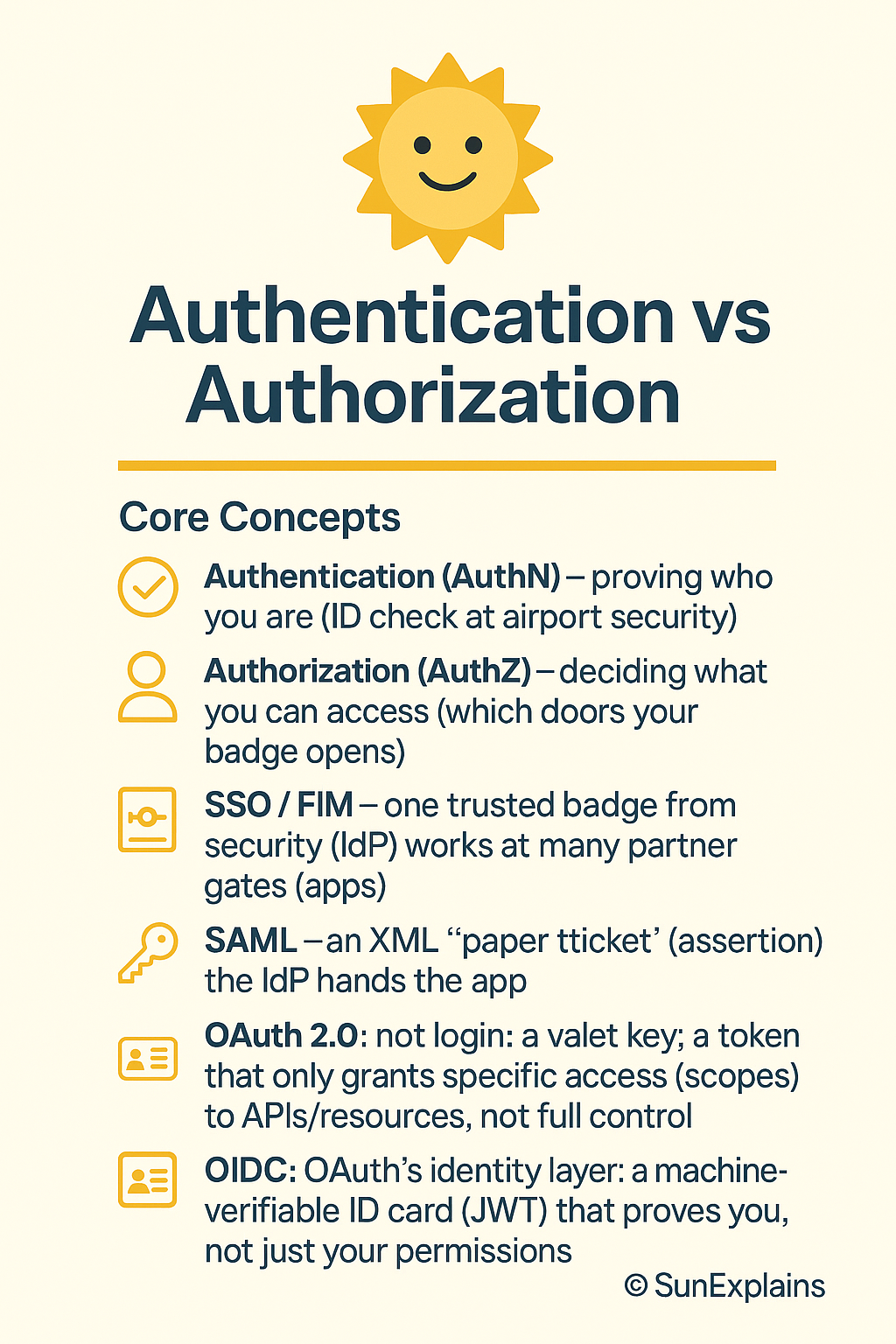
Visual: Airport Badge Stack
         [SSO]    One badge for many doors
           |
        [SAML]   Paper note with stamp
           |
        [OAuth]  Special pass for one room
           |
        [OIDC]   Photo badge with name
4) Real-World Case Study
Bad Example:
- An airport let anyone in if they had a paper note, but they didn’t check the name or number.
- Someone copied a note and got into places they shouldn’t.
- Lesson: Always check the photo, name, and where the badge is allowed!
Good Example:
- Another airport used photo badges and checked them at every door.
- If someone lost a badge, security turned it off fast.
- Lesson: Photo badges with checks keep things safe.
5) What To Do: Prevent → Detect → Respond
- Prevent:
- Use photo badges, not paper notes.
- Only give out passes for what people really need.
- Always check names and photos.
- Detect:
- Watch for people trying old or fake badges.
- Get alerts if someone tries to open the wrong door.
- Respond:
- Turn off lost or fake badges right away.
- Tell all guards if something weird happens.
6) Key Differences To Remember
| Badge Type | What It Does | Airport Example | Best For |
|---|---|---|---|
| SAML | Lets you in with a note | Stamped paper note | Old systems |
| OAuth | Lets you in for one room | Special pass | Reading files, APIs |
| OIDC | Shows who you are + access | Photo badge with name | Logging in, web & mobile |
7) Quick Summary Table
| Concept | Simple Meaning | Airport Example | When To Use |
|---|---|---|---|
| SSO | One badge, many doors | Airport badge | Login everywhere |
| SAML | Paper note, stamped | Stamped note | Older apps |
| OAuth | Special pass, one room | Pass for cafeteria | Apps reading data |
| OIDC | Photo badge, name | Badge with photo | Logging in as you |
8) What’s Next
Next: What’s inside your photo badge? How do apps check if your badge is real or fake?
9) 🌞 The Last Sun Rays…
“Sign in with Google” is like getting a badge from airport security.
Apps (doors) trust Google’s badge—not your password.
Some badges let you in, others also show who you are.
If you can explain that, you’re ready for anything!
Your turn:
If you ran the airport, what’s the first rule you’d give to your guards about checking badges?

By profession, a CloudSecurity Consultant; by passion, a storyteller. Through SunExplains, I explain security in simple, relatable terms — connecting technology, trust, and everyday life.
Leave a Reply