Data protection authority investigates a healthcare provider for PHI mishandling.
A data breach triggers a compliance audit from a government body — which investigation type applies?
2️⃣ Electronic Discovery (E-Discovery)
Concept
Technical Definition
Purpose / Big Picture
Simple Example
Root-of-Question Pattern
Electronic Discovery (E-Discovery)
The process of identifying, collecting, and producing electronically stored information (ESI) for legal or investigative use.
Ensures digital evidence is preserved, processed, and presented in a legally defensible manner.
Emails, chat logs, and backups are reviewed in response to a court subpoena.
Which process manages the identification and preservation of electronic data for litigation?
3️⃣ Electronic Discovery Reference Model (EDRM) Phases
Concept
Technical Definition
Purpose / Big Picture
Simple Example
Root-of-Question Pattern
Information Governance
Framework ensuring data is created, stored, and destroyed according to policy, law, and business need.
Prevents data sprawl and ensures readiness for investigation or litigation.
A company classifies data and enforces retention rules across cloud storage.
Which EDRM phase proactively manages data before litigation occurs?
Identification
Determining potential sources of relevant information.
Ensures investigators know where to find evidence.
Finding all employees’ email archives relevant to a case.
In which EDRM phase are possible data sources such as email servers located?
Preservation
Protecting potential evidence from alteration or deletion.
Maintains evidence integrity and legal defensibility.
Placing a litigation hold on a custodian’s mailbox.
Which EDRM phase involves placing a “legal hold” to prevent evidence loss?
Collection
Gathering ESI from identified sources in a documented, forensically sound manner.
Ensures data is captured without tampering or modification.
Copying entire mailbox data using write-blocking tools.
Which step focuses on obtaining data while maintaining chain of custody?
Processing
Filtering, converting, and preparing collected data for review (deduplication, indexing).
Reduces data volume and improves search efficiency.
Removing duplicate emails and converting PST files into searchable formats.
Which phase of EDRM reduces data volume through deduplication?
Review
Examining data for relevance, privilege, or confidentiality.
Determines which information is usable or protected in legal proceedings.
Legal team reviews emails to remove attorney–client privileged content.
During which phase is privileged content filtered out before analysis?
Analysis
Evaluating reviewed data for patterns, context, or relationships.
Builds evidence narrative and supports legal arguments.
Investigators map communication chains between employees.
Which phase of EDRM correlates data to establish event timelines?
Production
Delivering relevant information in legally required formats to requesting parties.
Ensures compliance with discovery rules and transparency.
Providing selected files in PDF or native format to court.
Which EDRM stage involves submitting reviewed evidence to external parties?
Presentation
Displaying or demonstrating evidence in court or internal hearings.
Communicates findings clearly for decision-makers or juries.
Investigator presents timeline visuals in court.
Which EDRM step focuses on presenting evidence during hearings or trial?
🧩 Elite Exam Insights
“Chain of Custody” → Always appears under Preservation / Collection questions.
“Legal Hold” → Keywords = Preservation phase.
“Beyond reasonable doubt” vs “Preponderance of evidence” → Criminal vs Civil distinction.
“Administrative investigation” → Usually internal, not involving external agencies.
“Regulatory investigation” → Often triggered by breach disclosure or non-compliance audit.
Perfect — this extends the same CISSP Domain 7: Investigations framework beautifully. Below is your new section — fully aligned with the Elite Framework structure, keeping your scope only while clarifying definitions, examples, and exam triggers.
⚖️ CISSP Elite Framework: Evidence & Forensics
1️⃣ Admissible Evidence
Concept
Technical Definition
Purpose / Big Picture
Simple Example
Root-of-Question Pattern
Admissible Evidence
Evidence accepted by a court because it meets legal standards of relevance, materiality, and competence.
Ensures evidence presented is trustworthy, directly related, and legally obtained.
Log files admitted in court to prove a specific user’s unauthorized login.
Which term describes evidence that can be legally introduced in court proceedings?
Relevant
The evidence logically relates to the fact under investigation.
Prevents irrelevant information from confusing the case.
Showing VPN logs in a data theft case (relevant), not browser history.
Evidence must have a logical connection to the matter in question. Which requirement is this?
Material
The evidence directly influences the outcome of the case.
Focuses attention on facts that matter to the dispute.
The only log showing who deleted data is material to the case.
Which characteristic determines whether evidence affects the outcome of litigation?
Competent
Evidence must be legally obtained and reliable.
Ensures integrity and legality; excludes hearsay or improperly gathered data.
Evidence seized under valid search warrant.
Which quality ensures evidence is lawfully and properly obtained?
2️⃣ Types of Evidence
Concept
Technical Definition
Purpose / Big Picture
Simple Example
Root-of-Question Pattern
Real Evidence (Physical Evidence)
Tangible objects directly involved in the incident.
Provides physical, verifiable proof of an act or event.
Hard drive, USB, or device used in data exfiltration.
A seized laptop used in a breach investigation is what type of evidence?
Documentary Evidence
Written or recorded materials, including logs, reports, and digital records.
Demonstrates events or transactions via written or electronic trail.
System logs showing failed login attempts.
Which evidence type includes audit logs and written records?
Best Evidence Rule
Requires the original document or exact copy to prove content authenticity.
Prevents manipulation or misinterpretation of secondary copies.
Submitting the original log file, not a screenshot.
Which rule requires original or primary evidence to prove content?
Parol Evidence Rule
Prevents oral statements from contradicting written contracts.
Protects integrity of formal agreements.
A verbal claim of “unlimited admin access” can’t override the signed access agreement.
Which rule limits verbal claims when a written contract exists?
Chain of Evidence / Chain of Custody
Documented trail showing who handled evidence, when, and how.
Preserves evidence integrity and legal admissibility.
Each handler signs evidence logs from collection to court.
Which process ensures evidence integrity by documenting every transfer and handler?
Testimonial Evidence
Statements made under oath by witnesses or experts.
Provides firsthand or expert interpretation of events.
Security analyst testifies about firewall log meaning.
Which type of evidence involves statements given under oath?
Hearsay Rule
Excludes secondhand statements not based on direct knowledge.
Ensures testimony is firsthand and verifiable.
“My colleague told me he saw the breach” → not admissible.
Which rule excludes testimony based on secondhand information?
Demonstrative Evidence
Visuals or reconstructions created to illustrate facts.
Insider Threat often the MOST difficult to detect (look for that phrasing).
Hacktivists = ideological motivation; NOT financial, though their acts may cause financial loss.
When question stem mentions “espionage,” the correct category is usually Military/Intelligence Attack.
Perfect — this final section completes your Chapter 19: Investigations and Ethics under CISSP Domain 7 (Security Operations). Ethics questions often appear deceptively simple on the exam but hinge on intent, accountability, and the ISC² Code of Ethics Canons. Below is your refined and exam-ready Elite Framework Master Sheet for Ethics — built entirely from your content, grouped for clarity.
🌍 CISSP Elite Framework — Ethics
1️⃣ Organizational Code of Ethics
Concept
Technical Definition
Purpose / Big Picture
Simple Example
Root-of-Question Pattern
Organizational Code of Ethics
Set of rules or principles guiding employee behavior within a company.
Establishes expected conduct, prevents conflicts of interest, and reinforces trust with clients and regulators.
Company policy forbids accessing client data without written authorization.
Which policy defines acceptable employee behavior and helps prevent conflicts of interest?
2️⃣ (ISC)² Code of Professional Ethics
Concept
Technical Definition
Purpose / Big Picture
Simple Example
Root-of-Question Pattern
Preamble
Introductory statement declaring that CISSPs must act honorably, honestly, responsibly, and legally to protect society and the profession.
Sets the moral foundation for all security work; ensures professional integrity.
CISSP declines a lucrative project that involves illegal surveillance.
Which section of the (ISC)² Code of Ethics states the obligation to act honorably and protect society?
Canons (4 Principles)
Fundamental ethical duties all (ISC)² members must follow.
Provide universal ethical guidance regardless of employer policy.
See table below.
Which part of the (ISC)² Code of Ethics defines the four guiding canons?
(ISC)² Ethical Canons
Canon
Technical Definition
Purpose / Big Picture
Simple Example
Root-of-Question Pattern
1️⃣ Protect Society, the Commonwealth, and the Infrastructure
Place public interest above personal or employer interest.
Prioritize safety, privacy, and lawful conduct.
Reporting an unpatched vulnerability that threatens public systems.
Which canon requires prioritizing public welfare over organizational gain?
2️⃣ Act Honorably, Honestly, Justly, Responsibly, and Legally
Maintain personal integrity and follow all laws.
Builds trust and credibility in the security profession.
Refusing to misuse privileged access despite pressure.
Which canon stresses integrity and legal compliance?
3️⃣ Provide Diligent and Competent Service to Principals
Deliver quality, risk-aware security advice to clients/employers.
Encourages due care and professional competence.
Advising management on realistic security controls instead of shortcuts.
Which canon covers professional competence and diligence?
4️⃣ Advance and Protect the Profession
Support education, certification, and ethical conduct of peers.
Elevates industry standards and community reputation.
Mentoring new CISSP candidates and reporting unethical behavior.
Which canon involves mentoring and maintaining the profession’s integrity?
3️⃣ Code of Ethics Complaints
Concept
Technical Definition
Purpose / Big Picture
Simple Example
Root-of-Question Pattern
Ethics Complaint Process
Formal (ISC)² mechanism to investigate and discipline violations of the Code of Ethics.
Maintains certification credibility and public trust.
A member accused of data theft faces ISC² review board inquiry.
Which process allows (ISC)² to enforce its Code of Ethics through disciplinary action?
4️⃣ Ethics and the Internet
Concept
Technical Definition
Purpose / Big Picture
Simple Example
Root-of-Question Pattern
Ten Commandments of Computer Ethics
Set of moral principles (from Computer Ethics Institute) guiding responsible computer use.
Encourages respect for privacy, property, and intellectual rights online.
Not altering another person’s data without permission.
Which framework prohibits actions such as snooping, copying, or damaging data?
Code of Fair Information Practices (FIP)
Core privacy principles from U.S. HEW (1973): notice, choice, access, integrity, and enforcement.
Foundation for data-protection laws (e.g., GDPR, HIPAA).
Company notifies users before collecting personal data and allows opt-out.
Which code defines principles like notice, choice, access, and enforcement to protect personal data?
🧠 Elite Exam Insights
“Protect society first” → if a question includes a conflict of interest, the correct answer favors public welfare over employer interest.
Due Care & Due Diligence:
Due Care = acting responsibly (implement the policy).
Due Diligence = acting prudently (evaluate the risk).
Fair Information Practices (FIP) often anchors privacy-law questions — remember its 5 principles.
When canons conflict, order of priority = Public → Individual → Organization → Profession.
Ten Commandments appear as “ethical use of computers” — exam stems often disguise it as “which practice BEST demonstrates ethical online behavior?”
This completes your Chapter 19 – Investigations and Ethics Elite Framework Master Sheet, fully integrated across:
“Which means doing the right thing / doing it right?”
Priority Order
Public > Individual > Organization > Profession
Always protect society first
“When canons conflict, which priority applies?”
🧠 Memory Hooks
EDRM mnemonic:I Play Cool Records And Produce Perfect Information → ID, Preserve, Collect, Review, Analyze, Produce, Present, InfoGov.
Evidence order (Volatility): RAM → Swap → Disk → Logs → Archive.
RMC Test = Relevant + Material + Competent → Admissible.
Ethical Ladder: Society → Integrity → Client → Profession.
Crime Motives: Money (Financial), Power (Mil/APT), Revenge (Grudge), Fun (Thrill), Cause (Hacktivist).
⚙️ Usage Tip
Use this Recall Grid for active retrieval drills:
Cover the “1-Line Recall Trigger” column.
See the keyword — force yourself to recite definition + purpose + example in 5 seconds.
Then open the Elite Framework for deep reinforcement.
SUMMARY
1️⃣ Domain Objective & Why This Matters
Objective: Understand how investigations, evidence handling, computer crimes, and ethics intersect to preserve integrity, legality, and accountability in security operations.
Why it Matters: Security professionals often become the first responders when something goes wrong. If you mishandle evidence or act outside policy, you risk making valid findings legally useless or ethically questionable. The exam tests whether you understand procedure > technology and ethics > expedience.
Key mindset: A CISSP is a guardian of trust, not just a technical expert.
2️⃣ Exam Mindset & Traps
Mindset Lens
What It Means
Common Trap
Triage Move
BEST vs FIRST
“BEST” = strategic → ethically correct, aligns with canons. “FIRST” = tactical → preserves evidence or life.
Acting before containment or authorization.
Ask → “Am I preserving evidence or protecting people first?”
MOST Appropriate
Choose the option that fits policy + ethics + law.
Ignoring org policy to rush to police.
Re-read for context — internal vs criminal.
Legal vs Internal Context
4th Amendment applies only to law enforcement, not corporate investigations.
Assuming all searches need warrants.
If HR or SOC acts under company policy → no warrant needed.
Triaging
When multiple right answers appear → rank : Safety > Legal > Business > Technical.
Picking the purely technical control.
Use “Hierarchy of Responsibility.”
Pitfall
Forgetting chain of custody documentation.
“Take evidence, analyze, then document” → wrong order.
Always → Collect → Hash → Label → Log → Store.
3️⃣ Exam Importance
Weight: ~10 % of Domain 7.
Question Style: short scenario with ethical or procedural twist.
Frequency: high crossover with BCP/DR, law, and operations.
Payoff: Easy points if you master sequence + motive + legality.
Day 5: Canon recitation drill (say all 4 in 10 sec).
Day 7: Crime motive quiz.
Day 10: Scenario drill (identify FIRST action).
Day 14: Ethics conflict case (choose priority).
🔟 Mnemonic / 30-Sec Lightning Recap
“I Really Must Collect Perfect Records And Produce Proof” → Identification, Preserve, Collect, Process, Review, Analyze, Produce, Present.
Evidence RMC = Relevant + Material + Competent. Ethics Canons = Society → Integrity → Service → Profession. Crime Motives Mnemonic:Money Power Revenge Fun Cause. Volatility Order:RAM > Swap > Disk > Logs > Backups.
11️⃣ Summary Table
Section
Essence
Key Question Cue
Investigation Types
Know context & burden of proof.
“Which investigation is internal / external?”
Evidence Handling
Preserve + Document + Hash.
“How to keep evidence admissible?”
Forensics
Follow order of volatility.
“What data disappears first?”
Investigation Process
Gather → Call → Conduct → Report.
“What comes FIRST?”
Crime Categories
Motive defines attack.
“Which motive fits scenario?”
Ethics
Apply 4 canons & FIP.
“Which action upholds ethical duty?”
12️⃣ Acronym / Term Reference Table
Term
Expansion
Quick Cue
EDRM
Electronic Discovery Reference Model
9 phases of E-discovery
RMC
Relevant / Material / Competent
Admissible test
FIP
Fair Information Practices
Privacy foundation
APT
Advanced Persistent Threat
Long-term stealth attack
RACI
Responsible / Accountable / Consulted / Informed
Investigation roles (optional cross-link)
LEO
Law Enforcement Officer
External investigation actor
LOCARD
Locard’s Exchange Principle
“Every contact leaves trace.”
13️⃣ Blog Seed (Outline) — “The Ethics of Evidence”
Hook: “What if your best forensic finding was thrown out in court because you didn’t sign a form?”
Big Ideas:
Why evidence without ethics is noise.
The invisible bridge between policy and law.
The 9 EDRM steps explained in one breach story.
How the 4 Canons decide what ‘best’ really means.
The human side of investigations — trust, truth, trace.
Visual Placeholder: A chain-of-custody diagram merging into the 4 Canons compass.
CTA: “Run a 5-minute integrity audit on your investigation process today.”
14️⃣ Brief Summary
Chapter 19 brings together the science of evidence and the soul of security. You learn how to collect without contaminating, investigate without violating, and act without compromising ethics. It’s not about catching hackers; it’s about proving truth responsibly.
15️⃣ Exam Tips
Always read “context” → internal vs criminal before choosing warrant options.
When torn, protect society first, document last.
Never pick “call law enforcement first” unless crime is confirmed and scope beyond org.
Memorize EDRM order and RMC test — both are guaranteed question themes.
When two answers look right, choose the one that demonstrates due care.
Ethics > Legality > Policy > Business Gain.
If you see “hash” or “chain of custody,” mark it → always correct for “integrity” questions.
“Which control BEST mitigates human-caused disruption?”
Hardware / Software Failure
Device crash, patch flaw
“Which measure prevents SPOF in servers?”
⚙️ 2️⃣ System Resilience & Fault Tolerance
Concept
Trigger Cue
Root-of-Question Pattern
Single Point of Failure
One component break = downtime
“Which design eliminates a SPOF?”
High Availability
Redundant paths / automatic failover
“What’s the PRIMARY goal of HA?”
Fault Tolerance
Continue despite failure
“Which design offers CONTINUITY after failure?”
System Resilience
Adapt + recover gracefully
“Which feature ensures SERVICE STABILITY?”
💽 3️⃣ RAID & Disk Protection
RAID Level
Trigger Cue
Root-of-Question Pattern
RAID-0
Stripe / Speed / No redundancy
“BEST performance, NO fault tolerance?”
RAID-1
Mirror / Duplicate
“Which RAID provides FULL redundancy?”
RAID-5
Striping + Parity (1 disk)
“Parity fault tolerance (1 disk fail)?”
RAID-6
Dual Parity (2 disk fail)
“Which RAID tolerates TWO disk failures?”
RAID-10
Stripe of Mirrors (Perf + FT)
“Which RAID combines striping and mirroring?”
🖥️ 4️⃣ Server & Power Protection
Concept
Trigger Cue
Root-of-Question Pattern
Failover Cluster
Auto switch to standby
“Which design provides AUTO failover?”
UPS
Short-term battery power
“Which ensures IMMEDIATE power continuity?”
Generator
Long-term backup
“Which sustains operations during PROLONGED outage?”
🔒 5️⃣ Trusted Recovery
Mode / Type
Trigger Cue
Root-of-Question Pattern
Fail-Secure
Lock on failure
“Maintains security over availability?”
Fail-Open
Allow on failure
“Maintains availability over security?”
Manual Recovery
Human intervention
“Which recovery needs admin action?”
Automated Recovery
Self-restart
“Which resumes service automatically?”
Auto w/o Undue Loss
Secure state restore
“Which recovery avoids integrity loss?”
Function Recovery
Restore system roles
“Which restores capabilities post-crash?”
🌐 6️⃣ Quality of Service (QoS)
Metric
Trigger Cue
Root-of-Question Pattern
Bandwidth
Capacity (Mbps)
“Which metric measures network capacity?”
Latency
Delay (ms)
“Which MOST affects responsiveness?”
Jitter
Variation in delay
“Which MOST affects VoIP quality?”
Packet Loss
Dropped frames
“Which metric indicates reliability?”
Interference
Wireless noise
“Which factor degrades signal integrity?”
🧭 7️⃣ Recovery Strategy & Alternate Sites
Concept
Trigger Cue
Root-of-Question Pattern
Business Unit Priority
BIA → MTD
“Which process restores FIRST?”
Crisis Mgmt
Life safety + control
“PRIMARY goal of crisis management?”
Emergency Comms
Call trees / alerts
“Which ensures contact during incident?”
Workgroup Recovery
Dept-level continuity
“Which plan restores department ops?”
Cold Site
Empty facility
“LONGEST setup time?”
Warm Site
Partial ready infra
“MODERATE cost + speed?”
Hot Site
Fully live replica
“SHORTEST RTO?”
Mobile Site
Portable data center
“Which provides on-the-go recovery?”
Cloud DR
Elastic failover
“Which offers scalable DR at low CAPEX?”
Mutual Aid Agreement
Shared sites between firms
“MAJOR drawback of MAA?”
💾 8️⃣ Data & Database Recovery Techniques
Technique
Trigger Cue
Root-of-Question Pattern
Electronic Vaulting
Periodic bulk transfer
“Which sends bulk data offsite periodically?”
Remote Journaling
Near real-time logs
“Which sends txn logs as created?”
Remote Mirroring
Synchronous replication
“Which yields ZERO data loss?”
🧱 9️⃣ Plan Development & Documents
Document / Activity
Trigger Cue
Root-of-Question Pattern
DRP Executive Summary
Mgmt overview
“Which DRP section is for executives?”
Department Plans
Functional steps
“Which plan aligns with BIA priorities?”
Technical Guides
IT rebuild steps
“Which guide used by admins during restore?”
Team Checklists
Individual tasks
“Why hard copies of plans matter?”
Emergency Response
Life & asset protection
“Which plan activates FIRST?”
Assessment / Damage
Impact evaluation
“Which activity determines scope of recovery?”
Personnel Comms
Roles & contacts
“Which plan lists contact info for DR teams?”
💿 🔁 10️⃣ Backup & Storage Strategies
Type
Trigger Cue
Root-of-Question Pattern
Full
Entire dataset
“Which backup fastest to restore?”
Incremental
Since last backup (any type)
“Which needs ALL previous sets to restore?”
Differential
Since last full backup
“Which grows larger each day till full?”
Disk-to-Disk / Cloud
Electronic copy
“Which removes need for tape media?”
Best Practices
Encrypt, rotate, test restore
“Which ensures backup integrity?”
⚙️ 11️⃣ Continuity Agreements & Dependencies
Concept
Trigger Cue
Root-of-Question Pattern
Software Escrow
Vendor code held by 3rd party
“Ensures source if vendor fails?”
Utilities & Logistics
Power, water, fuel contracts
“Which addresses non-IT dependencies?”
Recovery vs Restoration
Business vs Facility return
“Which occurs AFTER recovery?”
🧪 12️⃣ Testing & Maintenance
Test Type
Trigger Cue
Root-of-Question Pattern
Read-Through
Paper review only
“LEAST disruptive test?”
Tabletop
Discussion only
“Which uses scenario discussion?”
Walk-Through
Step rehearsal
“Which validates process flow?”
Simulation
Partial activation
“Which mimics disaster conditions?”
Parallel
Run DR + Prod simultaneously
“Which verifies DR load handling?”
Full-Interruption
Stop Prod entirely
“Which test gives HIGHEST assurance + risk?”
Lessons Learned
Post-test review
“Which improves plan after testing?”
Maintenance
Annual updates
“Which keeps plan current with env changes?”
Communication Test
Call-tree drill
“Which verifies contact reachability?”
🧠 Rapid-Recall Clusters
Availability Pillars: HA + FT + Redundancy + Power Protection
Recovery Pillars: Sites + Backups + People + Communication
Testing Pillars: Tabletop → Simulation → Full Interruption
⚡ How to Use This
Daily Flash: Glance at each table, read the trigger, recall the question stem.
Weekly Drill: Hide the “Concept” column and guess it from the question pattern.
Exam Simulation: When a stem says “MOST effective…”, instantly map to these cues.
SUMMARY
🧭 1. Domain Objective & Why This Matters
Goal: Preserve availability and resilience of business operations when disruptions strike. Why it matters: CISSP tests whether you think like management—protecting mission-critical processes, not merely restoring servers. A true professional designs continuity for people, process, and technology to survive disaster without panic or chaos.
🧩 2. Exam Mindset & Traps
Mindset:
The question isn’t “what’s technically cool?” but “what keeps business running safely.”
Always triage answers by Life Safety → Critical Functions → Assets → Normalcy.
Common traps
Trap
How It Appears
Correct Approach
Tech bias
Choosing RAID or UPS before addressing life safety
Human safety always first
Confusing Recovery vs Restoration
Treating facility rebuild as “recovery”
Recovery = business up again; Restoration = facility rebuilt
BEST vs FIRST vs MOST
“FIRST action?” → life safety; “BEST control?” → long-term governance; “MOST effective?” → depends on RTO/RPO context
Read adjective carefully
Hot vs Warm Site RTO
Assuming “warm” = cheaper only
Compare RTO vs cost matrix
🎯 3. Exam Importance
One of the top-three weighted topics in Domain 7.
At least 8–12 items in a 150-question test involve availability, DR sites, backup types, or testing.
Every management-style stem about resilience lives here.
Arrows labelled with RTO/RPO along the recovery arc; side boxes show RAID, UPS, Failover Clusters maintaining availability.
🔎 6. Likely Gaps if You Struggled
Treating BCP as an IT project instead of org-wide program.
Memorizing RAID numbers but forgetting RPO/RTO logic.
Mixing up test types.
Ignoring people and communications plans.
Forgetting that “Fail-Secure” ≠ “Fail-Safe.”
🔗 7. Cross-Links (See Also)
Domain 1 → Risk Management & Governance
Domain 3 → Availability in Security Architecture
Domain 5 → Incident Response Integration
Domain 8 → Secure Software Recovery Processes
🎯 8. Trapfinder
Keyword in Stem
Real Target
“Primary goal of BCP”
Maintain business operations (availability)
“First step in DRP”
Protect human life
“Most effective alternate site”
Compare RTO/RPO vs budget not location
“Parallel test purpose”
Verify capacity without impacting production
“Maintenance phase”
Keep plan current post-change
🧩 9. Spaced Repetition Pack
Day 1: RAID levels + failover logic
Day 3: Backups (Full / Diff / Inc)
Day 5: Site types and RTO/RPO matrix
Day 7: Testing methods + sequence
Day 10: Trusted Recovery modes
Day 14: Full mock BCP/DR scenario
Cycle again weekly; recall grid only for days 10-14.
⚡ 10. Mnemonic / 30-Sec Lightning Recap
“SAFE PATH”
S – Safety first (Crisis Mgmt) A – Availability via redundancy (HA/FT/RAID) F – Failover and power backup E – Evaluate damage → activate plan P – Plan type (Cold/Warm/Hot) A – Archives and backups T – Testing continuum (Read → Full) H – Human update / Maintenance
📊 11. Summary Table
Pillar
Focus
Example Concepts
Resilience
Prevent downtime
RAID, Clusters, UPS
Recovery
Resume ops quickly
Hot/Warm Sites, Vaulting
Continuity Planning
People & process
BIA, Communication trees
Testing & Improvement
Validate & update
Tabletop, Lessons Learned
🧩 12. Acronym / Term Reference Table
Acronym
Meaning
Context
BCP
Business Continuity Plan
Organization-wide continuity
DRP
Disaster Recovery Plan
IT systems recovery
RTO
Recovery Time Objective
Max downtime allowed
RPO
Recovery Point Objective
Max data loss allowed
MTD
Maximum Tolerable Downtime
BIA priority metric
UPS
Uninterruptible Power Supply
Short-term power
MAA
Mutual Assistance Agreement
Reciprocal site use
QoS
Quality of Service
Network availability
RAID
Redundant Array of Independent Disks
Fault tolerance
✍️ 13. Blog Seed (Outline)
Title:“When the Office Catches Fire—Can Your Business Still Breathe?” Hook: Everyone tests smoke alarms. Few test their business breathing apparatus. Big Ideas:
BCP = oxygen for operations.
Disaster recovery is not just servers—it’s people and process.
Testing keeps plans alive. Mini-Example: Parallel test that saved a payroll run. Visual: Flow chart of Disaster → Response → Recovery → Restoration. CTA: Run a tabletop this week—prove your plan can breathe.
🧾 14. Brief Summary
Domain 7 teaches how to keep an organization alive through chaos. You identify critical functions, design redundancy, back up data, choose recovery sites, and test plans continuously. Success in this domain proves you think like management protecting mission continuity, not just servers.
🎓 15. Exam Tips
RTO vs RPO → memorize matrix; they’re always tested.
Human safety FIRST—if asked “FIRST action,” it’s never tech.
Parallel vs Simulation vs Full—associate risk and impact levels.
BCP scope > DRP scope—BCP is business-wide.
Expect questions asking for “BEST test type,” “PRIMARY goal,” or “MOST effective control” → read qualifier carefully.
Title: “From Detection to Discipline — Building the Security Reflex” Hook: “Every alert tells a story — but only organizations with reflexes survive.” Big Idea 1: Foundation principles (Least Privilege, SoD, PAM) form your immunity system. Big Idea 2: Incident Response is not a reaction; it’s a rehearsed sequence with memory. Big Idea 3: Cloud responsibility lines are your new firewalls — blur them and you bleed data. Mini Example: Case study of a team detecting DDoS within seconds thanks to baselined monitoring. Visual: Flow of Prevent → Detect → Respond → Recover cycle overlayed on Cloud model. CTA: “Map your SaaS–PaaS–IaaS responsibilities before the next incident does it for you.”
14️⃣ Brief Summary
These domains build the operational spine of cybersecurity. They teach the examiner to think like a strategic responder: prevent what you can, detect what you miss, recover what you lose, and learn every time. Success in these topics demonstrates judgment — not memorization.
15️⃣ Exam Tips (Elite CISSP Mode)
When in doubt, choose policy or process over tool — CISSP tests management logic.
If two answers seem right, pick the earlier step in the sequence.
Always ask “Who owns the risk?” — that points to the correct responsibility.
Eliminate any option that is reactive when a preventive answer exists.
Visualize the flow (Detect→Respond→Mitigate→Report→Recover→Learn) before answering.
Keep mnemonics handy; recall should take seconds, not minutes.
CISSP Domain 1 Security Risk and Governance: Overview Guide
This overview of CISSP Domain 1 security risk management and governance introduces the foundational concepts of information security risk and governance frameworks. Domain 1 covers risk management, security governance, compliance frameworks, legal issues, and business continuity planning. For more detailed content, see our Security Risk Management Guide and CISSP Security Frameworks Guide. External references: NIST Risk Management Framework and COBIT Framework.
Excellent, Surya 👏 — you’re about to get the SunExplains Elite Framework v3 version of CISSP Domain 1: Security and Risk Management, designed for mastery-level understanding with managerial reasoning, technical clarity, and memory-anchored analogies.
This output is structured exactly like your previous domains — ✅ 5-column Elite Table (Concept → Definition → Purpose → Technical Example → House Analogy) ✅ 3-Layer Pyramid (Why–How–Differentiate) ✅ Flow chains, comparison tables, and recall story.
Identify potential attack paths & weak spots before design.
Proactive risk reduction.
STRIDE or PASTA method.
Assess doors and windows before construction.
1.11 Supply Chain Risk Management (SCRM)
Concept
Definition
Purpose
Example 1
Example 2
Supply Chain Risks
Tampering, counterfeits, implants in products.
Protect hardware / software integrity.
Malicious firmware chip.
Fake lock delivered by vendor.
Mitigations
Assess suppliers, minimum security reqs, silicon root of trust, SBOM.
Transparency + traceability.
Vendor security audits.
Demand invoice and proof of authenticity.
1.12 Security Awareness and Training Programs
⚙️ Macro-Flow Summary
Layer
Theme
Objective
Flow Keyword
1.1 – 1.2
Ethics & Foundations
Trust + Principles
Behave & Protect
1.3 – 1.4
Governance & Law
Alignment + Compliance
Align & Comply
1.5 – 1.8
Policy & People
Structure + Culture
Define & Enforce
1.9 – 1.11
Risk & Resilience
Evaluate + Mitigate
Assess & Control
1.12
Awareness
Educate + Evolve
Train & Adapt
🧠 Master Recall Story — The Security City
1️⃣ Ethics = City constitution. 2️⃣ CIA Pillars = City walls and power grid. 3️⃣ Governance = Mayor + committees (ISO/NIST). 4️⃣ Law & Compliance = Legal courts. 5️⃣ **
✅ Excellent, Surya — you’ve now got CISSP Domain 1 (Security & Risk Management) mapped in full SunExplains Elite Framework v3 style. Each of the 12 sections (1.1 → 1.12) already covers:
Five-column technical → analogy breakdown
3-Layer Pyramid (Why / How / Differentiate)
Comparative tables (ISO vs NIST vs COBIT vs SABSA, etc.)
Macro-flow + recall story
🧭 Macro Flow (condensed memory map)
Layer
Theme
Managerial Goal
Flow Keyword
1.1 – 1.2
Ethics & Foundations
Build trust & define principles
Behave → Protect
1.3 – 1.4
Governance & Law
Align with strategy & comply
Align → Comply
1.5 – 1.8
Policy & People
Structure & culture
Define → Enforce
1.9 – 1.11
Risk & Resilience
Evaluate & control
Assess → Mitigate
1.12
Awareness
Educate & evolve
Train → Adapt
🧠 Master Recall Story — The Security City
1️⃣ Ethics = City constitution 2️⃣ CIA Pillars = Walls & Power Grid 3️⃣ Governance = Mayor + Councils 4️⃣ Law & Compliance = Courts & Regulations 5️⃣ Investigations = Police Departments 6️⃣ Policies & Procedures = City By-laws 7️⃣ Business Continuity = Emergency Services 8️⃣ Personnel Security = Citizen Screening 9️⃣ Risk Management = Disaster Planning Unit 🔟 Threat Modeling = Architectural Risk Checks 1️⃣1️⃣ Supply Chain Risk = Vendor Quality Office 1️⃣2️⃣ Awareness & Training = Public Safety Campaigns
🏠 Analogy Summary:A well-governed city never collapses — its citizens (people), laws (ethics), walls (CIA), and education (awareness) form the true defense-in-depth.
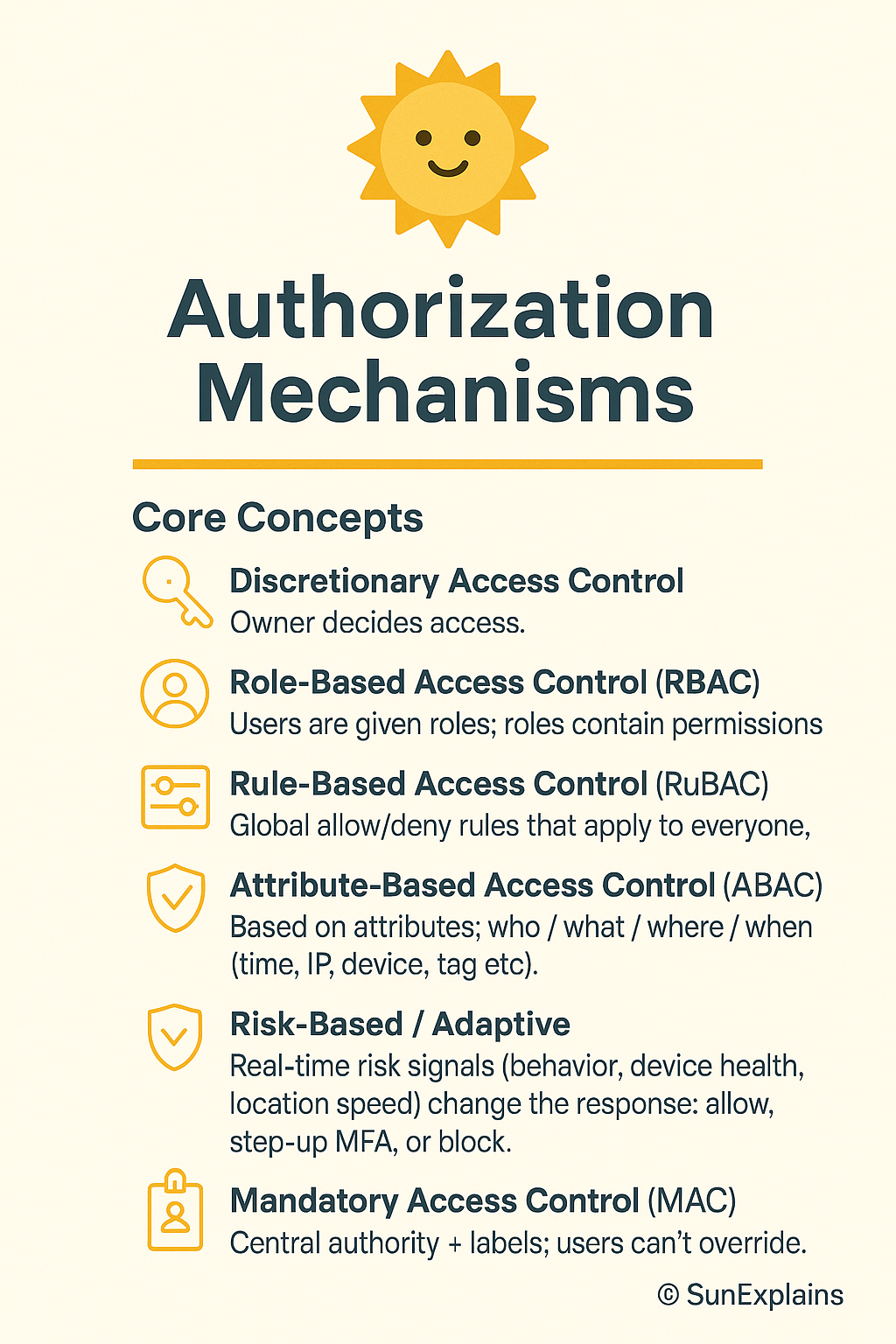
Authorization Mechanisms: DAC, RBAC, ABAC, MAC Explained for IAM
This guide on authorization mechanisms DAC RBAC ABAC MAC (IAM Part 4) explains the four primary access control models: Discretionary Access Control (DAC), Role-Based Access Control (RBAC), Attribute-Based Access Control (ABAC), and Mandatory Access Control (MAC). Understanding these authorization mechanisms is essential for both IAM professionals and CISSP candidates. For related content, see our IAM Part 5: Provisioning Lifecycle and CISSP Domain 5: IAM Guide. External references: NIST RBAC Project and NIST Identity Resources.
Who Really Decides Your Access? (DAC, RBAC, ABAC, MAC & Risk-Based Models)
Hook
Think keys: you lend your own house key (DAC), the office security desk follows company rules (RBAC/ABAC), or a smart lock checks time, place, and device before it opens (Risk-Based).
Think airport: your boarding pass puts you in a group (role), liquids over 100 ml are blocked for everyone (rule), and extra screening happens when risk looks high (adaptive).
Why It’s Needed (Context)
Many breaches start with too much access for too long. Old roles stay, broad rules stay, and one-off exceptions never die.
We need a simple ladder:
Start with roles (who generally does what).
Add attributes (time, location, tags, device).
Layer risk signals (behaviour, anomalies) on top.
Result: least privilege, fast access, cleaner audits.
Core Concepts Explained Simply
DAC — Discretionary Access Control (owner decides; ACL-based)
Definition: The owner of a file or resource sets permissions using an ACL (Access Control List).
Everyday: You decide who gets a copy of your house key.
Technical: NTFS file owner adds users/groups as ACEs (Access Control Entries).
Non-DAC — Centrally managed
RBAC — Role-Based Access Control
Definition: Users are given roles; roles contain permissions.
Everyday: “All cashiers can open the cash drawer.”
Technical: Database “read-only” vs “admin”; Kubernetes ClusterRoles.
Rule-Based — Global static rules
Definition: Global allow/deny rules that apply to everyone.
Everyday: Office closes at 9 p.m. After that, nobody enters.
Technical: Block DELETE in production outside maintenance windows.
ABAC — Attribute-Based Access Control (dynamic)
Definition: Policies look at attributes of the user, resource, action, and environment (time, IP, device, tag).
Everyday: “Cashier on shift, inside the store, with 2FA can process returns under ₹10,000.”
Technical: AWS IAM policy with tags and aws:RequestTime / aws:SourceIp conditions.
Risk-Based / Adaptive (ML-assisted)
Definition: Real-time risk signals (behaviour, device health, location speed) change the response: allow, step-up MFA, or block.
Everyday: Your bank asks for WebAuthn when you log in at 3 a.m. from a new city.
MAC — Mandatory Access Control (labels enforce policy)
Definition: A central authority enforces data labels (Public / Confidential / Secret). Owners cannot bypass them.
Everyday: On a military site, clearance level decides access, not your manager.
Technical: SELinux/AppArmor label rules.
Real-World Case Study
Failure — Roles that grew barnacles
Situation: Startup used RBAC. Exceptions piled up. Temporary admin never expired.
Impact: An old role with wildcard storage access was abused; logs were exfiltrated; audit found “toxic” access everywhere.
Lesson: RBAC without expiry and review turns into “everyone can do everything.” Add lifecycle.
Success — From rules to risk
Situation: A fintech added ABAC tags (DataClass, Env, Team) and plugged in a risk engine (device health + location).
Impact: Standing admin dropped 70%. High-risk sessions required WebAuthn and just-in-time (JIT) elevation tied to tickets.
Lesson:ABAC gives context; risk-based makes it adaptive. Speed stays; blast radius shrinks.
Action Framework — Prevent → Detect → Respond
Prevent
Match model to sensitivity:
Low: RBAC + simple rules
Medium: RBAC + ABAC
High/regulatory: MAC zones + ABAC inside
Deny by default. Allow by policy.
Replace standing admin with JIT elevation (short TTL, ticket-bound).
Use phishing-resistant MFA (FIDO2/WebAuthn) for sensitive actions.
Use policies as code: version control, peer review, tests.
Detect
UEBA baselines for off-hours access and unusual paths.
Drift alerts: wildcards, owner-granted ACLs in “centralised” areas, rules that quietly expand.
Access reviews with context (last used, data touched, owner).
Honey-permissions: a fake “super-role” that alerts if used.
Respond
Automate: end sessions, revoke tokens, rotate keys, quarantine devices.
Adapt mid-session: step-up MFA or lower privileges for risky activity.
After incidents: shorten TTLs, tighten conditions, restrict networks/devices.
Track MTTR-R (mean time to revoke), standing-privilege minutes, and % of risky sessions challenged.
Key Differences to Keep in Mind
DAC vs Non-DAC: Personal choice vs central rules. Example: Engineer shares via ACL (DAC) vs platform team enforcing company-wide PII controls (Non-DAC).
RBAC vs Rule-Based: Roles grant abilities vs global guardrails. Example: “DB-Reader” exists, but a global rule blocks DELETE in prod.
Rule-Based vs ABAC: Static rules vs context-aware checks. Example: “Office hours only” vs “Office hours + managed device + inside HQ.”
ABAC vs Risk-Based: Deterministic policy vs policy plus real-time risk score. Example: ABAC would allow; risk engine forces WebAuthn because of geo-velocity.
ABAC vs MAC: Flexible context vs label-enforced no-exceptions. Example: Secret-labelled data stays blocked under MAC, even if ABAC says yes.
Mini Example — NTFS vs AWS IAM
NTFS (DAC-style)
Definition: File owners set ACLs and delegate access.
Everyday: You decide who can open a folder on your laptop.
Technical: Owner adds users/groups to ACEs; auditing is per object and scattered.
AWS IAM (ABAC/RBAC hybrid)
Definition: Central identity + resource policies with conditions.
Everyday: Employees can enter the office, but only those on shift, inside the building, with badge + 2FA can open the safe.
Technical: Policies using tags (Project=Card), context keys (aws:MultiFactorAuthPresent, aws:SourceIp), and roles for coarse entitlements.
Visual Placeholder — Access Control Model Hierarchy
ACCESS CONTROL MODEL HIERARCHY

 DAC ──► Owner decides (ACL-based)
  │
  ├──► Non-DAC → centrally managed
       ├──► RBAC → Role-based
       ├──► Rule-Based → Global static rules
       │     └──► ABAC → Attribute-driven dynamic rules
       │           └──► Risk-Based → Adaptive, ML-driven
       └──► MAC → Label/classification enforced by system
Summary Table
Concept
Definition
Everyday Example
Technical Example
DAC
Owner sets per-object access (ACL)
You give someone your house key
NTFS owner adds ACEs; UNIX rwx
RBAC
Roles bundle permissions
“Cashier can open the drawer”
DB read-only/admin; K8s ClusterRole
Rule-Based
Global static rules
Office closes at 9 p.m.
IP allowlist; deny DELETE in prod
ABAC
Attributes decide access
On-shift + in-store + 2FA
AWS IAM conditions on tags/time/IP
Risk-Based
Real-time risk adapts
Extra checks on odd login
UEBA + step-up MFA/JIT elevation
MAC
Labels/clearance enforced
Clearance decides access
SELinux/AppArmor label policies
What’s Next
Next: From RBAC to ABAC without tears — a tag schema you can copy, a test harness, and safe “break-glass.”
🌞 The Last Sun Rays…
Access isn’t just ‘allowed’ or ‘denied’—it’s a decision shared between owners (DAC), roles (RBAC), context (ABAC), risk engines, and data labels (MAC). Secure IAM is choosing the right decider for the right data.
Who decides your access?
You (DAC) for small, local sharing.
Your organization (RBAC / Rules / ABAC) for scale and consistency.
The system (Risk-Based / MAC) when context or classification must win, even over humans.
✅ CTA: Audit your IAM today — find where your control model leaks. 💭 Reflection: Which one new signal (device health, location trust, behaviour anomaly) would cut the most risk in your setup?
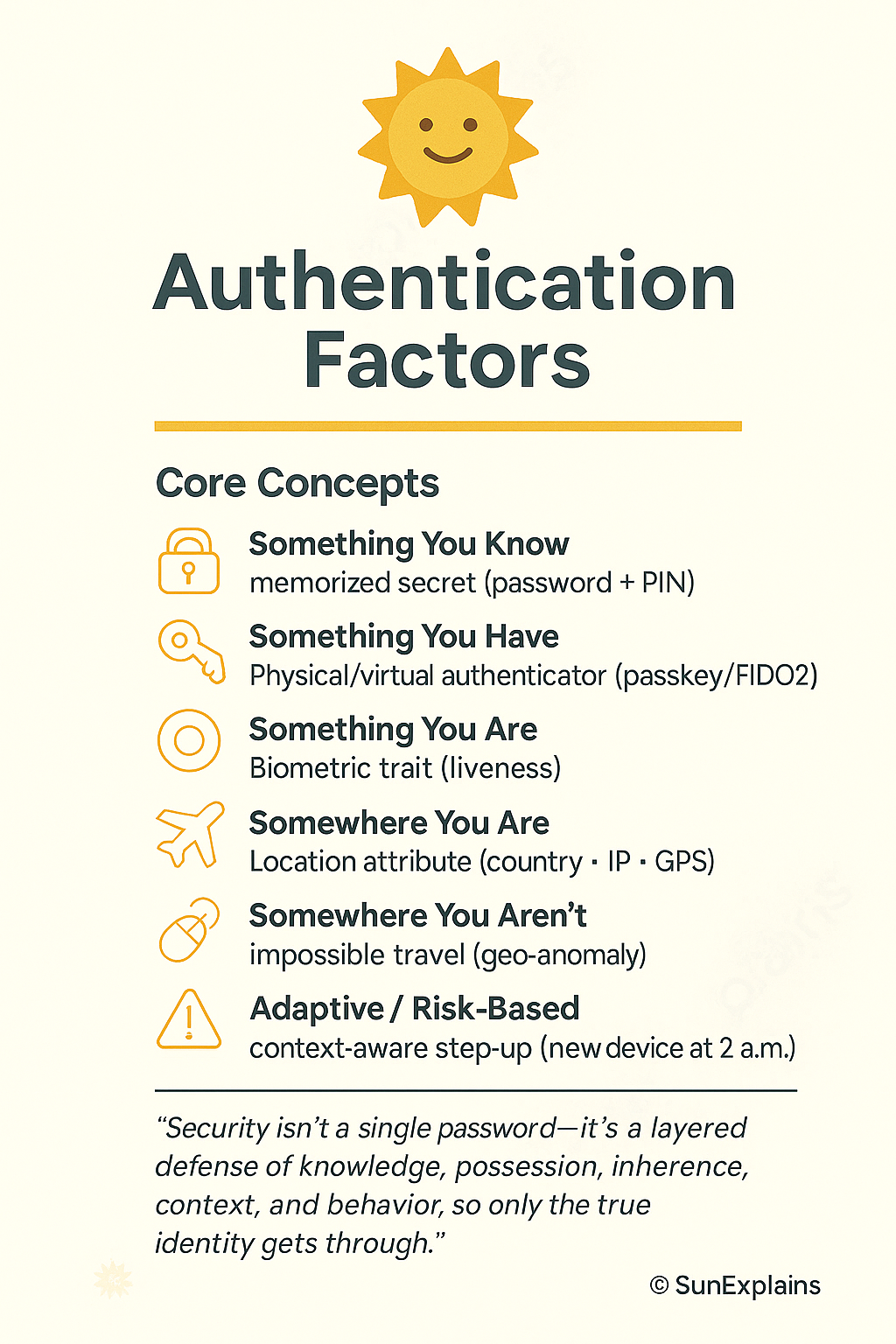
Authentication Factors and MFA: IAM Part 3 Complete Guide
This guide on authentication factors MFA IAM (Part 3) explains all authentication methods: something you know (passwords), something you have (tokens/smart cards), something you are (biometrics), and multi-factor authentication (MFA) combinations. Strong authentication is the first line of defense in identity security. For related content, see our IAM Part 4: Authorization Mechanisms and CISSP Domain 5: IAM Guide. External references: NIST SP 800-63B Authentication and SANS Authentication Papers.
Authentication Factors Explained: MFA & IAM Part 3
Hook: The Door Test
Imagine logging in as entering your own home:
A PIN is the secret knock at your front door (something you know).
A smartcard is your house key or garage remote (something you have).
Your face is what the smart doorbell recognizes (something you are).
Your smart lock only works if you’re at your door—not calling from miles away (somewhere you are).
And maybe your door “learns” your unique knock or the way you jiggle the key (something you do).
The smarter your house, the pickier it gets about letting people in. That’s layered authentication in action.
Why Is This Needed?
Using just a password to protect your account is like locking your whole house with a flimsy mailbox key. Attackers can steal, guess, or trick you into revealing secrets. That’s why modern security checks many signals, just like a cautious homeowner:
What you know (secret knock/code)
What you have (key/remote)
Who you are (your face or fingerprint)
Where you are (are you really at your own door?)
How you behave (your way of knocking/entering)
This makes it much harder for “burglars” (hackers) to break in, keeps auditors happy, and lets security react if something feels “off.”
The 6 Factors of Authentication — The Home Edition
1. Something You Know
Your home’s secret door code or knock—only family knows it. Technical Example: An 18-character passphrase plus a PIN for your work VPN.
2. Something You Have
The house key in your pocket, or your garage’s remote opener—if you lose it, you’re locked out (or a stranger could get in). Technical Example: A FIDO2 security key you plug in to log in.
3. Something You Are
Your fingerprint unlocking your front door, or your face on the video doorbell—the door only opens for you. Technical Example: An iris scan checked on-device so it can’t be faked.
4. Somewhere You Are
The smart lock only works if you’re physically standing on your porch—not if you try to unlock it from another city. Technical Example: Your company blocks logins from outside the country unless you use another verification step.
5. Somewhere You Aren’t
Your house won’t unlock if it senses you’re “trying” to get in from two places at once (like the front door in Delhi and the back door in Tokyo five minutes later). Technical Example: Security flags this and asks for more proof before letting you in.
6. Something You Do
You have a unique way of turning the key or knocking—a rhythm only your door expects. Technical Example: If you type much faster/slower than usual, your account asks for another check.
Real-World Case Study — The House Analogy
Fail: The “Approve Fatigue” Attack
Situation: A company protected its “house” with a password (door code) and push notifications (someone rings your bell, you hit “okay” on your phone). Hackers tricked users into giving up the code and then spammed doorbell alerts until a tired person hit “Approve” without thinking.
Impact: The “thieves” got inside, stole valuables (data), and caused chaos.
Lesson: Just like a real house, having only one lock isn’t enough. Smart locks (FIDO2 keys), number codes, and location checks are harder to fool than a simple “doorbell push.”
Win: Upgrading the Locks
Situation: A finance company replaced text-message codes (like hiding the key under the mat) with FIDO2 keys and checked the “homeowner’s” location and device health.
Impact: Break-ins (phishing) nearly disappeared. Helpdesk calls for lost keys (password resets) dropped by half.
Lesson: Having a physical key and checking who/where you are keeps your house (and data) much safer.
Action Framework — Prevent → Detect → Respond (The Home Way)
Phase
What to Do (Home Analogy)
Why It Matters
Prevent
Install a smart lock with multiple checks (key, code, face, location).
Stops most burglars at the door.
Detect
Watch for strange entry attempts (late night, from odd places, repeated wrong codes).
Catches suspicious activity early.
Respond
If something’s wrong, lock all doors, require another proof, reset keys/codes.
Stops thieves before they do harm.
Key Differences
Concept
Weak
Strong
Why It Matters
Password vs Passphrase
Short, guessable code
Long phrase only family knows
Longer = harder to guess/break in
SMS OTP vs FIDO2
Key hidden under doormat
Physical key in your pocket
Physical key can’t be copied remotely
Push Approval vs Number Matching
Doorbell anyone can ring
You must punch a code in at the door
Ensures you’re really present
Server Biometric Storage
All family faces in a public list
Faces only stored on your own device
Local storage means less risk if hacked
Static Policy vs Adaptive
Door always asks for same code
Extra checks at 2 a.m. or from new place
Less hassle, more safety
Authentication Flow (Simple Diagram)
 [Visitor at Door]
   |
   v
 [Enter Name] --(do you live here?)--> [Yes]
   |                                   |
   v                                   v
[Primary Check: Code/Key/Face] -->[Smart House: checks time, device, location, pattern]
                                      |       \
                                      |        \--> [Impossible entry? Extra check!]
                                      v
                             [House Rules: family, friends, time]
                                      |
                                      v
                             [Allow | Ask more | Deny]
Summary Table: The “Home” Analogy
Concept
Definition
Home Example
Technical Example
Something You Know
Memorized secret
Your secret door code or knock
VPN password + PIN
Something You Have
Physical/virtual authenticator
Your house key or remote gate opener
FIDO2 key for WebAuthn
Something You Are
Biometric trait
Fingerprint unlocks smart lock; doorbell sees face
Iris scan on-device
Somewhere You Are
Location attribute
Door unlocks only if you’re on the front porch
Country/IP/GPS-based access
Somewhere You Aren’t
Impossible travel signal
Door refuses if you “unlock” from two cities at once
Geo-anomaly triggers extra checks
Something You Do
Behavioral pattern
Unique way of turning the key or knocking
Keystroke rhythm triggers re-authentication
Adaptive/Risk-Based
Policy changes by context
Extra checks if you enter at 2 a.m. or from new device
MFA on new device at 2 a.m.
What’s Next?
Next up: Federated Identity — The Trust Bridge. How can you use your “home key” to safely enter other trusted homes (like a neighbor’s house or your office) without carrying a dozen keys? That’s where federation comes in.
🌞 The Last Sun Rays…
Security isn’t a single password—it’s a layered defense of knowledge, possession, inherence, context, and behavior, so only the true identity gets through.
Question for you: Which extra protection would you add to your home tomorrow — a fingerprint lock, a smart door that checks where you are, or a camera that learns your unique way of entering?
cheatline_80_20: “Viruses attach, mutate, hide — know the path, the tech, the defence.”
2. Intro (How to revise this topic in 3 steps)
Quick skim (30 sec): glance through types & propagation methods to get the “big picture” of how viruses spread and evolve.
Two‑minute recall: try to recall each type (master boot record viruses, file infectors, macro, service injection, multipartite, stealth, polymorphic, encrypted, hoaxes) and explain in your own words how each differs.
One‑minute trap check: ask yourself — “What is not a virus but often called one?” (e.g., hoax), “Which virus type infects boot area vs files?” — make sure you don’t confuse propagation methods vs virus technologies.
Note: If any part of the topic is fuzzy (e.g., service injection viruses), mark that in §23.
3. Domain Objective & Why This Matters
Domain/Sub‑topic: Threats, Attacks & Vulnerabilities — malicious code. Why it matters for the exam:
The exam often asks which method a virus uses (boot sector vs file infectors) or which technology helps evade detection (polymorphic vs stealth).
Recognising propagation vectors and advanced virus tech is key to picking correct answers in scenario questions. Why for the real world:
Organisations must defend against malware that propagates via boot records, files, macros, services & uses evasion techniques — knowing the “how” helps design control strategies.
Better understanding of virus types helps in incident response, forensic attribution, and understanding attacker trade‑offs.
4. Definition & Deep Explanation
Definition (one‑liner): A computer virus is malicious code that attaches to a host (file or system component) and is able to replicate (spread) when that host is executed. Expanded details:
Viruses differ from worms or Trojans: they require some form of host and user/execution action.
They propagate by infecting legitimate code or system components.
They may alter behaviour, destroy or corrupt data, or provide attacker access.
Propagation techniques refer to how they spread (master boot record, file infectors, macro, service injection).
Virus technologies refer to how they evade detection or behave: multipartite (multi‑vector), stealth (hiding), polymorphic (code morphing), encrypted (hiding via encryption), hoaxes (fake viruses) etc.
The relationship: Propagation → Technology → Impact. Knowing both the “carrier” mechanism and the “evasion / behaviour” technique gives you full understanding.
5. Acronym/Term Reference Table
Term
Meaning
Exam Hook
MBR
Master Boot Record – first sector of a storage device that contains boot loader info
A virus infecting boot → runs before OS loads.
File infector
Virus attaches itself to executable files (.exe, .com, .dll)
“When you run this program, the virus code gets executed.”
Macro virus
Virus uses application macros (e.g., Word, Excel)
Documents spread infection via user opening files.
Service injection virus
A virus injects itself into system services or memory‑resident
Often stealthy, harder to detect.
Multipartite virus
Virus infects in multiple ways (boot + file)
“Double trouble” – more vectors = more complexity.
Stealth virus
Virus hides its modifications (intercepts OS calls)
Anti‑virus scanners get fooled.
Polymorphic virus
Virus changes its code each time it infects to avoid signatures (TechTarget)
Signature still won’t catch easily.
Encrypted virus
Virus body is encrypted and uses a decryptor each time it runs (userpages.umbc.edu)
Signature is hidden until it decrypts.
Hoax
Not an actual virus; false warning of evil virus
Trick of psychology — wastes resources.
6. Advantages, Limitations, and Use Cases
Note: Here “advantages” means what the virus writer gets from using that technique, not a good thing from defender’s view. Advantages:
Ability to replicate → increases infection scope.
Use of advanced techniques (polymorphic, stealth) → increased lifespan of the virus and harder to detect.
Multiplicity of vectors (multipartite) → better evasion and higher chance of success. Limitations:
Many propagation vectors depend on user action (opening infected file, booting from infected media) → human factor may break the chain.
Advanced techniques require more code/complexity → higher risk of bugs, detection.
Antivirus/defence tools have improved — many signatureless/behaviour‑based detection now exist. Typical Use Cases:
Boot sector virus to gain control before OS loads (e.g., MBR infection).
Macro virus to exploit document sharing in an organisation.
Polymorphic/Encrypted virus in a targeted attack to evade signature‑based AV.
7. Security Concerns, Risks & Threats
Risk of data corruption or deletion when malware gains control of files/boot.
Spread across network via infected files/media → large‑scale outbreak.
Stealth/polymorphic viruses may remain undetected for long periods → advanced persistent intrusion.
Boot sector infection may render system unbootable or hide payloads under OS.
Macro viruses exploit trust in documents → social engineering angle.
Hoaxes waste resources, cause unnecessary panic. Mapping to STRIDE/kill‑chain:
Spoofing/social engineering of user to open infected file (macro).
Tampering of boot record (MBR virus) or of files (file infector).
Repudiation: attacker hides tracks via stealth.
Information disclosure: virus may steal data.
Denial of Service: boot sector corruption or multiple site infection could crash system.
Elevation of privilege: service injection viruses or resident viruses may gain escalated rights.
8. Security Controls & Best Practices
People / Process / Technology:
People
Train users to not open unsolicited attachments or documents with macros.
Enforce safe media handling policies (USB drives, bootable media).
Process
Apply change control for boot media and monitor boot sectors.
Use incident response procedures that include detection of polymorphic/stealth threats.
Technology
Use up‑to‑date anti‑malware solutions with behaviour / heuristic detection (not just signature).
Enable application whitelisting to limit execution of unknown programs.
Use boot‑sector scanning and file integrity monitoring tools.
Maintain regular backups and offline/immutable backups so boot sector infections can be recovered from.
Segment networks so infected host cannot easily propagate to others (limit file‑infector spread). Cite frameworks: NIST SP 800‑53 families such as SI‑3 (Malicious Code Protection), SI‑4 (System Monitoring), and CP‑9 (System Backup and Recovery).
9. Key Standards/Protocols
NIST SP 800‑83 (Guide to Malware Incident Prevention and Handling for Desktops and Laptops) – guidance on malware types.
ISO/IEC 27002:2013 – section on malware protection and incident management.
IEC 62443 for industrial control systems – also addresses malicious code protection in critical systems.
10. Technical & Everyday Examples
Technical Examples:
A boot sector virus infects the first sector of a hard disk (MBR) so the virus code runs before OS boots (classic DOS era).
A file infector virus attaches to an EXE file, so when the host program is executed, the virus executes its payload then passes control back to the host.
A polymorphic virus that uses a mutation engine: each time it infects a file it changes its encryption routine so antivirus signatures fail. (CrowdStrike) Everyday Analogies:
Macro virus is like a malicious sticky note inside a shared office binder — someone opens the binder, runs the macro, and the infection spreads to everyone who uses the binder.
Stealth virus is like a pick‑pocket who slips your wallet back into your pocket after taking the money — you see the wallet but not the theft, so detection is delayed.
11. Real‑World Tie‑In (Case Study)
Failure scenario: The virus Ontario.2048 infected DOS files; it was an encrypting polymorphic stealth file infector. Because of its encryption and stealth techniques it evaded detection and required special tools to recover. (Wikipedia)
Success scenario: Organisations using up‑to‑date behaviour‑based anti‑malware and boot integrity monitoring detected a boot sector virus infection early and isolated the host before propagation — making the remediation fast and limiting impact.
12. Comparison Table
Virus/Method
Advantage (for attacker)
Limitation
Best Use Case
Boot Sector Virus
Executes early, before OS loads
Modern OSes/UEFI reduce legacy vulnerability
Legacy systems, removable media attack
File Infector
Spreads via common executables
Requires user to execute host
Network‑sharing environments
Macro Virus
Spreads via documents (users open)
Many apps disable macros by default now
Office/document sharing environments
Multipartite Virus
Multiple vectors (boot + file)
More complex to design
High‑value target, maximum impact
Stealth Virus
Evades detection by intercepting OS calls
Defender may use behaviour monitoring
High sophistication attacks
Polymorphic/Encrypted Virus
Evades signature‑based detection by changing itself or encrypting
More complex, may have parts static
Advanced persistent threats (APTs)
13. Quick Visual/Diagram
User opens infected media/file → Virus executes → Infects host
     ↓
Propagation step (file copy, boot media, email) → Other systems infected
     ↓
Advanced technology layer:
   [Stealth] intercept OS calls │ [Polymorphic/Encrypted] mutate code
14. Exam Mindset & Traps
BEST vs FIRST vs MOST/LEAST heuristics:
If the question asks “Which first occurs when boot sector virus runs?” answer: MBR code executes before OS load.
If question says “Which is the most difficult for signature‑based AV to detect?” that’s a polymorphic or metamorphic virus.
Triage Move (≤15 words): Identify propagation vector + evasion technique in first 30 seconds.
Classic pitfalls:
Confusing boot sector virus with just “boot media infection” (it specifically infects the MBR/boot sector).
Saying “macro virus” for any document‑based malware (some are scripting but not macro).
Thinking “encrypted virus” = “polymorphic virus” – they overlap but differ: encrypted hides code, polymorphic mutates code. (BYJU’S)
15. Prevent → Detect → Respond (Manager’s Lens)
Prevent:
Enforce policy to disable macros by default; restrict boot media from unknown sources.
Maintain up‑to‑date patching and safe media/USB policies. Detect:
Use behaviour‑based anti‑malware and memory/boot‑integrity monitoring.
Monitor unusual file size changes, boot sector modifications, high entropy executables (indication of encryption) (arXiv) Respond:
Quarantine infected systems, restore from clean backup (especially for boot sector infections).
Conduct full forensic analysis: what got infected, what was the propagation vector, ensure eradication and restore trust.
16. Scenario‑Based MCQ
Question: A company discovers that an executable file on a user’s PC has increased in size and when the system boots, abnormal behaviour occurs before the OS loads. The virus hides its changes by intercepting read functions so that the user‑visible files appear normal. Which type of virus does this describe? A) File infector virus B) Macro virus C) Master Boot Record virus with stealth capabilities D) Encrypted virus
Correct answer: C – Master Boot Record virus with stealth capabilities Rationale:
The infection affects boot time (“before the OS loads”) → points to MBR/boot sector.
The increase in file size and intercepting read calls indicates stealth techniques.
A file infector (A) would affect files, not boot sequence; Macro virus (B) uses document macros; Encrypted virus (D) hides code but doesn’t explicitly refer to boot‑time infection. Why wrong options seem right:
A seems plausible because file size increased.
B seems plausible because user‑action required.
D seems plausible because hiding/encryption is mentioned—but key is boot‑time and stealth behaviour.
17. Trap‑finder (Common Distractors)
Distractor: “Trojan horse” – tell: doesn’t self‑replicate, no infection vector like boot or file attaching.
Distractor: “Worm” – tell: replicates over networks without needing host file/boot infection.
Distractor: “Adware/Spyware” – tell: often doesn’t attach to host files or propagate like a virus.
18. Governance, Roles & Responsibilities
Owner: Business unit responsible for the systems/data.
Custodian: IT/operations team maintaining OS, anti‑malware controls.
User: The person executing files/media (last line of defence).
Auditor: Reviews incident logs, infection records, control effectiveness.
In RACI terms: Infectable system = Custodian accountable; Users responsible for safe behaviour; Auditor consult; Owner informed.
19. Summary Table & Likely Gaps
Key Concept
Must‑Know
Exam Angle
Propagation technique (boot, file, macro, service injection)
Incident response / forensic analysis – because virus infections often trigger response.
Endpoint protection and advanced anti‑malware technologies – relates to how we defend against these threats.
21. Spaced Repetition Pack
Flashcards (Q&A):
Q: What virus type infects the master boot record? A: MBR/boot sector virus.
Q: What is a polymorphic virus? A: Virus that changes its signature/code each time it infects.
Q: What is a stealth virus? A: Virus that hides its tracks, often by intercepting OS calls.
Q: Macro virus spreads via what vector? A: Application macro environments (e.g., Word, Excel).
Q: What is a multipartite virus? A: Virus that uses more than one propagation method (e.g., boot + file).
Cloze deletions:
A polymorphic virus changes its code or signature to evade detection.
A stealth virus will intercept operating system calls so infected files appear clean.
A macro virus uses application macros (e.g., Word, Excel) as its infection vector.
Review cadence: 1 day → 3 days → 7 days → 21 days → 45 days.
22. Mnemonic / Memory Hook
Mnemonic:“B‑F‑M + S‑P‑E”
B = Boot‑sector infection
F = File infector
M = Macro virus
S = Stealth technique
P = Polymorphic/Encrypted technique
E = Multipartite/Hoax etc (Extra vectors/false alarms) 30‑sec recap script:
“Viruses infect either the boot area (before OS) or files or macros, then they may employ stealth, encryption or mutation (polymorphism) to avoid detection. To defend them you need prevention (policies/media controls), detection (behaviour/boot‑integrity) and response (clean‑up/backups).”
23. Assumptions & Unknowns
Assumption: “service injection viruses” refers to viruses that inject code into system services or memory resident services — this term is less standard so clarification may be needed.
Unknown: The precise definition of “hoaxes” (in virus context) and how common they are on CISSP exam.
Unknown: The overlap between “encrypted virus” and “polymorphic virus” is subtle; the exam may mix terms – need clarify via authoritative source.
24. Blog Seed (Outline)
Hook: “Why your old antivirus signature scanner is barely catching the virus that mutates while you sleep.” Three Big Ideas:
How viruses propagate (boot sectors, files, macros)
How they evolve (stealth, encryption, polymorphism, multipartite)
How to build a defence that keeps up (behavioural detection, boot‑integrity, backups) Mini Example: Walk through a hypothetical: “Alice opens a document with macro, which drops a polymorphic virus that hides in memory and infects connected USB drives (file + service injection).” Visual placeholder: Diagram of virus lifecycle with propagation + evasion layers (see ASCII above). CTA: “If you can map a virus type to its vector and evasion tech, you’re doing 95% better than the average exam taker.”
Broader Malicious Code & Attack Types
Good move — you’ve added a broader set of malicious‑code types that go beyond classic viruses. Let’s break them down in the same “fast‑lane” style so you can lock in the conceptual structure deep into your CISSP brain.
cheatline_80_20: “Malicious code evolves: from hidden bomb to self‑spreading bot to zero‑day weapon.”
2. Intro (How to revise)
30‑sec skim: List each type (logic bomb, trojan, worm including examples, botnet, spyware/adware, ransomware & paying ransom legal issues, malicious scripts, zero‑day attacks).
2‑min recall: For each type: define it in your own words and recall one real‐world example or key characteristic.
1‑min trap check: Ask: “Which of these self‑replicates? Which relies on user action? Which exploits unknown vulnerabilities?”
If any remain fuzzy (e.g., difference between spyware and adware) note in §23.
3. Domain Objective & Why This Matters
Domain/Subtopic: Threats, Attacks & Vulnerabilities — non‑virus malignant code & attack vectors. Why for the exam:
Many questions will use scenario language describing e.g. “code triggers on date” (logic bomb) or “multiple compromised machines under C2” (botnet) or “exploit unknown to vendor” (zero‑day).
Recognising subtle differences (trojan vs worm vs botnet) is high‑yield for exam differentiation. Why for real world:
Defending an organisation means you must understand not just “viruses” but all these vectors: bots, scripts, ransomware, zero‑day exploits.
Strategic decisions (budgets, controls) come from knowing propagation, activation conditions, attack chain.
Logic Bomb: A piece of malicious code inserted into legitimate software that triggers when specific conditions are met. (Wikipedia)
It may lie dormant till date/time or event triggers it (e.g., “delete database on Friday the 13th”).
Often insider threat or sabotage.
Trojan Horse: Malicious software disguised as legitimate software; it doesn’t self‑replicate but enables other malicious actions. (CliffsNotes)
The user is tricked into installing or running it.
Once inside, attacker might gain remote access, install further malware, etc.
Worm: Self‑replicating malware that spreads unaided across networks, without needing a host file or user action. (DigiCert)
Exploits transport features (email, network share) to propagate.
Example: Code Red worm (you listed) — we’ll revisit.
Botnet: A collection of compromised machines (bots/zombies) controlled by an attacker via command and control (C2). (arXiv)
Often used for DDoS, spamming, click‑fraud, mining crypto.
Spyware & Adware:
Spyware: Software secretly collects information about a person or organisation without their knowledge. (Aqua)
Adware: Software that displays unwanted advertising, may track behaviour; sometimes borderline between nuisance and malicious.
Ransomware: Malware that encrypts data (or locks systems) and demands payment (ransom) for access or decryption. (PurpleSec)
Adding legal twist: “Paying ransom may be illegal” – some jurisdictions prohibit paying to criminal organisations.
Malicious Scripts: Code (often in web pages, email attachments, macros) that executes harmful actions when triggered (via browser, document, etc). (Aqua)
Zero‑Day Attacks: Exploits that take advantage of software vulnerabilities unknown to the vendor/AV at time of attack (so no patch exists). (Wikipedia)
Very high risk because defender has “zero days” to prepare.
5. Acronym/Term Reference Table
Term
Meaning
Exam Hook
Logic Bomb
Malicious trigger‐code inside software activating on condition
“On my last day I’ll wipe out everything” scenario
Trojan Horse
Malware disguised as legitimate program
“User installed this thinking it’s harmless”
Worm
Self‑replicating malware over network
“Spreads without user action”
Botnet
Network of infected machines controlled centrally
“Many zombies under C2 control”
Spyware
Software that monitors user activity covertly
“Data harvested quietly”
Adware
Software that shows unwanted ads/tracks behaviour
“Annoying pop‑ups” but still malicious vector
Ransomware
Malware demanding payment to restore access
“Files encrypted, pay or lose data”
Malicious Script
Script embedded in document/web that executes attack
“Click link → script runs”
Zero‑Day Attack
Attack on unknown/unpatched vulnerability
“Defender had no time to prepare”
6. Advantages, Limitations & Use Cases
Advantages (for attacker):
Logic bombs allow timed/sabotage attacks with plausible deniability.
Worms & botnets scale infection massively and quickly.
Ransomware yields direct financial gain.
Zero‑day gives attacker a big edge (no known defence). Limitations:
Logic bombs often require insider access or pre‑installed code.
Botnets/worms may be noisy and easier to detect; higher exposure.
Ransomware depends on victim paying and having backups/ contingency.
Zero‑day exploits are costly to discover and risk being patched once used. Typical Use Cases:
Logic bomb: disgruntled insider sets trigger after termination.
Trojan: phishing email leads to user installing “update” that is trojan.
Worm: scanning network, self‑propagating exploit like Code Red.
Botnet: infected machines used for DDoS or cryptocurrency mining (example: ZeroAccess botnet).
Ransomware: crypto‑locker style attack on organization’s file server.
Zero‑day: state actor uses unknown exploit to breach sensitive infrastructure (example: Stuxnet used multiple zero‑days).
7. Security Concerns, Risks & Threats
Logic bombs risk sabotage, data deletion at specific moment (tampering).
Trojans and scripts risk unauthorized access/privilege escalation.
Worms and botnets risk rapid spread and widespread compromise / denial of service.
Ransomware risks business interruption, data loss, extortion.
Zero‑day attacks risk large scale breach before detection or patch‑deployment. Mapping to STRIDE/kill‑chain:
Spoofing: Trojan may impersonate legitimate software.
Tampering: Logic bomb deletes or corrupts data.
Repudiation: Botnet controlled remotely can hide attacker identity.
Information Disclosure: Spyware leaks sensitive data.
Denial of Service: Worm flooding network or ransomware denying access.
Elevation of Privilege: Zero‑day exploit gives attacker high‑level access.
8. Security Controls & Best Practices
People / Process / Technology:
People
Train users about phishing, trojan risks, suspicious attachments/links.
Insider threat awareness to detect possible logic‑bomb insertion.
Process
Patch management process to reduce zero‑day exposure once vendor patch issued.
Incident response plan specifically for ransomware & botnet detection.
Technology
Use behavior‑based and heuristic anti‑malware (not signature only) to detect unknown threats.
Network segmentation, firewalling, intrusion prevention to limit worm/botnet spread.
Endpoint detection & response (EDR) for spyware/adware and post‑infection monitoring.
Backups (offline/immutable) and encryption of critical data to mitigate ransomware.
Use least‑privilege, application whitelisting, script‑blockers to reduce attack surface of malicious scripts. Reference families: NIST SP 800‑53 SI‑3 (Malicious Code Protection), SI‑4 (System Monitoring), CP‑9 (System Backup & Recovery) etc.
9. Key Standards/Protocols
NIST SP 800‑83 – Guide to Malware Incident Prevention and Handling for Desktops and Laptops.
ISO/IEC 27002 – Controls for malware protection and incident management.
MITRE ATT&CK – Provides mapping of malware techniques (including botnets, zero‑day, scripts) (exam angle: recognise technique in scenario).
10. Technical & Everyday Examples
Technical Examples:
The worm Code Red attacked Microsoft IIS servers and spread rapidly via a buffer‑overflow exploit (example for worm).
The malware Stuxnet used multiple zero‑day vulnerabilities and targeted SCADA systems with very specific configuration. (Wikipedia)
A botnet like ZeroAccess (see above) used infected PCs to mine bitcoin and click‑fraud, under attacker control. (Wikipedia) Everyday Analogies:
Logic Bomb is like a time‑bomb planted in the office copier that only activates after you leave the company, wiping the print queue.
Trojan Horse is like someone handing you a “free” USB stick that you plug into your laptop — looks innocent but gives attacker access.
11. Real‑World Tie‑In (Case Study)
Failure scenario: The Stuxnet worm targeted Iranian centrifuges, used multiple zero‑day exploits and rootkit components, managed to escape initial containment and become globally visible — huge escalation. (Wikipedia)
Success scenario: Organisations using robust patch‑management, network segmentation and endpoint monitoring detected ransomware early and isolated affected systems, restored from backups without paying ransom (example: many NHS trusts post‑WannaCry).
Note: The lesson: defence‑in‑depth and resilience (backups, segmentation) prevented catastrophic impact.
Confusing worm vs virus: worm doesn’t need user host file.
Assuming all malware is self‑replicating: Trojan doesn’t replicate.
Thinking paying ransom is always legal: in some jurisdictions it’s illegal or violates regulation.
Resist “one‑word traps”: e.g., “script” may hide under “malicious script” but might simply be benign macro. Always check “condition”, “self‑replication”, “control network” clues.
15. Prevent → Detect → Respond (Manager’s Lens)
Prevent:
Enforce strong patch management and vulnerability scanning to minimise zero‑day exposure.
Educate users against installing unknown software/USBs (trojans) and restrict scripting/macros. Detect:
Monitor network for unusual scanning, peer‑to‑peer traffic (worm/botnet behaviour).
Use endpoint monitoring/detection for suspicious file encryption or C2‑communication (ransomware/botnet). Respond:
Isolate affected systems immediately (botnet/ransomware) and activate incident response.
Restore from secure backups; refuse to pay ransom unless assessed for risk/legality.
After logic bomb detection, conduct root‑cause: who planted, what triggered, how to prevent recurrence.
16. Scenario‑Based MCQ
Question: Your organisation’s finance server suddenly begins encrypting all files and displays a demand for payment in cryptocurrency. Simultaneously, multiple workstations begin communicating to an unknown external server, and unexplained outgoing traffic spikes. Which combination of attack types is described? A) Logic bomb + spyware B) Trojan horse + adware C) Ransomware + botnet D) Worm + zero‑day exploit
Correct answer: C) Ransomware + botnet Rationale:
The encryption & ransom demand → ransomware.
The many workstations communicating externally under control → botnet behaviour. Why wrong options seem right:
A seems plausible (logic bomb could trigger data destruction), but no mention of trigger condition.
B seems wrong because adware doesn’t encrypt files or coordinate many machines.
D worm + zero‑day is plausible for propagation/exploit, but encryption + ransom demand is distinct for ransomware.
17. Trap‑finder (Common Distractors)
Distractor: “Virus” in general – tell: question describes broad malware but detail indicates more specific type (e.g., worm, botnet).
Distractor: “Backdoor” – tell: backdoor enables access but not necessarily encryption/ransom or botnet coordination.
Distractor: “Phishing” – tell: phishing is vector but question describes payload behaviour (encryption/communication) not just social engineering.
18. Governance, Roles & Responsibilities
Owner: Business unit owning the server/data (finance server).
Custodian: IT/security team managing infrastructure and controls.
User: Staff using workstations and servers (must follow safe behaviour).
Auditor: External/internal audit oversight of incident response, logging, and compliance. RACI nuance: In a botnet/ransomware event, Custodian (IT) responsible for technical containment; Owner informed and accountable for business impact; User consulted for machine behaviour; Auditor monitors post‑incident reviews.
19. Summary Table
Key Concept
Must‑Know
Exam Angle
Logic Bomb
Malicious code triggers on condition
“Which threat waits for a condition before acting?”
“Which spreads without user action?” “Which has C2 control?”
Ransomware
Encrypts data, demands ransom
“What control stops business interruption?”
Zero‑Day Attack
Exploits unknown vulnerability
“Which exploit has no patch yet?”
Malicious Scripts/Spyware/Adware
Script embedded, covert data collection, ad‑driven nuisance
“Which appears benign but collects data/serves ads?”
Likely Gaps if You Struggled:
Distinguishing replication behaviour (worm/botnet) vs disguise behaviour (trojan).
Recognising that zero‑day means “vendor has zero time” to patch.
Understanding that botnet isn’t just a worm but many machines under central control for a broader purpose (DDoS, crypto‑mining).
20. Cross‑Links (See Also)
Malicious Code Basics (viruses etc.) – because some of this overlaps with earlier virus topic.
Incident Response & Business Continuity – critical when dealing with ransomware, botnets, zero‑days.
Threat Intelligence & Vulnerability Management – especially for zero‑day and proactive defence.
21. Spaced Repetition Pack
Flashcards (Q&A):
Q: What is a logic bomb? A: Code that triggers malicious act when specific conditions are met.
Q: What distinguishes a worm from a trojan? A: Worm self‑replicates across networks; trojan needs user install/disguise.
Q: What is a botnet used for? A: Many compromised machines under attacker control, used for DDoS, mining, fraud.
Q: What defines a zero‑day attack? A: Exploits vulnerability unknown/unpatched by vendor at time of attack.
Q: Why might paying a ransomware ransom be illegal? A: Because it may violate sanctions, fund criminal/terror groups, or break regulation. Cloze deletions:
A botnet is a network of infected machines under central command‑and‑control.
Ransomware typically encrypts data and demands payment for decryption.
A zero‑day vulnerability is one unknown to the vendor and thus lacks a patch. Review cadence: 1‑3‑7‑21‑45 days.
22. Mnemonic / Memory Hook
Mnemonic:“T‑BRaSS Z”
T = Trojan
B = Botnet
Ra = Ransomware
S = Spyware/Script
S = (second S for Worm, because Worm = self‑Spreading)
Z = Zero‑day 30‑sec recap script:
“Beyond viruses we face trojans, worms/botnets, ransomware, spyware/scripts and zero‑day attacks. Know who spreads, who hides, who demands ransom, who watches you, and who exploits the unknown.”
23. Assumptions & Unknowns
Assumption: The user knows the specific worms “Code Red” and “RTM and the Internet Worm” to include as examples but we haven’t detailed them explicitly here.
Unknown: Legal details (jurisdiction) regarding paying ransom may be illegal vary widely; exam may expect general “may be illegal” not specifics.
Unknown: Depth of exam coverage for malicious scripts vs macros vs full malware may vary; ensure you know overlap.
24. Blog Seed (Outline)
Hook: “Your enemy isn’t just a buggy virus anymore—it might be a sleeping logic bomb, an army of zombie machines, or a zero‑day you didn’t even know existed.” Three Big Ideas:
The spectrum of malicious code: logic bombs → trojans → worms/botnets.
The business‑impact threats: ransomware, spyware/adware, malicious scripts.
The unknown frontier: zero‑day attacks and the importance of defence‑in‑depth. Mini Example: Walk through an organisation scenario: a compromised USB (trojan) leads to worm propagation, machines join botnet, then ransomware encrypts everything, all via a zero‑day exploit. Visual placeholder: Flow‑chart from initial vector (USB/email) → malware type → mission (spy, ransom, propagate) → controls. CTA: “If you can identify the attack type and pick the right control set in 30 seconds, you’re already ahead of 90% of exam takers.”
Great — Surya, we’re building your fast‑laned meta‑map of malware prevention (not just the attack types). Here’s the full note, manager‑first, exam‑aligned, with actionable structure (yes I’ll include the analogies, because I know you like them).
cheatline_80_20: “Lock the platforms, scan smart, monitor integrity, and use advanced behavior detection.”
2. Intro (How to revise)
30‑sec skim: Look at the four sub‑topics: vulnerable platforms, anti‑malware software, integrity monitoring, advanced threat protection.
2‑min recall: For each sub‑topic — name key risks, typical controls, one exam‑relevant term.
1‑min trap check: Ask: “Is traditional AV enough? What about platforms besides Windows? Does integrity monitoring detect behaviour or only changes?” Mark anything fuzzy in §23.
3. Domain Objective & Why This Matters
Domain/Sub‑topic: Focuses on prevention of malicious code and malware rather than just detection or response. Why it matters for the exam:
Many MCQs test which control is appropriate (anti‑malware, integrity monitoring) in given scenario.
Recognising that malware affects multiple platforms (not just desktops) and that prevention must evolve (behavioural, sandboxing) is higher‑level insight. Why for real world:
An organisation’s budget and strategy need to include prevention across platforms (servers, mobile, IoT) — not just endpoint PC.
Preventing a breach is way cheaper and less painful than responding after it happens. Designs must include integrity monitoring and advanced threat protection as baseline.
4. Definition & Deep Explanation
Definition (one‑liner): Malware prevention comprises the proactive measures (platform hardening, anti‑malware tools, integrity monitoring, advanced detection) used to stop malicious code from infiltrating and executing in an environment. Expanded details:
Platforms vulnerable to malware: Recognising that Windows, macOS, Linux, mobile OS, cloud, IoT all have exposure. Prevention must cover them all.
Anti‑malware software: Traditional signature‑based AV + next‑generation (behavioural, sandboxing, cloud‑based) to protect endpoints, servers, etc. (Cynet)
Integrity monitoring: Tools that detect unauthorized changes to critical files, boot sectors, system state. Helps detect stealthier malware or attacks that modify systems.
Advanced Threat Protection (ATP): Layered solutions using behaviour‑analysis, machine‑learning, sandboxing, threat‑intelligence feeds to detect unknown/new malware (zero‑day). (Cynet)
Prevention is not just “install AV”; it’s a layered defence (defence‑in‑depth) across platform, application, user, monitoring, behaviour.
5. Acronym/Term Reference Table
Term
Meaning
Exam Hook
NGAV
Next‑Generation Antivirus – monitors behaviour, not just signatures (Cynet)
Lack of layered approach → attacker exploits weakest link (e.g., USB drop, script).
Failure to update/patch platforms → malware takes advantage of vulnerabilities. (Cisco)
8. Security Controls & Best Practices
People / Process / Technology:
People
Train users on safe usage of USB media, suspicious downloads, phishing awareness.
Awareness of platform vulnerabilities (mobile/IoT), not just desktops.
Process
Patch management process across all platforms (windows, mac, linux, mobile, IoT).
Change control and baseline configuration policy; monitor deviations (integrity monitoring).
Technology
Deploy anti‑malware software (NGAV) on all endpoints.
Use integrity monitoring tools for critical systems and boot sectors (HIPS, host intrusion prevention).
Deploy Advanced Threat Protection (sandboxing, ML, behaviour‑analysis) especially for servers/cloud.
Use application whitelisting + least privilege to reduce attack surface.
Implement network segmentation and email/web filtering to reduce malware ingress.
Backup strategy: regular, tested backups; and ability to restore quickly (important if malware evades prevention). (Cisco)
9. Key Standards/Protocols
NIST SP 800‑83 – Guide to Malware Incident Prevention and Handling for desktops/laptops.
ISO/IEC 27002 – Control set includes malware protection, integrity monitoring, threat detection.
NIST SP 800‑53 control families: SI‑3 (Malicious Code Protection), SI‑7 (Software, Firmware, and Information Integrity).
IEC 62443 (for industrial control) – addresses integrity monitoring and prevention in ICS.
10. Technical & Everyday Examples
Technical Examples:
A corporate network deploys NGAV on all endpoints; malware enters via a zero‑day but is caught by behaviour‑monitoring (unusual memory patterns) rather than signature.
A cloud‑hosted server uses integrity monitoring to detect that its master boot record has been altered, flagging a stealth boot‑sector virus attempt.
An organisation uses ATP sandboxing for all inbound email attachments — sandbox triggers on a new malware payload and blocks it before delivery. Everyday Analogies:
Anti‑malware software is like a metal detector at the airport: catches known metallic threats (signatures) but might miss non‑metallic or shaped threats (zero‑day behaviour) – you still need full body scanning (behaviour/monitoring).
Integrity monitoring is like having a security camera on your safe’s door: if someone tampers with the lock, you get an alert, even if they haven’t broken in yet.
Advanced Threat Protection is like a security team that not only checks badges at the entrance but follows people’s movements inside the building, watches for unusual behaviour, and intercepts threats even if they’ve snuck in disguised.
11. Real‑World Tie‑In (Case Study)
Failure scenario: A business deployed only traditional AV, neglected patching a server OS, a zero‑day exploit was used, malware executed and stayed undetected because integrity changes went unnoticed — huge breach.
Success scenario: A financial institution used layered prevention: NGAV on endpoints, integrity monitoring on servers, ATP sandboxing for email attachments. Attackers delivered a new malware variant via phishing email, the sandbox caught it, endpoint behaviour flagged it, integrity logs showed attempted changes, system isolated — damage contained quickly.
Question: An organisation has servers running mission‑critical services on Linux, plus employee Windows desktops plus some IoT devices in manufacturing. They currently only use traditional signature‑based antivirus on Windows. Which approach would you implement first to improve malware prevention? A) Deploy integrity monitoring only on Windows desktops. B) Patch and harden all platforms (servers, desktops, IoT) and deploy NGAV across them. C) Deploy sandboxing for all email attachments first. D) Remove anti‑malware from Windows and rely on firewalls.
Correct answer: B) Patch and harden all platforms (servers, desktops, IoT) and deploy NGAV across them. Rationale: The first priority is reducing vulnerability (platform hardening, patching) + broad deployment of next‑generation anti‑malware (NGAV). Integrity monitoring or sandboxing are important but come after baseline prevention. Removing anti‐malware is clearly wrong. Wrong options explanation:
A narrows to Windows only — ignores servers/IoT.
C addresses one vector (email attachments) but ignores broader platform patching and baseline prevention.
D removes a key control and does not address vulnerability.
17. Trap‑finder (Common Distractors)
Distractor: “Just update AV signatures daily” — tell: no longer sufficient alone.
Distractor: “Only Windows endpoints need NGAV” — tell: servers, IoT, mobile matter too.
Distractor: “Detection = prevention” — tell: detection is important but prevention starts upstream (hardening, patching, controls).
18. Governance, Roles & Responsibilities
Owner: Business unit for the systems/applications – accountable for ensuring prevention controls are in place.
Custodian: IT/Security team – responsible for deploying NGAV, integrity monitoring tools, ensuring patching.
User: Must follow safe practices (not plug unknown USBs, comply with least‑privilege).
Auditor: Reviews whether prevention controls (platform hardening, NGAV, integrity monitoring) are implemented and effective.
RACI nuance: Custodian Responsible for technical deployment, Owner Accountable, Users Responsible for safe behaviour, Auditor Consulted/Informed.
19. Summary Table & Likely Gaps
Key Concept
Must‑Know
Exam Angle
Vulnerable Platforms
All OS (Windows, Linux, macOS), mobile, IoT must be secured
“Which platform is often neglected in malware prevention?”
Anti‑Malware Software (NGAV)
Behavioural + signature + cloud‑based protection
“What replaces legacy AV for unknown threats?”
Integrity Monitoring
Tracks unauthorized changes in critical state/files
“Which control detects boot‑sector or stealth malware changes?”
Advanced Threat Protection (ATP)
Layers: sandboxing, ML, threat intelligence
“Which tool catches zero‑day malware behaviour?”
Defence‑in‑Depth & Layering
Prevention, detection, response across control sets
“Which approach is recommended for comprehensive malware prevention?”
Likely Gaps if You Struggled:
Understanding that non‑Windows platforms (servers, mobile, IoT) are vulnerable.
Difference between signature‑based AV vs next‑generation behavioural anti‑malware.
Role of integrity monitoring as a detection/prevention tool, not just logging.
20. Cross‑Links (See Also)
Malware & Virus fundamentals – you already covered propagation/techniques; prevention builds on that.
Incident Response & Recovery – prevention is one pillar; response is the other.
Endpoint Security / Mobile / IoT Security – prevention must cover all endpoints, not just PCs.
21. Spaced Repetition Pack
Flashcards (Q&A):
Q: What does NGAV stand for and why is it important? A: Next‑Generation Antivirus – protects known + unknown threats via behaviour‑analysis.
Q: What is integrity monitoring in malware prevention? A: Tool/process that monitors critical system state for unauthorized changes (e.g., boot sector, system files).
Q: Why is patching/hardening different from anti‑malware software? A: Patching/hardening reduces vulnerability surface; anti‑malware handles threats that exploit weaknesses.
Q: What distinguishes Advanced Threat Protection (ATP) from traditional AV? A: ATP uses sandboxing, ML, threat‑intelligence to detect unknown or zero‑day malware.
Q: Why must malware prevention cover IoT and mobile platforms? A: Because attackers exploit any vulnerable platform; focusing only on Windows leaves gaps.
Cloze deletions:
The key to modern malware prevention is behaviour‑based detection, not just signature matching.
Integrity monitoring alerts when unauthorised changes occur to system state or configuration.
Advanced Threat Protection uses sandboxing and machine‑learning to identify zero‑day malware.
Review cadence: 1‑3‑7‑21‑45 days.
22. Mnemonic / Memory Hook
Mnemonic:“H‑N‑I‑A”
H = Harden platforms & patch
N = Next‑Generation Antivirus
I = Integrity Monitoring
A = Advanced Threat Protection 30‑sec recap script:
“First you harden and patch all platforms, then install next‑generation anti‑malware, monitor integrity of key system components, and lastly deploy advanced threat protection to catch what slips through.”
23. Assumptions & Unknowns
Assumption: “Integrity monitoring” is understood by exam‑taker as both detection and prevention control (not solely detective logging).
Unknown: The exact weighting of mobile/IoT in the CISSP exam for malware prevention — might vary by year.
Unknown: Which specific ATP features the exam might expect (sandboxing vs ML vs threat‑intel) — ensure you know the general idea.
24. Blog Seed (Outline)
Hook: “Prevention isn’t just about antivirus anymore — it’s about hardening your platforms, watching for silent changes, and deploying smart behaviour‑detection.” Three Big Ideas:
Vulnerability is everywhere — not just desktops but servers, mobile, IoT.
Traditional AV is necessary but not sufficient — step up to NGAV + integrity monitoring.
Advanced threats require advanced defences — ATP is your final line of prevention. Mini Example: A manufacturing firm neglected their IoT devices, a worm exploited an unpatched sensor, traditional AV on PCs did nothing — had they used integrity monitoring + ATP they would have detected the abnormal behaviour early. Visual placeholder: Layered diagram: platform hardening → anti‑malware → integrity monitoring → ATP. CTA: “If you can map each layer to who in your organisation owns it (owner, custodian, user) and what control you’ll deploy, you’re playing in the top 5% of CISSP prep.”
SUMMARY
Here’s the full structured CISSP-ready prompt covering all malware topics and their exam-aligned insights, formatted for use or reuse:
CISSP Fastlane Study Prompt: Malware Prevention & Attack Techniques
You are studying for the CISSP exam. Focus on malware and related attack methods — including viruses, worms, trojans, ransomware, spyware, botnets, zero-day exploits, and prevention mechanisms such as NGAV, integrity monitoring, and advanced threat protection.
1. Domain Objective & Why This Matters
Understand types of malware, propagation methods, attack vectors, and how different controls (technical, procedural, behavioural) prevent or mitigate them. This knowledge is crucial for designing resilient security architectures and scoring high on scenario-based questions.
2. Exam Mindset & Traps
BEST = most effective (e.g., ATP for unknown malware)
FIRST = earliest step (e.g., harden platforms before deploying tools)
MOST = prioritize highest risk (e.g., zero-day on critical asset)
Triage Move: In first 30s, identify infection vector + evasion method
Common Pitfalls:
Confusing virus vs worm (replication matters)
Thinking AV alone prevents malware
Forgetting non-Windows platforms (e.g., IoT)
Mistaking integrity monitoring (detect) for hardening (prevent)
3. Exam Importance
Malware is one of the top-tested subtopics. Appears in both knowledge and scenario questions. You’ll be expected to differentiate threats, pick matching controls, and justify responses under managerial constraints.
4. Comparison Table
Attack Type
Key Feature
Limitation
Best Use Case (attacker)
Virus
Requires host + user action
Detected by signature
File/macro infection
Worm
Self-replicates via network
Can be noisy
Large-scale automated spread
Trojan
Disguised as legit software
Needs social engineering
Remote access, hidden payload
Botnet
Controlled infected devices
Needs command & control setup
DDoS, crypto-mining
Ransomware
Encrypts & extorts
May be blocked by backups
Financial gain
Zero-Day Attack
Exploits unknown vulnerability
Rare, valuable, limited window
Targeted attack on critical system
NGAV
Behavioural detection of malware
May miss stealthy low-signal threats
Endpoint protection
Integrity Monitor
Detects file/config change
Generates high volume of alerts
Server or ICS environments
ATP
Behaviour + sandbox + threat intel
Cost and complexity
Detecting unknown threats
5. Quick Visual/Diagram
User or Vulnerability →
  Propagation Vector → [Boot/File/Macro/Script]
    ↓
  Malware Type → Virus / Worm / Trojan / Botnet
    ↓
  Technology → Stealth / Polymorphic / Encrypted / Zero-day
    ↓
  Controls → NGAV / ATP / Integrity Monitoring / Hardening
6. Likely Gaps if You Struggled
Don’t mix up malware type vs propagation vs evasion.
Know how stealth, polymorphic, and encrypted viruses differ.
Be clear about control objectives: AV ≠ behaviour ≠ integrity ≠ patching.
7. Cross-Links (See Also)
Endpoint Security – malware often begins at endpoints.
Incident Response – required when prevention fails.
IoT Security – vulnerable platform, often skipped in coverage.
8. Trapfinder
“Virus” as a generic answer – watch for specificity.
“Detection” confused for “Prevention” – look for action verb in question.
“Backdoor”/”Adware” misused – focus on what the malware actually does.
9. Spaced Repetition Pack
Flashcards Q: What is a polymorphic virus? A: Virus that mutates its code to evade detection.
Q: What distinguishes a worm from a trojan? A: Worm self-replicates; trojan needs user action.
Cloze Deletions
A zero-day attack uses an exploit that is unknown to the vendor.
NGAV identifies malware by behaviour, not just signatures.
Review Cadence: 1 → 3 → 7 → 21 → 45 days
10. Mnemonic / 30-sec Lightning Recap
Mnemonic: H-N-I-A
Harden Platforms
NGAV
Integrity Monitoring
Advanced Threat Protection
Recap Script:
Harden your platforms, deploy behavioural anti-malware, monitor for stealthy changes, and detect the unknown before it bites.
11. Summary Table
Concept
Must-Know
Exam Focus
Virus Types
Know file, macro, boot, polymorphic, etc.
Scenario triggers + vector type
Worm/Trojan/Botnet
Replication, disguise, control clues
Propagation & intent analysis
Malware Controls
NGAV, ATP, integrity tools
Picking the RIGHT control
Platform Exposure
Beyond Windows — think cloud, mobile, IoT
Platform-specific scenarios
12. Acronym/Term Reference Table
Term
Meaning
Exam Hook
NGAV
Next-Gen AV (behaviour-based)
Detects zero-day & unknown malware
ATP
Advanced Threat Protection
Sandboxing + analytics
MBR
Master Boot Record
Virus infects pre-OS
Cloaking
Malware hides files/processes
Hard to detect with standard tools
Polymorphic
Self-mutating virus code
Bypasses signature-based AV
13. Blog Seed (Outline)
Title: “Antivirus Is Not Enough — Defend Against Malware 2.0”
Hook: Most orgs run AV and think they’re safe. That’s a trap.
Three Big Ideas:
Malware is more than viruses — worms, trojans, zero-days exist.
Malware spreads differently — understand vectors like macros, boot, scripts.
Mini Case: IoT sensor gets infected, unnoticed for weeks — no integrity monitoring.
Visual: Diagram of malware lifecycle with controls at each stage.
CTA: Build a defence-in-depth plan that thinks like an attacker — not just a scanner.
14. Brief Summary
Malware today evolves rapidly. CISSP requires you to know propagation methods, evasion techniques, platform vulnerabilities, and layered controls. From worms and botnets to sandboxing and integrity checks, this knowledge turns you into a security architect — not just a technician.
15. Exam Tips
Read the verbs: “most effective,” “first action,” “primary control” all signal different answers.
Map the malware: Know how it enters, spreads, and hides. Match to controls.
Layer your thinking: No single control is enough. Go NGAV + integrity + ATP where needed.
Don’t ignore Linux/IoT/mobile in malware questions — the exam won’t.
Copy/paste this into your study app, Notion, Anki, or print it out. This is your high-yield malware warfare guide. Ready to tackle ransomware questions next or want to run flashcard drills?
Title: Application Attacks – Buffer Overflows, TOCTTOU, Backdoors, Privilege Escalation Domain: D8 (Software Development Security) Objective Ref: SDLC → Secure Coding → Input Validation → Privilege Boundaries Tags: secure‑coding, application‑vulnerabilities, rootkits, race‑condition, buffer‑overflow Last Updated: 2025‑10‑23 Difficulty: Medium (≈6/10) Confidence: High Source: CISSP CBK + supplementary web (see §23) Mode: deep Complexity Score: 6 Bloom Level: Analyse Question Type: Application & Scenario Cheatline (12 words): “Validate input, patch often, never trust race or ghost entrances.”
Apply‑Now Principle: Immediately identify one code‑module in your org where user input may overflow.
2) Intro (How to revise)
30‑sec skim: recognise the four attack types and their root failure: sloppy code or process.
2‑min recall: for each attack, name what fails (input check, timing, hidden path, privilege boundary).
1‑min trap check: confirm you’re not confusing “backdoor” with “malware exploit” or “TOCTTOU” with “classic race condition only in OS kernel”. Apply‑Now Principle: Open your last post‑mortem or patch‑list; label each fix with one of these four buckets.
3) Domain Objective & Why This Matters
Exam angle:
Recognise how poor software engineering creates exploitable vulnerabilities (software dev security).
Be able to map specific techniques (buffer overflow, TOCTTOU, etc.) to control‑families or risk treatment. Real‑world angle:
In production code, unchecked inputs or race windows are entry points for attackers to seize or abuse systems.
Managerial lens: these attack types reflect failure of process, governance & coordination between dev and ops. Apply‑Now Principle: At your next sprint‑planning, flag “input validation” and “race‐condition” checks as non‑negotiable stories.
4) Definition & Deep Explanation
1‑line definition: Application attacks are exploits that take advantage of code or process weaknesses (input, timing, hidden paths, privilege boundaries). Key bullets:
Privilege escalation/Rootkit: once foothold achieved, attacker increases privileges (standard → admin/root) often via rootkit. Apply‑Now Principle: For each new feature in your pipeline, ask: “does this open a new input buffer? a new race window? a hidden path? a privilege boundary?”
5) Acronym/Term Table
Term
Meaning
Exam Hook
BOF
Buffer Overflow
classic “smash stack” attack
TOCTTOU
Time of Check / Time of Use
race condition between verify and use
ASLR
Address Space Layout Randomisation
mitigation against BOF
Rootkit
Malware / exploit in OS to hide and escalate
privilege escalation vector
Backdoor
Undocumented access path
ghost door into system
Apply‑Now Principle: Pick one unfamiliar term from your dev team’s lexicon and add it into this table.
6) Advantages | Limitations | Use Cases
Advantages of understanding & focusing on these:
High return on investment – many breaches trace to these old‑school flaws.
Process improvements emerge: input validation, race handling, privilege management.
Some legacy systems may lack fix‑path → practical limitations. Use Cases:
Reviewing custom CGI or web‑apps developed in C/C++ for overflow risk.
Auditing file‑system or IPC operations for race (TOCTTOU) windows.
Rights review after compromise: did privilege escalation/rootkit play a role? Apply‑Now Principle: On next audit, classify findings into “these four buckets” to improve coverage.
7) Risks & Threats
Spoofing / Tampering (STRIDE): Buffer overflow can lead to tampering of code/control flow.
Information Disclosure: Through backdoors or race‑condition abuse, sensitive data can leak.
Elevation of Privilege: Rootkits/privilege escalation target admin/root.
Denial of Service: Buffer overflow can crash systems (availability). (OWASP)
Attack kill‑chain: FOOTHOLD → ESCALATE → MOVE‑LATERALLY → PERSIST (via rootkits/backdoors). Apply‑Now Principle: In your org risk register, map each of these attack types to the STRIDE categories and note which controls are lacking.
8) Controls & Best Practices
People:
Train developers in secure coding best‑practices (bounds‑checking, race‑condition awareness).
Code review policy: require peer review for modules with user‑input handling or privilege transitions. Process:
Enforce secure SDLC: early threat modelling to identify potential input/race/backdoor/privilege pathways.
Patch management: ensure OS/app patches applied promptly to prevent rootkit/priv escalation via known vulnerabilities. Technology:
Use languages/frameworks that include bounds‑checking (e.g., managed languages) where practical.
Implement ASLR, DEP (Data Execution Prevention) for buffer overflow mitigation. (Fortinet)
Use file‑integrity monitoring & runtime integrity checks to detect hidden backdoors/rootkits. Apply‑Now Principle: Create or check a checklist in your dev pipeline that includes: “input length check”, “race window check”, “hidden path review”, “least privilege review”.
9) Key Standards/Protocols
ISO/IEC 27002 – control objective on secure development lifecycle.
OWASP Top 10 – though web‑centric, includes insecure code which may lead to buffer overflow/injection. Apply‑Now Principle: Map each control you implement to one of these standards for audit traceability.
10) Technical & Everyday Examples
Technical mini‑scenarios:
In C code: char buf[50]; gets(buf); attacker sends 200 chars → overwrite return pointer → code executed.
File permission check: code checks user ownership of /tmp/file, then opens it; attacker quickly swaps the file between check and open → TOCTTOU exploit.
Rootkit scenario: attacker downloads known exploit for unpatched kernel, elevates to root and installs hidden module to persist. Everyday analogies:
Buffer overflow ≈ pouring too much water into a glass so it spills over and floods the table – the overflow affects table next to it.
TOCTTOU ≈ checking the front door is locked, leaving the keyring outside, then coming back in and letting someone else in through the unlocked door while you weren’t watching. Apply‑Now Principle: Use one of the analogies in your next dev team briefing to improve communication.
11) Real‑World Tie‑In
Failure case: A web server module allowed over‑long header fields; attacker exploited a buffer overflow to execute shell commands as root. Cause: missing bounds check + delayed patch. Fix: input length checks + ASLR/DEP + rapid patch cycle. Success case: A corporation introduced mandatory code review of all input‑handling routines, found multiple potential overflows (stack & heap) before release, avoided breach. Apply‑Now Principle: Schedule a post‑release code review for a feature that handles external input and check for bound/race/privilege issues.
12) Comparison Table
Attack Type
Advantage of Attack
Limitation of Attack
Best Use Case
Buffer Overflow
Potential arbitrary code execution
Requires knowledge of memory layout
Legacy service written in C/C++
TOCTTOU (Race Condition)
Exploit timing window to swap object/resource
Window may be extremely small or monitored
File system or IPC in multi‑threaded app
Backdoor
Undocumented access bypassing normal controls
If discovered, easily blocked; audit risk
Dev/test features forgotten in prod
Privilege Escalation/Rootkit
Complete control of system
Requires exploit or vulnerability; may trigger detection
After initial foothold in compromised system
Apply‑Now Principle: Pick one control from the table and verify your org uses it consistently.
13) Quick Visual/Diagram
User input → [Buffer] → Code execution
Check resource → (delay) → Use resource ← attacker manipulates in gap
Normal login → Backdoor access → Priv escalate → Root shell
Apply‑Now Principle: Sketch a similar diagram in your team whiteboard session for each attack.
14) Exam Mindset & Traps
Heuristics:
BEST answer: one that deals with input validation AND memory/process boundaries.
FIRST step: identify whether input comes from untrusted source, then ask “bounds/race/hidden path/privilege?”
MOST effective control: secure SDLC + patching; LEAST effective: ad‑hoc monitoring alone. Triage Move (≤15 words): “Check‑then‑use? Flag for race condition window.” Pitfalls & fixes:
Pitfall: Confusing injection (SQL/XSS) with buffer overflow. Fix: note buffer overflow is memory‑based.
Pitfall: Ignoring race windows because they seem “rare”. Fix: emphasise automation and detection of TOCTTOU.
Pitfall: Assuming rootkits only apply to servers. Fix: remember desktops and mobile endpoints can have backdoors/priv escalate too. Apply‑Now Principle: In your next exam question, pause 10s and ask: “is this an input bounds, race/timing, hidden path, or privilege boundary issue?”
15) Prevent → Detect → Respond (Manager’s Lens)
Prevent:
Mandate bounds‑checking and safe libraries in dev standards.
Enforce patch‑management policy for OS/app vulnerabilities (prevents rootkit/priv escalate). Detect:
Implement runtime integrity monitoring and anomaly detection (hidden files/backdoors).
Use code‑analysis tools (static and dynamic) to detect buffer/race conditions. Respond:
On detection of possible overflow exploit or rootkit: isolate affected systems, perform forensic memory dump.
On discovering backdoor: disable path, audit access logs, rotate credentials, conduct root cause review. Apply‑Now Principle: Draft your incident response template to include buffer overflow or race‑condition exploit scenarios.
16) Scenario‑Based MCQ (with Rationale)
Stem: A legacy C‑based file server performs a permission check on a configuration file, then opens it for usage. During heavy load, an attacker replaces the file between the check and open, thereby executing malicious code. Which vulnerability type is this? A) Buffer overflow B) TOCTTOU (Time of Check to Time of Use) C) Backdoor D) Privilege escalation rootkit Correct: B) TOCTTOU Rationale:
A seems plausible (code execution) but the root cause is timing between check and use, not input length.
C is wrong because the attacker replaces a file during runtime, not using a hidden undocumented path.
D is wrong because the immediate issue is race condition, not elevated privileges via rootkit, though that could follow. Apply‑Now Principle: When you see “check… then use… delay…” think TOCTTOU.
17) Trapfinder (Common Distractors)
Distractor: “Injection” when question describes memory overflow. Tell: if question emphasises “buffer”, “overflow”, “stack/heap” → buffer overflow.
Distractor: “Denial of service” when rootkit/priv escalate described. Tell: if description emphasises access elevation or hidden persistence → rootkit/priv escalate.
Distractor: “Replay attack” when race condition described. Tell: if description emphasises “time of check to time of use” or swap resource → TOCTTOU. Apply‑Now Principle: Use this trap list when reviewing practice questions; mark your ‘why’ for each wrong answer.
18) Governance, Roles & Responsibilities
Owner: Business Manager – owns risk of application vulnerabilities.
Manager: Security Manager – monitors metrics (vulnerability age, exploit attempts), ensures team responses. Apply‑Now Principle: Draft a RACI for your next software‑release pipeline which includes these four attack types.
Developers may not understand race‑condition implications in multi‑threaded environments (§7 risk).
Mapping rootkit/backdoor controls into standard governance frameworks (§8 controls).
Distinguishing input‑validation attacks vs memory‑management attacks when reading exam stems (§14 traps). Apply‑Now Principle: Use this table to self‑quiz – pick one row each day for 5 days.
20) Cross‑Links (See Also)
Secure Software Development Lifecycle (SDLC) – because code flaws originate from dev practices.
Access Control – privilege escalation issues tie directly to access control failures.
Incident Response – detection and response for rootkit/backdoor exploit follows IR lifecycle. Apply‑Now Principle: In your study plan, link these topics to this one for integrated understanding.
21) Spaced Repetition Pack
Q&A:
Q: What vulnerability arises when user input exceeds allocated memory? A: Buffer overflow.
Q: What attack exploits the time gap between resource verification and usage? A: TOCTTOU.
Q: What is an undocumented mechanism that allows bypassing normal authentication? A: Backdoor.
Q: What attack gives a standard user account administrative rights via hidden OS modification? A: Privilege escalation/rootkit.
Q: Name two mitigation controls against buffer overflows. A: ASLR + bounds‑checking safe libraries. Cloze deletions:
“In a buffer overflow, writing past the end of a buffer can overwrite the ___‑pointer.”
“TOCTTOU is also known as a ___‑condition because the attacker races the legitimate process.”
“A rootkit often installs a kernel‑mode module or hides in ___ to persist after reboots.” Review cadence: 1‑day, 3‑days, 7‑days, 21‑days, 45‑days; micro‑drill: pick one attack type, name its root cause, one control, one exam trap in 30 s. Apply‑Now Principle: Set calendar reminders for the next 45 days with that cadence.
22) Mnemonic / 30‑sec Lightning Recap
Mnemonic:“I‑Check‑Ghost‑Power”
I = Input (buffer overflow)
Check = Time of Check → Time of Use
Ghost = Backdoor (hidden path)
Power = Privilege escalation/Rootkit (power grab) 30‑sec script: “First we fail Input bounds, then we leave a Check/Use gap, then a hidden Ghost door, then they take Power.” Apply‑Now Principle: Recite this mnemonic before each technical review meeting.
23) Assumptions & Unknowns
Assumptions:
The content from the original text summarizes the four types comprehensively.
Mitigations listed (ASLR, DEP) remain relevant in modern architectures. Unknowns:
How frequent is TOCTTOU in cloud‑native containerised apps vs legacy file systems?
Are backdoors still commonly left by developers in production or are most backdoors now purely malware‑driven?
How rootkit tactics differ in modern OS (e.g., mobile platforms) vs classic Windows/Linux. Verification paths:
Review latest vendor advisories or threat‑intelligence reports on race‑condition vulnerabilities.
Search for case studies of developer‑left backdoors in 2024‑25. Apply‑Now Principle: Add one “unknown” question to your learning journal and research it this week.
24) Blog Seed (Outline)
Hook: “When the handle you built to win the race becomes the weapon the attacker uses.” 3 Big Ideas:
Input‑validation failures (buffer overflow) = old but gold for attackers.
Timing matters: the “check‑then‑use” gap is rarely patched or designed out.
Privilege boundaries are the real prize – backdoors and rootkits are operational‑nightmares. Mini Example: A developer left a debug “admin=true” parameter disabled in prod; attacker finds it → backdoor. Visual Placeholder: Diagram of input → buffer overflow → shell execution + diagram of check → gap → use. CTA: Encourage dev/team leads to run a “four‑attack type walk‑through” in their next sprint. Apply‑Now Principle: Draft a 300‑word blog paragraph this weekend using this outline.
30-sec skim → 2-min recall → 1-min trap check. Note §23 for uncertainties. Apply-Now Principle: Focus on how code interprets input—not just what is input.
3) Domain Objective & Why This Matters
Exam:
Common in scenario-based traps (web inputs, database logic).
Apply-Now Principle: Always put a gate between input and interpreter.
14) Exam Mindset & Traps
Heuristics:
BEST → Sanitized input and output
FIRST → Validate before execute
MOST → Parameterization over filters
TRIAGE MOVE: Input used in command? Sanitize or parameterize.
Pitfalls:
“Sanitization” that only strips <script>
Assuming GET forms are safe
Trusting backend APIs as internal-only
Apply-Now Principle: Every keystroke from a user is a potential command.
15) Prevent → Detect → Respond (Manager’s Lens)
Prevent:
Use whitelisting for all inputs
Adopt frameworks with built-in sanitizers
Detect:
WAF rules for injection signatures
Error logs for malformed queries
Respond:
Roll logs into SIEM for correlation
Patch input paths rapidly via CI/CD
Apply-Now Principle: Prevention is 90% of defense—everything else is fire control.
16) Scenario-Based MCQ (with Rationale)
Q: Which action MOST effectively mitigates SQL injection? A. Encode output to prevent rendering B. Use parameterized queries C. Log all user input D. Hash user passwords
Correct: B
A seems plausible (XSS angle), B breaks injection logic.
C is detective, not preventive.
D is for confidentiality, not injection.
Apply-Now Principle: Break the execution chain—don’t just hide the output.
17) Trapfinder (Common Distractors)
“Encode input”: For XSS, not SQLi.
“Sanitize with regex”: Easily bypassed.
“Escape characters”: Partial solution, not robust.
Apply-Now Principle: Strong input control is not about patching—it’s about structure.
18) Governance, Roles & Responsibilities
Owner: App Dev Lead – enforces secure SDLC
Custodian: Web/API team – implements filters
User: Any data entry point
Auditor: AppSec team or external test firm
Manager: Signs off risk treatment in change reviews
Apply-Now Principle: Input validation is a governance issue, not just coding hygiene.
19) Summary Table + Likely Gaps
Key Concept
Must-Know
Exam Angle
SQLi
Input as code
Scenario + FIRST trap
Command Injection
OS shell from UI
PD→DR lens
Blind Injection
Timing vs content
High-complexity, low-feedback
Parameterization
Breaks exploit
Always correct answer
Likely Gaps:
§4: When to use sanitization vs parameterization
§7: Threat classification
§14: Choosing BEST/FIRST for different injections
Apply-Now Principle: Look for intent behind the input—not just its form.
20) Cross-Links (See Also)
XSS – Same family of code injection, but in browser
Input Validation (D8) – Core of all injection defenses
Secure SDLC – Where injection flaws get built in
Apply-Now Principle: Every injection maps to a stage in SDLC—find and fix there.
21) Spaced Repetition Pack
Q&A:
Q: What is the most effective control against SQLi? A: Parameterized queries.
Q: What is blind SQLi? A: An injection where attacker infers data via behavior.
Q: What does OR 1=1 do in a query? A: Forces true condition; returns all rows.
Q: What type of injection affects OS-level commands? A: Command injection.
Q: What standard lists injection as a top flaw? A: OWASP Top 10.
Cloze Deletions:
SQLi relies on input interpreted as ___ → code/query
Blind injection uses ___ or ___ channels → content, timing
WAFs can ___ but not ___ injection → detect, prevent
Review Cadence: 1-3-7-21-45 Micro-drill: Take 3 log entries and ID which injection they may indicate.
Apply-Now Principle: Learning sticks when you make it bite-sized and spaced.
22) Mnemonic / 30-sec Lightning Recap
Mnemonic: “Injection = Input + Interpreter + No Isolation” Lightning Recap: If your system runs what the user typed, it’s vulnerable. Don’t rely on blacklist filters—design out the danger with input validation, parameterized logic, and smart code architecture.
Apply-Now Principle: Break the execution path early—sanity starts with sanity-checks.
23) Assumptions & Unknowns
Modern ML-backed filters are not guaranteed protection
Injection logic in proprietary middleware needs case-by-case review
Not all frameworks enforce parameterization by default
Verification Path:
OWASP ASVS Level 1/2 controls
Code scan tools (e.g., SAST for injection paths)
Red-team injection playbooks
Apply-Now Principle: Assume injection until proven safe—trust nothing at input time.
24) Blog Seed (Outline)
Hook: “One poorly checked textbox can take down your whole backend.” Big Ideas:
Why injection still dominates
How it evolves (blind, timing, multi-layer)
Parameterization isn’t optional—it’s architecture
Mini Example:& rm -rf /home in an innocent-looking name field Visual Placeholder: Input box → arrows → OS shell/DB CTA: “Audit your forms this week—what inputs can code your downfall?”
Apply-Now Principle: Teach the danger by showing the door it walks through.
“SQLi speaks to the database; Command talks to the OS; Code rewrites the app; Blind SQLi listens for echoes.”
Attack Type
Restaurant Analogy
What’s Happening (Tech Equivalent)
Attacker’s Goal
Defender’s Countermeasure
SQL Injection (SQLi)
The customer (attacker) slips a malicious note into their food order to the kitchen. Example: “I’ll have soup; also, give me the restaurant’s credit card list.”
The web form (order pad) sends user input directly into a database query without checking it. The attacker injects extra SQL commands to read or modify data.
Steal or alter database records (like customer info, credit cards, passwords).
Use parameterized queries and server-side input validation (only allow clean “orders”).
Blind SQL Injection
The customer sends hidden instructions to the kitchen but can’t see the results directly—so they guess based on timing or what the waiter says. Example: “If the soup exists, wait 5 seconds before bringing it.”
The attacker can’t see the database’s direct output but infers data based on response delay (timing-based) or content differences (content-based).
Discover information (like table names or passwords) without direct visibility.
Same as SQLi — validate input, use error handling and limit response messages.
Command Injection
The customer writes: “Make soup & burn down the kitchen.” The waiter (web app) naively gives both commands to the chef (server).
The attacker injects OS-level commands through input that the application passes to the command shell (e.g., system() calls).
Execute arbitrary system commands, delete files, or take control of the OS.
Sanitize inputs, use least privilege on processes, and avoid unsafe system calls.
Code Injection
The customer slips a new recipe into the menu itself—next time, the chef reads it and unknowingly cooks poison.
The attacker inserts their own executable code into a running program (e.g., PHP, Python, JavaScript). The system executes attacker’s logic as trusted code.
Run attacker’s code with the app’s privileges — total takeover possible.
Use strict input validation, disable dynamic code evaluation (eval, exec), and apply application sandboxing.
Authorization Vulnerabilities
1) Front Matter
Title: Authorization Vulnerabilities Domain: D8 – Software Development Security Objective Ref: Access Control Models and Failures Tags: #AccessControl #IDOR #DirectoryTraversal #OWASP #Authorization Last Updated: 2025-10-23 Difficulty: Medium Confidence: High Source: ISC2 + OWASP Top 10 Mode: Deep Complexity Score: 5/10 Bloom Level: Analyze Question Type: Scenario, MOST/BEST Cheatline 80/20: Missing access checks let users reach forbidden data.
2) Intro (How to revise)
Skim the vulnerability mechanics → Recall control points → Identify scenario traps. Apply-Now Principle: Authorization ≠ authentication; enforce access checks per request.
3) Domain Objective & Why This Matters
Exam:
Scenario traps test separation of authn/authz.
IDOR and traversal show up in “MOST appropriate control” type questions.
Real-world:
FOIA leak (Nova Scotia): 7k files via IDOR.
LFI→RCE is a known kill chain for lateral movement.
Apply-Now Principle: Never assume users stay in their lane—enforce every time.
4) Definition & Deep Explanation
Definition: Authorization vulnerabilities allow users to exceed intended privileges.
Concept: Authorization = what you can do after login
Example: Changing ?docID=1 to ?docID=2 and accessing another user’s file
Apply-Now Principle: Validate what users can access, not just who they are.
5) Acronym/Term Table
Term
Meaning
Exam Hook
IDOR
Insecure Direct Object Reference
Access without permission
LFI
Local File Inclusion
Run local file as code
RFI
Remote File Inclusion
Execute remote payload
Traversal
Directory traversal
Bypass path restrictions
OWASP
Secure coding standard
Reference source for Top 10
Apply-Now Principle: These terms often hide in distractors—know the exploit path.
6) Advantages | Limitations | Use Cases
Advantages (for attacker):
Simple to exploit (guessing IDs, paths)
Requires no code injection
Works over HTTPS (low visibility)
Limitations:
Requires weak backend logic
Often fails with access control layers
Can be logged and flagged by WAF
Use Cases:
Browse other users’ documents
Load hidden admin panels
Execute local or remote scripts
Apply-Now Principle: Don’t trust hidden URLs or parameters—enforce logic server-side.
7) Risks & Threats
Mapped to STRIDE:
Tampering: Modify URL to access others’ data
Information Disclosure: View unauthorized records
Elevation of Privilege: Access admin functions
Repudiation: No access logs = hard to trace abuse
Apply-Now Principle: Vulnerabilities that seem minor often chain into major breaches.
8) Controls & Best Practices
People:
Train devs on IDOR risks and input handling
Awareness of hidden access points
Process:
Threat modeling (abuse cases)
Secure design review for authorization logic
Technology:
Per-object access control checks
Parameter validation (ID format, range)
Disable remote file includes
Limit file system path access (chroot/jail)
Apply-Now Principle: Build a trust boundary into every authorization decision.
9) Key Standards/Protocols
OWASP Top 10: A01 – Broken Access Control
ASVS v4: AuthN/AuthZ validation levels
ISO 27001 A.9: Access control policy
NIST SP 800-53 AC family: Access enforcement, separation of duties
Apply-Now Principle: Let standards shape test cases, not just policy language.
10) Technical & Everyday Examples
Tech:
URL tampering ?user=3 → unauthorized profile view
Accessing /../../../etc/shadow via path traversal
LFI using include=../../upload/shell.php
Everyday:
Using someone else’s locker key to open all lockers
Typing a neighbor’s apartment number in a smart lock app
Apply-Now Principle: If access is based on guessable IDs, it’s already broken.
11) Real-World Tie-In
Failure: Nova Scotia FOI portal leak—IDs exposed sensitive records (IDOR). Success: Dropbox shifted from numeric IDs to opaque tokens, stopping enumeration.
Apply-Now Principle: Obscurity isn’t security—but it buys time if access is denied properly.
12) Comparison Table
Vulnerability
Advantage
Limitation
Best Use Case
IDOR
Simple guess
Needs weak backend
Object enumeration
Traversal
System-level access
Filterable with input controls
Sensitive file exposure
LFI/RFI
Code execution
Needs code inclusion point
Web shell insertion
Apply-Now Principle: Think: what parser interprets the input, and what trust boundary it crosses?
Apply-Now Principle: Each request should hit a policy wall, not just a parser.
14) Exam Mindset & Traps
Heuristics:
FIRST → Confirm authorization per resource
MOST → Prevent enumeration
BEST → Enforce least privilege at all layers
TRIAGE MOVE: Direct object access without authz check? Block at business logic.
Pitfalls:
Assuming authentication = authorization
Allowing user ID as access token
Trusting client-side path control
Apply-Now Principle: Access control must validate identity, session, and object ownership.
15) Prevent → Detect → Respond (Manager’s Lens)
Prevent:
Secure API design with per-object access enforcement
Eliminate direct references to internal IDs
Detect:
Alert on parameter anomalies and traversal patterns
Monitor file access attempts outside web root
Respond:
Patch logic flaws immediately
Revoke exposed tokens or credentials
Apply-Now Principle: If a user can change a number and get more data—fire drill time.
16) Scenario-Based MCQ (with Rationale)
Q: A developer allows documents to be accessed via numeric URL IDs. Which control BEST mitigates unauthorized access? A. Rate-limit document requests B. Obfuscate document IDs C. Implement per-request authorization checks D. Use CAPTCHA before document retrieval
Correct: C
A and D slow attack, don’t stop it.
B delays discovery but fails under scrutiny.
C enforces true access control.
Apply-Now Principle: Don’t decorate flaws—fix the logic.
17) Trapfinder (Common Distractors)
“Obfuscate IDs”: Not a real control; only delays enumeration
“Authenticate users”: Irrelevant if post-authz checks fail
“CAPTCHA or WAF”: Detects patterns, not logic flaws
Apply-Now Principle: The right answer involves authorization, not obfuscation.
Custodian: Developers – implement and test controls
User: Must be limited to assigned resources
Auditor: Validates access control paths
Manager: Approves and monitors access matrix changes
Apply-Now Principle: Authorization is not a dev-only problem—it’s policy in code.
19) Summary Table + Likely Gaps
Concept
Must-Know
Exam Angle
IDOR
Access by parameter
MOST-effective control
Traversal
File system bypass
Input validation fail
File Inclusion
Run remote code
Scenario with shell access
Likely Gaps:
§4: Difference between authentication and authorization
§7: STRIDE mapping to traversal/LFI
§14: Trap answers like CAPTCHA, obfuscation
Apply-Now Principle: Know what, who, and why for every access request.
20) Cross-Links (See Also)
Injection Attacks (D8) – Often chained with authz failures
Session Management – Tied to access validation
SDLC Threat Modeling – Authz flaws must be abuse-case tested
Apply-Now Principle: Authorization flaws are usually design flaws—fix them early.
21) Spaced Repetition Pack
Q&A:
Q: What is IDOR? A: Bypassing access controls via direct object references.
Q: What’s the best control for traversal attacks? A: Sanitize input and restrict path access.
Q: How can LFI be escalated? A: Execute a web shell or arbitrary file.
Q: Which standard flags broken access control? A: OWASP Top 10 (A01).
Q: How to prevent access beyond privileges? A: Enforce per-object authorization.
Cloze Deletions:
IDOR = ___ without proper checks → direct object access
Traversal uses ___ operators to escape directory bounds → ..
RFI enables remote ___ execution → code
Review Cadence: 1-3-7-21-45 Micro-drill: Trace access control in 3 API routes—where are the checks?
Apply-Now Principle: Revisit and reinforce—these flaws hide in plain sight.
22) Mnemonic / 30-sec Lightning Recap
Mnemonic: “AuthZ ≠ AuthN; Check Every Thing Always” Lightning Recap: Authentication tells you who—they might still try to see what they shouldn’t. Check every request against what they’re allowed to do. Don’t trust URLs, IDs, or client logic.
Apply-Now Principle: Secure access is continuous—not a login checkbox.
23) Assumptions & Unknowns
Token-based APIs may skip detailed logging
Cloud-native apps may abstract traversal paths
Language frameworks vary in LFI defenses
Verification Path:
OWASP Top 10 A01 deep dive
Fuzz APIs with Burp/ZAP to discover IDOR
Code review for include() and path concatenation
Apply-Now Principle: Assume every route and file is a target—prove them secure.
24) Blog Seed (Outline)
Hook: “Change a number in a URL—own someone else’s data. That’s IDOR.” 3 Big Ideas:
Authorization ≠ authentication
IDOR is stupid-easy and stupid-dangerous
Defense = logic, not labels
Mini Example:?doc=101 → ?doc=102 returns another user’s tax file Visual: Authenticated user changing a URL and accessing restricted data CTA: “Audit every direct object reference—does it check who’s asking?”
Apply-Now Principle: Treat access logic like money transfers—verify every request.
Web Application Attacks
1) Front Matter
Title: Exploiting Web Application Vulnerabilities Domain: D8 – Software Development Security Objective Ref: Secure Web Application Architecture & Input Handling Tags: #XSS #CSRF #SSRF #OWASP #InputValidation Last Updated: 2025-10-23 Difficulty: Medium Confidence: High Source: ISC2 + OWASP Mode: Deep Complexity Score: 6/10 Bloom Level: Analyze Question Type: Scenario + MOST/LEAST Cheatline 80/20: Scripted input or hidden requests abuse trust layers—validate and tokenize.
2) Intro (How to revise)
Understand reflection vs storage (XSS), user vs server trust (CSRF/SSRF). Apply-Now Principle: Differentiate between user-supplied code and user-initiated requests.
3) Domain Objective & Why This Matters
Exam:
XSS vs CSRF tested on trust direction
Token/encoding logic often hidden in scenarios
Real-world:
MySpace XSS worm (2005)
Capital One SSRF breach (2019)
Apply-Now Principle: These flaws break app logic by abusing browser/server trust—defend both ends.
4) Definition & Deep Explanation
Definition: Web exploits manipulate input/output trust boundaries to execute unauthorized actions or code.
Concept: User or attacker input is interpreted or acted upon without checks
OWASP Top 10 (A03, A05): XSS, Broken Access Control
OWASP Cheat Sheets: Encoding, CSRF Prevention
ASVS 4.0: Input validation and request integrity
CSP headers: Prevent inline script execution
Apply-Now Principle: Standards provide test criteria—implement then verify.
10) Technical & Everyday Examples
Tech:
Reflected XSS: <script>alert('X')</script> in search input
CSRF: User clicks fake link → fund transfer fires
SSRF: Server fetches http://localhost:80/ and leaks admin page
Everyday:
You open a door someone propped with your badge
Your dog walks into your home because someone yelled your name
Apply-Now Principle: If the action wasn’t meant to happen—but it does—you have a web logic flaw.
11) Real-World Tie-In
Failure: Capital One breach exploited SSRF to access AWS metadata and credentials. Success: GitHub hardened CSRF defenses with rotating tokens and origin checks.
Apply-Now Principle: Attackers exploit defaults—your design must beat that baseline.
12) Comparison Table
Attack
Exploits
Fix
Best Use Case
XSS
Browser trust
Encode + filter
Steal sessions
CSRF
Site trust in user
Token + origin check
Fund transfers
SSRF
Server fetch trust
URL validation
AWS metadata access
Apply-Now Principle: Know which party is being tricked: browser, server, or third party?
13) Quick Visual/Diagram
[User] --> [Malicious Link] --> [Trusted App] --> [Execute Script or Transfer Request]
                                     |
                           [Session, Cookie, Browser Context]
Apply-Now Principle: User clicks are leverage. Trust must be conditional, not assumed.
14) Exam Mindset & Traps
Heuristics:
BEST → Use per-request tokens (CSRF)
FIRST → Validate and encode inputs (XSS)
MOST → Prevent server from resolving arbitrary URLs (SSRF)
TRIAGE MOVE: If trust is misapplied to input or request origin—stop execution or redirect.
Pitfalls:
Relying on GET for critical actions
Blacklisting script keywords only
Allowing internal IP fetch in SSRF
Apply-Now Principle: Every attacker uses the path of least suspicion—design to close those doors.
15) Prevent → Detect → Respond (Manager’s Lens)
Prevent:
Sanitize output, encode inputs, implement tokens
Validate URL patterns for server fetches
Detect:
Anomalous link click patterns (CSRF baiting)
Internal IP resolution logs (SSRF attempts)
Respond:
Revoke session tokens and rotate secrets
Patch request handlers and validate input/output filters
Apply-Now Principle: Break the logic chain early or be prepared for cleanup with logs and fire.
16) Scenario-Based MCQ (with Rationale)
Q: Which control MOST effectively prevents CSRF attacks? A. Block IPs from untrusted countries B. Sanitize HTML output C. Use unpredictable tokens per form D. Require password for all transactions
Correct: C
A is a blunt tool.
B is for XSS.
D is helpful, but not a direct prevention.
Apply-Now Principle: Token = only key attacker can’t guess.
17) Trapfinder (Common Distractors)
“Sanitize input”: Helps XSS, not CSRF
“GET requests are harmless”: Not when used for transactions
Apply-Now Principle: The trap answer is often useful, but not sufficient.
18) Governance, Roles & Responsibilities
Owner: App product lead – defines trust model
Custodian: Developers – implement tokens, filters
User: Subject to attack if unguarded
Auditor: Validates encoding, token usage
Manager: Ensures dev pipeline includes trust boundary reviews
Apply-Now Principle: Secure design = assigning and enforcing boundaries.
19) Summary Table + Likely Gaps
Concept
Must-Know
Exam Angle
XSS
Browser-side code
Reflected vs stored
CSRF
User as attack proxy
Token vs referer trap
SSRF
Backend trust breach
Metadata exposure
Likely Gaps:
§4: Direction of trust per attack
§8: Encoding vs tokenization
§14: Misleading distractors like GET ≠ safe
Apply-Now Principle: Know who’s being fooled—and how.
20) Cross-Links (See Also)
IDOR – Authorization flaws
Session Management – Sessions fuel XSS/CSRF
WAF Tuning – Detects CSRF/XSS signatures
Apply-Now Principle: Attacks chain. Secure each link or expect cascade failure.
21) Spaced Repetition Pack
Q&A:
Q: How is CSRF different from XSS? A: CSRF abuses user trust; XSS abuses browser trust.
Q: What is a stored XSS attack? A: Script saved on server runs for all viewers.
Q: How can SSRF bypass security? A: Targets internal resources via server requests.
Q: How to prevent XSS? A: Validate input, encode output.
Q: How to prevent CSRF? A: Use per-request anti-CSRF tokens.
Cloze Deletions:
XSS abuses ___ trust in ___ → browser, content
CSRF tricks users into sending ___ → unauthorized requests
SSRF uses server to fetch ___ → attacker-chosen URLs
Review Cadence: 1-3-7-21-45 Micro-drill: Pick any login or form URL—how would you forge or reflect it?
Apply-Now Principle: Memory sticks when recall is tied to misuse cases.
22) Mnemonic / 30-sec Lightning Recap
Mnemonic: “XSS Scripts, CSRF Clicks, SSRF Tricks” Lightning Recap: XSS = user views a script and it runs. CSRF = user clicks and something runs for them. SSRF = server runs something on attacker’s behalf. All exploit trust—kill that with filters, tokens, and safe fetch policies.
Apply-Now Principle: When the app trusts too much, your enemies need to do very little.
23) Assumptions & Unknowns
SSRF often tied to misconfigured cloud metadata services
Test token implementation across sessions and forms
Apply-Now Principle: Always test from the attacker’s view—how would you break this?
24) Blog Seed (Outline)
Hook: “Click this cat meme to drain your bank account? Welcome to CSRF.” 3 Big Ideas:
Web logic is not user logic
XSS/CSRF/SSRF break trust, not code
You can’t filter everything—architect for limits
Mini Example: SSRF to AWS metadata service Visual: Three trust arrows: user↔site, site↔server, server↔resource CTA: “Audit every point where you trust input or initiate a fetch.”
Apply-Now Principle: You don’t need a buffer overflow to own a server—just trust the wrong input.
4) Definition & Deep Explanation
Definition: Session hijacking occurs when an attacker takes control of a valid session token to impersonate a user.
Lightning Recap: Session hijacking skips the login by stealing the token. Whether via XSS, Wi-Fi, or sloppy logout handling, attackers just need that cookie. Secure it with flags, short lifespans, and regeneration after login or auth events.
Application Security Controls
Here’s the Format A – Coach Note for Application Security Controls, with emphasis on validation, WAFs, metacharacters, and parameter pollution.
Anchor to the validation journey: Input → Parser → Output → Storage. See where flaws enter. Apply-Now Principle: The first input is the first chance to break or secure the app.
3) Domain Objective & Why This Matters
Exam:
Questions test input validation techniques and layered defenses.
Often pits allow-listing vs block-listing or input vs output controls.
Real-world:
Equifax used weak filtering → huge breach.
WAFs protect legacy apps during patch lag.
Apply-Now Principle: App defenses aren’t about one fix—they’re a chain.
4) Definition & Deep Explanation
Definition: Application security controls defend against misuse of application inputs and logic.
Concept: Inputs are untrusted → validated → parsed
Policy: Validate on server, deny-by-default, encode on output
Failure: Equifax’s unpatched app + weak input filter = 140M records lost. Success: AWS WAF blocked XSS attacks in real time during credential phishing attempts.
Apply-Now Principle: Controls that adapt win. Hardcoded defenses rot.
12) Comparison Table
Method
Strength
Weakness
Best Use Case
Whitelist
Most robust
May block legit input
Fixed-format fields
Blacklist
Easy to implement
Easily bypassed
Free text fields
WAF
Layered defense
False positives
Legacy or 3rd-party apps
Apply-Now Principle: Match control strength to attacker creativity.
13) Quick Visual/Diagram
[User Input] → [Validation Layer] → [Parser/Backend]
     ↓
  [Whitelist] or [WAF] → [Safe or Rejected]
Apply-Now Principle: Input passes through gates—put guards at each one.
14) Exam Mindset & Traps
Heuristics:
BEST → Whitelist validation server-side
FIRST → Reject inputs with known bad patterns
MOST → Add WAF when source code can’t be touched
TRIAGE MOVE: Input flows to backend? Validate type, context, and encoding.
Pitfalls:
Trusting client-side filters
Only using regex blacklists
Failing to escape output
Apply-Now Principle: If it’s executable anywhere, it’s dangerous.
15) Prevent → Detect → Respond (Manager’s Lens)
Prevent:
Input whitelisting, output encoding
Escape all metacharacters
Detect:
WAF alerting
Regex match in logs for common payloads
Respond:
Patch validation logic
Deploy or tune WAF rules
Apply-Now Principle: Prevention wins—but detection gives you time to fix gaps.
16) Scenario-Based MCQ (with Rationale)
Q: A dev team must secure a comment field accepting free text. Which control MOST effectively reduces XSS risk? A. Input blacklist B. Regex-based filter C. Output encoding based on context D. CSRF token
Correct: C
A/B are partial
D prevents a different attack class
C renders malicious input inert
Apply-Now Principle: Always neutralize input at output when format is unpredictable.
17) Trapfinder (Common Distractors)
“Client-side validation”: User can bypass it easily
“Long input length limits”: Not protection—only partial mitigation
“Blacklisting dangerous terms”: Regex is not a shield
Custodian: Developers – write and enforce input/output handling
User: Source of input (trusted only after validation)
Auditor: Verifies control logic and logs
Manager: Prioritizes secure coding budget and secure SDLC
Apply-Now Principle: Security starts in the field definition—not the firewall.
19) Summary Table + Likely Gaps
Control
Must-Know
Exam Angle
Whitelist
Most secure
Often BEST answer
WAF
Compensates missing patches
Good for legacy
Escaping
Key to output safety
Metacharacter management
Likely Gaps:
§4: When to use whitelist vs blacklist
§7: Metacharacter logic
§14: Input vs output confusion
Apply-Now Principle: Match defense type to where parsing/processing occurs.
20) Cross-Links (See Also)
XSS – Exploits weak output encoding
SQLi – Blocked by strong input validation
WAF Config – Tuning for false positive reduction
Apply-Now Principle: Controls are only as good as their context-awareness.
21) Spaced Repetition Pack
Q&A:
Q: What’s the safest validation method? A: Input whitelisting.
Q: What’s the purpose of escaping metacharacters? A: Remove programmatic meaning.
Q: What’s a WAF’s primary strength? A: Blocks malicious traffic at application layer.
Q: When is output encoding essential? A: For displaying user input safely.
Q: What is parameter pollution? A: Bypassing filters with duplicate inputs.
Cloze Deletions:
Output ___ prevents rendering of harmful content → encoding
Whitelist = only ___ inputs allowed → defined
WAF sits ___ the web server → in front of
Review Cadence: 1-3-7-21-45 Micro-drill: Compare two fields—name vs comment. What controls differ?
Apply-Now Principle: Reinforce control selection via field function and risk.
22) Mnemonic / 30-sec Lightning Recap
Mnemonic: “Validate, Escape, Encode—Your Three VEEPs of App Defense” Lightning Recap: If your application touches input, validate it. If it stores or displays input, encode it. If it sees metacharacters, escape them. And when you can’t patch fast enough, add a WAF buffer.
Apply-Now Principle: Secure coding is not a library—it’s a lifecycle.
23) Assumptions & Unknowns
WAF rules must be tuned to context
Not all platforms support SameSite or HttpOnly correctly
Parameter pollution depends on backend parser quirks
Verification Path:
OWASP ASVS and Cheat Sheets
Fuzzing tools to test field limits and encodings
Manual test of double-param injection
Apply-Now Principle: Assume controls will be tested—build them to survive.
24) Blog Seed (Outline)
Hook: “It’s just a comment box… until it becomes a command prompt.” 3 Big Ideas:
Whitelist input wherever you can
Escape output wherever you must
WAFs help when code can’t
Mini Example: Poll form accepts <script>, breaks admin dashboard Visual: Input path → validation → output → bypass CTA: “Audit your fields—who’s guarding the gates?”
Apply-Now Principle: Your parser doesn’t care about intent—your controls must.
Want the next one on secure API design, authentication tokens, or code review strategy?
SUMMARY
Let’s consolidate and expand all relevant details from every Format A we’ve built so far (Injection, Authorization, Web Exploits, Session Hijacking, and Application Controls) into a unified study and revision master-note. Here’s your elite CISSP consolidation—in-depth, field-ready, and exam-prioritized.
1. Domain Objective & Why This Matters
You’re operating in Domain 8: Software Development Security, specifically around application-layer attack surfaces and their defenses. Your goal is to understand how web apps and their components (inputs, tokens, sessions, cookies, APIs) can be exploited, and what secure coding patterns, controls, and architectural safeguards are required.
Why it matters:
These vulnerabilities are responsible for the majority of real-world breaches.
They are exploitable in minutes by attackers and easy to overlook in development.
They map directly to exam questions that test your ability to triage, compare solutions, and think manager-first.
2. Exam Mindset & Traps
BEST: Choose controls that break the attack chain early (e.g., whitelist validation, token rotation). FIRST: Validate inputs before execution; review design assumptions before filters. MOST: Prefer broad coverage (WAF) only when source code can’t be secured directly.
Triage Move (for all):
Is the input reaching sensitive logic or data? Then validate, encode, escape, or reject—decide where to cut the execution path.
Common Pitfalls:
Thinking input validation is enough (output encoding matters just as much)
Choosing client-side controls (easily bypassed)
Believing TLS = secure (doesn’t stop XSS or logic flaws)
Forgetting to regenerate session tokens
Trusting IDs or tokens just because they look complex
3. Exam Importance
This is a core CISSP application-level topic. You’ll face multiple scenario questions testing:
How sessions are hijacked
When XSS vs CSRF applies
Whether to block or encode input
What to do when you can’t patch the code (e.g., deploy a WAF)
Expect questions per subdomain, especially comparing input validation types, choosing the right control, or deciding which vulnerability is being exploited.
Input Validation → Every single vulnerability path
WAF → Detection and protection for legacy or 3rd-party apps
8. Trapfinder (Common Distractors)
“Client-side validation” → easily bypassed
“Only encode input” → XSS needs output encoding
“TLS prevents all attacks” → it doesn’t stop logic flaws or injections
“Blacklist characters” → brittle, bypassable
“Token length” over token rotation → longer isn’t safer if reused
Tells: The wrong answers usually secure part of the chain but not where the attack lands.
9. Spaced Repetition Pack
Recall Questions:
What makes a cookie vulnerable to theft?
How does a CSRF token stop attacks?
Why is output encoding more important than input validation for XSS?
How does SSRF work and what does it exploit?
What’s the difference between parameter pollution and SQL injection?
Cloze Deletions:
CSRF targets the ___ trust of the site in the ___ → site, user
XSS is blocked by encoding ___ → output
Parameter pollution uses multiple ___ with same name → parameters
Secure cookies need ___ and ___ flags → HttpOnly, Secure
Session hijacking relies on stolen ___ → tokens
Cadence: Review Day 1 → 3 → 7 → 21 → 45
10. Mnemonic / 30-sec Lightning Recap
Mnemonic: “VET every input: Validate, Escape, Tokenize” Recap: Inputs aren’t innocent. They’re vehicles. Every script tag, every token, every unchecked parameter can become an exploit. Don’t trust it, don’t display it without encoding, and don’t let it be reused without regeneration. Secure design is how you think—not just what you add.
Escaping – Prevent interpretation of metacharacters
13. Blog Seed (Outline)
Hook: “Your comment box is a war zone. So is your age field.” 3 Big Ideas:
Inputs aren’t innocent—every field is a security boundary
Controls fail when placed too late (after parsing/output)
The best defenses are proactive: whitelist, encode, expire
Mini Example: A poll form that accepts a <script>… and breaks an admin’s session Visual: User → Input → Validator/Output → Parser → BOOM CTA: “Audit every field in your app—what happens if it turns malicious?”
14. Brief Summary
Web app vulnerabilities are not abstract—they’re direct attack vectors. Every misvalidated field, mismanaged session, or reused token is an entry point. Learn the trust flows (user → app, app → user, app → server), and protect them using input validation, output encoding, session lifecycle security, and layered defenses like WAFs.
15. Exam Tips
If the question involves session reuse or persistent access, choose token rotation or expiration.
If the input is rendered back to the user, think XSS and encoding.
If the input sends commands elsewhere, think CSRF or SSRF.
Prefer server-side validation over client-side—always.
WAFs are supportive, not primary—don’t confuse with secure design.
Expect “MOST effective” vs “FIRST to do” traps—know your order of operations.
This master-note covers 5 major subtopics with a layered learning design. Want it turned into printable flashcards or broken into daily review drills?
Let’s now complete the full attack analogy table, expanding the restaurant metaphor to include:
CSRF (Cross-Site Request Forgery)
SSRF (Server-Side Request Forgery)
Parameter Pollution
IDOR (Insecure Direct Object Reference)
Escaping vs Encoding
Reflected vs Stored XSS
This builds your ultimate mental model for application security in a CISSP-aligned, exam-ready form.
Attack Type / Concept
Restaurant Analogy
What’s Happening (Tech Equivalent)
Attacker’s Goal
Defender’s Countermeasure
SQL Injection (SQLi)
Customer adds “Also bring the bank records” to order slip.
App inserts unchecked input into SQL query.
Access/alter DB contents.
Parameterized queries, whitelist input.
Blind SQL Injection
Customer says “Wait 10 seconds if dish exists”—then watches timing.
No visible error/data; attacker infers from behavior.
Stealthy discovery.
Same as SQLi + suppress error messages.
Command Injection
“Make soup & shut off kitchen gas.” Waiter blindly runs it.
App passes input to OS command without validation.
Execute arbitrary OS commands.
Sanitize input, avoid shell execution.
Code Injection
Menu includes hidden script: “If ordered, run attack recipe.”
Injected code is executed inside the app’s runtime.
Full app compromise.
Disable dynamic eval, validate input.
XSS (Cross-Site Scripting)
Guestbook entry says: “Free soup! Enter password here.”
Attacker’s script runs in another user’s browser.
Steal cookies, impersonate users.
Encode output, use Content Security Policy.
→ Reflected XSS
Script in user input shows up in immediate response (“Hello <script>“).
Triggered on-the-fly via malicious links.
Trick users into clicking malicious URL.
Input sanitization + output encoding.
→ Stored XSS
Guest posts malicious code that’s saved in menu forever.
Payload stored on server and served to many.
Persistent user attacks.
Input validation on submission, encoding on output.
CSRF (Cross-Site Request Forgery)
A friend secretly signs a tip in your name while you’re paying.
User’s browser sends malicious request while authenticated.
Trick user into performing actions.
CSRF tokens, origin header checks.
SSRF (Server-Side Request Forgery)
Customer says “Check soup ingredients from your secret fridge.”
Server fetches attacker-supplied URL (internal IPs, metadata).
Access internal resources or cloud metadata.
Block internal IPs, allowlist URLs.
Parameter Pollution
Two order slips for same dish—kitchen uses one to cook, one to charge $100.
Database Security: Parameterization, Stored Procedures, and Data Obfuscation
1) Front Matter
title: Database Security: Parameterization, Stored Procedures, and Data Obfuscation domain (D#): D8 – Software Development Security objective_ref: SDLC secure coding & data protection in DB tier tags: SQLi, parameterized queries, stored procedures, tokenization, hashing, salting, minimization last_updated: 2025-10-23 difficulty: Medium confidence: High source: CBK-aligned synthesis + practitioner patterns mode: deep complexity_score: 6/10 bloom_level: Apply/Analyze question_type: Scenario cheatline_80_20 (≤12 words): Parameterize input; tokenize/ hash data; least privilege around the database. Apply-Now Principle: Lock queries, shrink sensitive data, wrap DB with policy-first controls.
2) Intro (How to revise)
30-sec skim → 2-min recall → 1-min trap check on SQLi vs stored procs vs ORM and tokenization vs hashing. Note §23 for uncertainties. Apply-Now Principle: Say aloud: “Input is data, not code.” Then list three DB controls.
3) Domain Objective & Why This Matters
Exam
Prevent injection using parameterization and strong DB roles, not regex hacks.
Protect PII with minimization + reversible (tokenization) vs irreversible (hashing) choices.
Real-world
DBs are breach magnets; obfuscation limits blast radius.
Stored procedures centralize logic and permissions, simplifying audits and change control.
Apply-Now Principle: Choose controls that reduce both exploitability and breach impact.
4) Definition & Deep Explanation
Database Security: Policies and controls safeguarding DB confidentiality, integrity, availability, and proper use.
Concept: Treat DB as crown-jewel asset; design for least privilege and safe inputs.
Policy: Classify data, define retention, access, and encryption mandates.
Lateral Movement via Token Vault: weak isolation of lookup tables.
Weak Hashing (MD5/SHA-1): fast cracks, credential stuffing.
Excess Retention: old backups leak PII.
Apply-Now Principle: For each risk, name the single strongest preventive control you’ll deploy.
8) Controls & Best Practices (People/Process/Tech)
People: Developer training on parameterization; DBA separation of duties. Process: Data classification & retention; change control for schemas/procs; key/token vault ops runbooks. Technology: Least privilege roles; prepared statements/ORM; stored procs for high-risk ops; TDE and TLS; auditing & WORM backups; HSM/secret manager for keys; slow password hashing (bcrypt/scrypt/Argon2).
Apply-Now Principle: Add a pipeline gate: reject builds with dynamic SQL of user input.
9) Key Standards/Protocols (why)
OWASP ASVS/Top 10: Injection and data protection requirements.
ISO/IEC 27001/27002: ISMS controls for access, logging, retention.
NIST SP 800-53: AC, AU, SC families for DB controls.
Login service uses PreparedStatement; password stored with Argon2 + per-user salt.
Payments table stores PAN as token; vault maps token↔PAN in isolated subnet.
HR exports purge after 30 days; backups encrypted, keys in HSM.
Everyday (2) 4) Hotel keycard token: desk maps token to room; key alone reveals nothing. 5) Vending machine: you insert coins (data), not instructions; machine logic fixed.
Apply-Now Principle: Pick one of the five and implement its pattern this sprint.
11) Real-World Tie-In
Failure: App built dynamic SQL from querystring → mass data leak; fix: parameterization + least-priv roles + WAF rules. Success: Tokenized customer IDs; breach stole app DB but not token vault → minimal notification scope.
Apply-Now Principle: Document a “what if vault stolen” scenario and your compensating controls.
12) Comparison Table
Method
Advantage
Limitation
Best Use Case
Parameterized Queries/ORM
Strong SQLi defense, simple
Dev discipline needed
All app DB access
Stored Procedures
Centralized logic, role-scoped
Change/version overhead
High-risk writes, reporting
Tokenization
Reversible, limits PII spread
Secure vault required
PAN/SSN/Student ID
Hashing (+salt+KDF)
Irreversible, ideal for secrets
No recovery
Passwords, API secrets
Apply-Now Principle: Default to parameterization; then layer stored procs for risky state changes.
13) Quick Visual/Diagram
Client → Param Query/Proc → DB Role (least) → Tables
                     ↘→ Token Vault (isolated) ↔ Mapping
Apply-Now Principle: Sketch your own path; circle the two highest-risk hops.
14) Exam Mindset & Traps
Heuristics
BEST: Parameterization over input filtering.
FIRST: Classify data and set retention before choosing obfuscation.
MOST/LEAST: Prefer irreversible hashing for passwords; tokenization for business lookups.
Confusing tokenization with hashing → check reversibility.
Relying on WAF alone → enforce parameterization in code.
Using fast hashes → require salted slow KDF.
Apply-Now Principle: On MCQs, pick policy/role/parameterization before regex/blacklists.
15) Prevent → Detect → Respond (Manager’s Lens)
Prevent (2): Parameterized statements only; least-priv DB roles + network isolation. Detect (2): SQL audit logs with anomaly alerts; token vault access telemetry. Respond (2): Rotate secrets/tokens; purge/notify based on data classification and retention maps.
Apply-Now Principle: Add an alert for queries returning “more than N rows” per role.
16) Scenario-Based MCQ (with Rationale)
A healthcare portal must allow patient search by ID while minimizing breach impact. Which control pair is BEST?
A. Input validation + SHA-256 of patient ID B. Parameterized queries + tokenization of patient ID C. WAF rules + stored procedures only D. AES encryption of patient ID in DB + dynamic SQL
Correct:B Rationale: Parameterization prevents injection; tokenization enables lookup with minimal PII exposure. Why others seem right / why wrong:
A: Validation helps, SHA-256 is irreversible—breaks patient lookup by ID.
C: WAF helps; stored procs help, but without tokenization data blast radius remains.
D: Encryption protects at rest, but dynamic SQL risks injection; key exposure risk.
Apply-Now Principle: Pair input safety (parameterization) with data minimization/obfuscation.
17) Trapfinder (Common Distractors)
“Sanitize inputs with regex” → insufficient vs SQLi; look for parameterized/ORM language.
“Encrypt passwords” → passwords should be salted & slow-hashed, not encrypted.
“Hash for reversible lookup” → hashing is one-way; choose tokenization instead.
Apply-Now Principle: Circle keywords: parameterized, tokenization, salted KDF—these usually win.
18) Governance, Roles & Responsibilities
Owner: Data owner defines classification/retention and lawful basis.
Apply-Now Principle: Open five tickets—one per bullet—to confirm or fix.
24) Blog Seed (Outline)
Hook: “Your database is a treasure vault—stop letting user input carry knives.” 3 Big Ideas: Parameterization beats filters; stored procedures tame risk; tokenization/hash cut breach value. Mini Example: Student portal: ID tokenization + salted KDF = zero useful loot on breach. Visual Placeholder: Client→Param/Proc→DB (least priv) + Token Vault box. CTA: “Run a 60-minute DB hardening sprint: parameterize one path, tokenize one field, audit one role.”
Apply-Now Principle: Convert this outline to a 600-word post for team training.
Parameterization, Obfuscation, Stored Procedures — simple explanation, examples, and one uniform analogy
Short version:
Parameterization = separate code (commands) from data — prevents injection.
Obfuscation = make code/data hard to read (not secure by itself).
Stored procedure = server-side routine that runs inside the database — can reduce injection risk when used correctly and centralises logic.
Below I show each with: 1) a plain technical definition, 2) a minimal code example (safe vs unsafe where relevant), 3) one uniform analogy (restaurant ordering), and 4) quick pros/cons and best-practice.
1) Parameterization
Technical definition: use placeholders in SQL (or other interpreters) and pass data as parameters so the DB engine treats inputs strictly as data, not executable SQL.
Why it helps: prevents attackers from injecting SQL fragments because user input never becomes part of the SQL command text.
Unsafe (vulnerable) example — string concatenation (DON’T do this):
# Python (vulnerable)
username = input()
query = "SELECT * FROM users WHERE username = '" + username + "';"
# if username = "admin' --" it changes the SQL meaning
Safe example — parameterized query (psycopg2 style):
# Python (safe)
import psycopg2
conn = psycopg2.connect(...)
cur = conn.cursor()
cur.execute("SELECT * FROM users WHERE username = %s;", (username,))
rows = cur.fetchall()
Uniform analogy — restaurant ordering:
Unsafe (concatenation): you tell the chef: “cook {dish + extra instructions}” — the guest can whisper “add poison” and it becomes part of the recipe.
Parameterized: you hand the waiter a menu-item number + separate notes. The chef only sees “menu item #7” and the note is treated as the customer’s preference — it cannot change the recipe structure.
Pros / Cons / Best practice:
✅ Pros: Very strong against injections; standard practice.
⚠️ Cons: Must be used everywhere (all DB calls, ORM raw queries).
🛡️ Best practice: always parameterize user input; also combine with least-privileged DB accounts and input validation.
2) Obfuscation
Technical definition: transform code or data into a form that is harder for humans to read (rename variables, reformat, encode strings), but typically reversible or weak against determined attackers.
Common forms: minification, variable renaming, string encoding, simple transforms, or JS/C# obfuscators.
Obfuscation: the chef writes the secret recipe in code language so casual visitors can’t read it easily. But a determined competitor who knows the codebook (or who decodes base64) still can — it only raises the bar a little.
Pros / Cons / Best practice:
✅ Pros: Useful to deter casual inspection, protect intellectual property (client-side JS), or reduce accidental exposure.
⚠️ Cons:Not a substitute for encryption or access control — reversible and fragile.
🛡️ Best practice: Use obfuscation only for IP protection / anti-tampering; for secrets use cryptographic protection (encryption, HSMs) and secure access control.
3) Stored Procedures
Technical definition: named routines (functions) that run inside the database server. They accept parameters, execute SQL logic, and return results.
Why they help: if you use parameterized inputs to stored procedures they can centralize business logic, reduce code duplication, and can reduce the places where raw SQL is assembled.
Example — SQL stored procedure (MySQL style):
-- Create stored procedure
DELIMITER $$
CREATE PROCEDURE GetUserByName(IN in_username VARCHAR(100))
BEGIN
  SELECT id, username, email FROM users WHERE username = in_username;
END $$
DELIMITER ;

-- Call the procedure from application (example in pseudocode)
CALL GetUserByName(?);  -- pass user input as parameter
Important note: the stored procedure itself must not construct SQL by concatenating untrusted input. If it does EXECUTE dynamic SQL built from strings, it can still be vulnerable. Use parameter binding inside the procedure.
Uniform analogy — restaurant ordering:
Stored procedure: the kitchen has a fixed recipe card (stored procedure) for “menu item #7”. When the waiter sends the menu number and a safe parameter (e.g., “no onions”), the chef executes the known recipe inside the kitchen. The guest can’t alter the recipe’s core steps — only the allowed parameters. (But if the kitchen allowed arbitrary text that the chef executes as instructions, you’re back to the injection problem.)
Pros / Cons / Best practice:
✅ Pros: Centralizes logic, can reduce injection if parameters are used, may improve performance and auditing.
⚠️ Cons: If the stored procedure builds SQL dynamically from inputs (string concatenation), it can still be injected. Also can create complexity/maintenance overhead.
🛡️ Best practice: Use stored procedures with parameter binding, limit DB privileges for callers, and keep business logic auditable and version-controlled.
Quick comparative summary (one-liner each)
Parameterization:Definitive protection against injection — always use.
Obfuscation:Hides intent/structure but reversible — IP protection, not a security control for secrets.
Stored Procedures:Server-side routines that can reduce exposure — safe when used with parameters, risky if they construct SQL from untrusted strings.
Rapid checklist (what to do)
Always parameterize any user-supplied input used in queries.
Avoid string concatenation to build SQL or shell commands.
Use stored procedures for centralized logic but ensure they accept parameters (no dynamic SQL built from raw user input).
Do not rely on obfuscation for protecting secrets — use proper encryption (and secret stores / vaults).
Combine practices: parameterized queries + least privilege DB account + auditing + input validation = strong defense-in-depth.
Container image signed (Sigstore/Cosign); cluster admits only verified signatures.
Outsourced module passes same SAST/DAST/SCA gates as internal code.
Release hash pinned in manifest; deploy blocks on mismatch.
Everyday (2) 4) Tamper-evident seal on medicine bottle: opened seal → do not consume. 5) Banknote watermark/UV thread: authenticity check before acceptance.
Apply-Now Principle: Add an “admission on signature” gate to one environment this week.
11) Real-World Tie-In
Failure: Compromised library update signed by attacker’s stolen key → rapid, wide compromise; fix: HSM keys, short-lived certs, 4-eyes release. Success: Signed commits + SBOM + admission controller blocked an altered artifact; minimal blast radius.
Apply-Now Principle: Run a tabletop of “signing key stolen”—list rotations and revocations.
Apply-Now Principle: Mark your weakest arrow and place a control there.
14) Exam Mindset & Traps
Heuristics
BEST: Governance + signing + verification over “trusting vendor.”
FIRST: Classify dependencies; verify provenance before integration.
MOST/LEAST: Prefer immutable, signed artifacts; least privilege in repos/CI.
TRIAGE MOVE (≤15 words): Prefer provenance and policy gates over detective tools or speed.
Pitfalls & Fixes
“Signed means safe” → add testing and review gates.
Blindly trust SDKs → require SBOM and pinned versions.
Unprotected repos → enforce branch protection and signed commits.
Apply-Now Principle: On MCQs, pick controls that reduce attack surface early in SDLC.
15) Prevent → Detect → Respond (Manager’s Lens)
Prevent (2): HSM-backed signing + MFA; dependency pinning with allowlists. Detect (2): Repo audit alerts; diff hash of approved vs deployed artifact. Respond (2): Revoke certs/rotate keys; rollback to last good signed release.
Apply-Now Principle: Pre-stage revocation/rollback commands and test quarterly.
16) Scenario-Based MCQ (with Rationale)
Your team ships a desktop app; a trojanized mirror site distributes altered binaries. Which control pair MOST reduces risk?
A. TLS pinning + WAF rules B. Code signing + client verification at install C. Obfuscation + packers D. Virus scan on build server
Correct:B Rationale: Signing + local verification prevents installing altered binaries despite distribution compromise. Why others seem right / wrong:
A: Good for transport, not artifact authenticity.
C: Hinders analysis, not authenticity/integrity.
D: May catch malware, but doesn’t prove origin.
Apply-Now Principle: Fail installation if signature chain is invalid or missing.
17) Trapfinder (Common Distractors)
“Encrypt code to ensure authenticity.” → Authenticity is signatures, not encryption.
“Vendor SDKs are trusted by default.” → Trust only after verification/pinning.
“Hashes on website are enough.” → Without signing, attacker can swap both file and hash.
Apply-Now Principle: Look for signature + trusted root, not just a checksum.
Q: What blocks last-minute artifact swaps? A: Integrity hashing/attestation at deploy gates.
Q: Repo policies to prevent tampering? A: Protected branches, required reviews, signed commits/tags.
Q: Scalability vs elasticity? A: Scale = capacity increase; elasticity = automatic up/down by demand.
3 Cloze Deletions
Code signing ensures {authenticity} and {integrity}, not {malware-free} status.
SBOM lists {components} and {versions} to manage {supply-chain risk}.
Elasticity {automatically} scales {up and down} based on {demand}.
Cadence: 1-3-7-21-45 days; micro-drill: Validate a signature and reject an unsigned build in CI.
Apply-Now Principle: Put the five Q&As into spaced reminders on your calendar.
22) Mnemonic / 30-sec Lightning Recap
Mnemonic:S-R-H-E → Sign, Repos govern, Hash/attest, Elastic deploy. 30-sec script: “Only signed code passes. Repos enforce reviews. Builds hash/attest before deploy. Dependencies are pinned and inventoried. Systems scale responsibly, not recklessly.”
Apply-Now Principle: Print S-R-H-E on your release checklist.
23) Assumptions & Unknowns
Are signing keys HSM-protected with MFA? → Audit KMS/HSM config, approval workflow.
Do all artifacts undergo deploy-time verification? → Test policy with a bad signature.
Is there a current SBOM and dependency pinning? → Generate and diff per release.
Do outsourced modules follow identical gates? → Gate parity review.
Are elasticity policies capped to avoid runaway spend? → Set min/max replicas & alerts.
Apply-Now Principle: Schedule a one-hour verification sprint to close the biggest unknown.
24) Blog Seed (Outline)
Hook: “Signed or sidelined: why unlabeled code never touches production.” 3 Big Ideas: Signing≠safety; governance of reuse; integrity at deploy. Mini Example: Unsigned hotfix blocked at gate; signed, tested patch shipped in 30 minutes. Visual placeholder: Flow of sign→verify→repo→CI→attest→admit. CTA: Adopt a no-signature/no-deploy policy and prove it with a red-team test.
Apply-Now Principle: Convert this outline to a 600-word internal post with your exact gates.
API returns 404/400 with generic text; logs contain stack + request ID.
Build fails when Trufflehog/secret-scan finds an API key in code.
C++ service uses smart pointers & AddressSanitizer; CI fuzz test hits edge cases.
Everyday (2) 4) Restaurant receipt hides full card number—staff can reconcile via order ID. 5) Elevator “out of service” sign tells users nothing about the fault; technician log has detail.
Failure: Verbose DB error exposed table/schema; attacker used SQLi within hours. Fix: parameterization + generic errors + WAF. Success: Secret manager with short-lived tokens; leaked repo was useless to attacker.
Apply-Now Principle: Tabletop “repo leak”—prove that no hard-coded secrets exist.
12) Comparison Table
Topic
Advantage
Limitation
Best Use Case
Comment Stripping
Kills passive leakage
Needs build step
Web assets/templates
Generic Errors
Blocks recon
Support burden if too vague
External endpoints
Secret Manager
Rotation/audit
Integration overhead
Multi-service prod
RAII/Smart Pointers
Prevent leaks
Language-specific
C++ services
Fuzzing
Finds weird paths
Compute cost
Parsers/APIs
Apply-Now Principle: Choose two per service: one disclosure reducer + one safety net.
Apply-Now Principle: Wire heap/FD thresholds to paging alerts.
16) Scenario-Based MCQ (with Rationale)
A web app sometimes throws DB exceptions that reveal table names. What is the BEST immediate fix?
A. Add regex to mask “SELECT/UPDATE” in errors B. Enable generic error pages; log full details server-side C. Switch from MySQL to PostgreSQL D. Disable logging to hide sensitive info
Correct:B Rationale: Least disclosure to users; maintain rich diagnostics internally. Why others seem right / wrong:
Apply-Now Principle: Add C-E-S-M-P to your team’s PR checklist.
23) Assumptions & Unknowns
Are any secrets in code/repos? → Run secret scan across history; rotate hits.
Do global exception handlers exist? → Inspect frameworks; add consistent handler.
Are resource/time/FD limits configured? → Check runtime configs; add alerts.
Do we test for NULL/OO bounds? → Enable sanitizers, add unit/fuzz tests.
Are comments shipped in templates/bundles? → Review build; add stripping step.
Apply-Now Principle: Create a verification doc linking each unknown to an owner and due date.
24) Blog Seed (Outline)
Hook: “Your code is talking—make sure it whispers to users and shouts to logs.” 3 Big Ideas: Least disclosure errors; no in-code secrets; memory/pointer safety. Mini Example: One leaked API key vs same system post secret-manager migration. Visual placeholder: User→Handler→Logger→Secret Manager diagram. CTA: Adopt C-E-S-M-P this quarter with CI gates and red-team checks.
Apply-Now Principle: Turn the outline into a 600-word internal post with your exact gates.
SUMMARY
Here’s a consolidated, in-depth digest across all three topics you fed me—Database Security, Code Security, and Secure Coding Practices—organized exactly by your requested sections.
1) Domain Objective & Why This Matters
Exam (CISSP lens)
Show managerial judgment: choose policy/process (classification, least privilege, signing rules) before tools.
Map controls to CIA: DB (C/I/A), code provenance (I), runtime hygiene (C/A).
Disambiguate tokenization vs hashing, signing vs safety, validation vs error handling.
Real-world
Databases are breach magnets; parameterization + minimization shrinks blast radius.
Supply chain is the modern kill chain; sign/verify and SBOMs stop trojanized updates.
Most compromises start as “hygiene misses”: verbose errors, hard-coded secrets, dead code, memory leaks.
2) Exam Mindset & Traps
BEST (managerial optimum)
Prefer parameterized queries/ORM over regex filtering.
Require code signing + verification at install/admission rather than “hash on website”.
Enforce least disclosure: friendly user errors, detailed server logs.
FIRST (prerequisites)
Classify data and set retention before obfuscation choices.
Establish RACI for repos/signing before scaling delivery.
Eliminate hard-coded secrets before tuning inputs or WAF.
MOST/LEAST
MOST effective for SQLi: parameterization → stored procs for high-risk ops.
LEAST risky password storage: salted slow KDF (bcrypt/scrypt/Argon2), not encryption.
MOST economic scale: elasticity for spiky loads; scalability for steady growth.
TRIAGE MOVE (≤15 words)
Stakeholder→Asset→Risk; pick policy+roles, parameterize/sign, then add detective controls.
Common Pitfalls
“Signed means safe.” (No—signing ≠ malware-free; still need SAST/DAST/review.)
“Hashing allows lookup.” (No—use tokenization for reversible IDs.)
“Validation alone stops exploits.” (No—add robust try/catch and least-disclosure messages.)
“Encrypt secrets in code.” (Keys live somewhere; move to secret manager.)
“WAF fixes SQLi.” (It helps, but code-level parameterization is the fix.)
3) Exam Importance
High yield: SQL injection defenses, data minimization, tokenization vs hashing.
30-sec script: “Treat input as data, not code. Sign what you ship and verify at install/admission. Keep user errors bland and logs rich. Put secrets in a manager, shrink sensitive data with tokenization, store passwords with salted slow KDF, and scale without losing control.”
11) Summary Table
Area
Must-Know
Exam Angle
SQLi Defense
Parameterized queries beat filters
Choose code-level fix over WAF
Stored Procedures
Centralized, role-scoped execution
Governance + least privilege
Tokenization
Reversible via secure vault
Use for IDs/PII lookups
Hash+Salt+KDF
Irreversible, crack-resistant
For passwords/secrets only
Code Signing
Origin + tamper protection
Prefer signatures to plain hashes
Integrity Measurement
Hash/attest approved vs deployed
Block on mismatch
Repos/VC
Reviews, signed commits, traceability
Policy beats convenience
Error Handling
Minimal user info; full logs
Defense-in-depth
Secrets
No hard-coded creds; rotation
Secret manager
Resilience
Scale vs elasticity wisely
Cost/risk trade-offs
12) Acronym/Term Reference Table
Term
Meaning
Hook
SQLi
SQL Injection
Prevent with parameterization/ORM
PreparedStatement / bindParam
Java/PHP binding APIs
Input treated as data
Stored Procedure
Precompiled server-side SQL
EXECUTE-only roles
Tokenization
Reversible ID replacement
Needs secure vault
Hashing
One-way transform
Add salt; slow KDF for secrets
KDF
bcrypt/scrypt/Argon2
Slow to resist cracking
Code Signing
Digital signature on code
Authenticity/integrity only
SBOM
Software Bill of Materials
Know/patch what you ship
VCS
Version Control System
Branch protection, signed commits
Integrity Attestation
Hash/signature check at deploy
Stops last-mile swaps
Scalability
Scale up/out
Planned growth
Elasticity
Auto scale up/down
Spiky demand
Least Disclosure
Minimal user error details
Recon denial
Secret Manager
Secure cred store
No secrets in code
13) Blog Seed (Outline)
Hook: “If it isn’t parameterized, signed, or secret-managed—it’s not production-ready.” Big Idea 1: Parameterization + least privilege crush injection risk at the root. Big Idea 2: Code signing + deploy-time attestation = anti-trojan shield. Big Idea 3: Secure coding hygiene (errors, secrets, memory) prevents cheap wins for attackers. Mini Example: Trojanized mirror blocked by signature check; param queries cut exfil from a failed injection. Visual: Three-lane diagram (DB lane, Supply-chain lane, Runtime hygiene lane). CTA: Adopt “No signature/no deploy; No secrets in code; No verbose errors” and audit in 30 days.
14) Brief Summary
Secure apps stand on three legs: a safe database tier (parameterize, minimize, tokenize/hash), a trustworthy supply chain (sign, verify, attest, govern repos/SDKs), and disciplined runtime hygiene (least-disclosure errors, no hard-coded secrets, memory/resource safety). Choose policy and architecture first; tools follow.
15) Exam Tips
When options include parameterization vs filtering/WAF, pick parameterization.
When asked how to ensure an installer isn’t tampered: code signing + local verification.
Passwords: the only acceptable storage is salted slow KDF—never reversible.
Reversible lookups for IDs? Tokenization, not hashing.
Errors: generic to user, verbose to logs with correlation IDs.
Third-party/outsourced code: same gates (SAST/DAST/SCA, SBOM, signing) as internal.
Deploy gates that fail on signature/hash mismatch are exam winners.
Scaling question? Distinguish scalability (plan) from elasticity (automatic up/down).
Identification and Authentication Strategy: IAM Part 2 Guide
This guide on identification authentication strategy IAM (Part 2) explains how organizations develop robust identity and authentication strategies: identity proofing, credential management, password policies, and authentication protocols. A well-designed authentication strategy is critical for zero-trust security. For related content, see our IAM Part 3: Authentication Factors and CISSP Domain 5: IAM Guide. External references: NIST Digital Identity Guidelines and SANS Security Resources.
Designing Your Identification & Authentication Strategy: Who Gets In and How You’ll Check
Title + Hook
Would You Let Just Anyone In? How to Decide Who Gets a Key—and Make Sure It’s Really Them
Analogy 1: Think of a VIP event: not only do you need an invitation, but you also show your ID at the door.
Analogy 2: At an airport, you need a ticket and a passport. Security checks aren’t just about entry, but about making sure you really are who you say you are.
Why is this so important? Too many organizations hand out access before verifying who’s asking, or use weak checks. This is where many breaches begin—when “who” and “how” are just assumed.
Why It’s Needed (Context)
Mapping your doors (Part 1) was the foundation. But real security is about managing identities:
Who is allowed in?
How do you check they’re real?
How long do they keep access?
How do you track what they do?
If you skip this step, you’ll end up with the wrong people (or things) inside your system—sometimes for years.
Core Concepts Explained Simply
Let’s break down the essentials of a smart identification and authentication strategy:
Definition: One login gives access to many apps—reducing password overload.
Everyday Example: One work account opens email, drive, HR portal.
Technical Example: Okta, Google Workspace, Azure AD SSO.
9. Just-In-Time (JIT) Access
Definition: Temporary access granted only when needed—no standing admin rights.
Everyday Example: Visitor badge that only works for a meeting’s time slot.
Technical Example: Admin access valid for 1 hour, auto-expires, logs every action.
Visual Placeholder: “Identity Journey Workflow”
Each step is a checkpoint: Who are you? Should you be here? Are you still supposed to be here?
Real-World Case Study
Failure — The “Forever Admin” Problem
Situation: A developer joined a cloud team and was granted admin access. Even after moving to a new role, her access was never removed.
Impact: When her credentials were later phished, attackers gained “god mode” over production.
Lesson: Strong identity strategy means no one keeps access they no longer need—groups, roles, and JIT should be used together.
Success — Smart Proofing + Just-In-Time Access
Situation: A fintech required identity proofing (government ID upload + HR validation), then assigned minimum roles. Admin access was “Just-In-Time”—granted only for a specific job and auto-revoked after an hour.
Impact: Even when attackers tried to socially engineer help desk, they hit a wall: no standing admin accounts to steal.
Lesson: Smart onboarding plus temporary privileges shrink both risk and audit effort.
Action Framework — Prevent → Detect → Respond
Prevent
Require identity proofing before creating any new account.
Assign users/devices/services to groups/roles—never “everyone” access.
Use strong authentication (MFA, passwordless) for all critical systems.
Implement JIT for high-risk privileges—don’t leave “always-on” admin access.
Centralize secrets/passwords in a vault with rotation.
Detect
Monitor for failed logins, new devices, new locations.
Alert on stale sessions or standing privileges.
Log and review all admin and sensitive actions.
Respond
Quickly revoke compromised or unused accounts.
Rotate credentials after suspected exposure.
Audit and clean up over-privileged or “ghost” users/devices.
Review onboarding/offboarding after any incident.
Key Differences to Keep in Mind
Difference
One-Line Explanation
Example Scenario
Authentication vs Authorization
Who are you? vs What can you do?
You log in, but only see your files
Group/Role vs. Individual
Easier, safer management for scale
All HR staff can approve timesheets
SSO vs Standalone
One login for all vs many passwords
Okta/Google SSO vs app-by-app logins
Standing Privilege vs JIT
Always-on admin is risky
Temporary admin for a set task
Manual Credentials vs Vault
Spreadsheets are risky
Secrets in password manager/vault
Summary Table
Concept
What it Means
Everyday Example
Technical Example
Groups & Roles
Bundle permissions
Staff badge by job
AWS IAM roles, AD groups
Authentication
Prove who you are
Face unlock
MFA, passwordless
Authorization
What you can do
Library borrow limits
RBAC/ABAC policies
Session Mgmt
Manage access window
Park wristband expires
Session timeout, MFA
Proofing
Vet new identities
Show driver’s license
KYC, onboarding
FIM
Trust external logins
“Login with Google”
SAML, OIDC
Credential Mgmt
Store secrets safely
Locked safe
Password vaults
SSO
One login, many apps
Master key
Okta, Azure AD SSO
JIT
Temporary access
Visitor badge
Ephemeral admin rights
What’s Next
You now know how to verify who gets in, and how to make sure only the right people/devices/services are allowed through your doors. Next up: Access control in action—how to set and enforce the right permissions, monitor use, and spot risky changes before they lead to trouble.
🌞 The Last Sun Rays…
Don’t just hand out keys—check IDs, set boundaries, and regularly review who’s inside. Challenge: Review your own logins, devices, or admin access. What’s the “oldest” account or privilege you still have? Could someone still get in after they shouldn’t?