Identity Access Provisioning Lifecycle: IAM Part 5 Guide
This guide on identity access provisioning lifecycle IAM (Part 5) covers the complete lifecycle of identity provisioning: account creation, role assignment, access reviews, deprovisioning, and off-boarding. Proper lifecycle management prevents privilege creep and unauthorized access. For related content, see our IAM Part 6: Internet AuthN/AuthZ and CISSP Domain 5: IAM Guide. External references: NIST Identity Management Guidelines and NIST SP 800-63 Digital Identity.
Treat Every Account Like a Badge With a Face
Hook (everyday office moments):
- A contractor leaves, but their badge still opens the side door. “We’ll clean it up later” turns into months.
- You switch teams, yet your old permissions tag along—like keeping keys to your old apartment.
- A service account has a never-changing password—like a door code everyone knows but no one owns.
- Someone gets temporary admin for a fix… and it quietly becomes forever.
- No access reviews? Then your badge list is fiction—and strangers keep the right doors.
Why It’s Needed (Context)
Identity and access isn’t “create a user and move on.” It’s a lifecycle: people join, move, and leave; systems and services change too. If provisioning, reviews, rotations, and removals don’t stay in sync, you get easy paths for misuse and breaches.
Two quiet risk multipliers: privileged accounts (admin power) and service accounts (non-human accounts used by apps/scripts). Treat them like people with badges, owners, and rules.
Uniform analogy we’ll use: office badges
- Identity = badge
- Owner = photo + sponsor
- Provisioning = issue badge with doors
- Deprovisioning = collect and disable badge
- Role change = swap floors/rooms
- Privilege escalation = master key checkout (time-boxed, logged)
- Service account = night-robot’s badge (non-human, scoped)
- Access review = quarterly badge roster check
- Credential rotation = changing door codes on a schedule
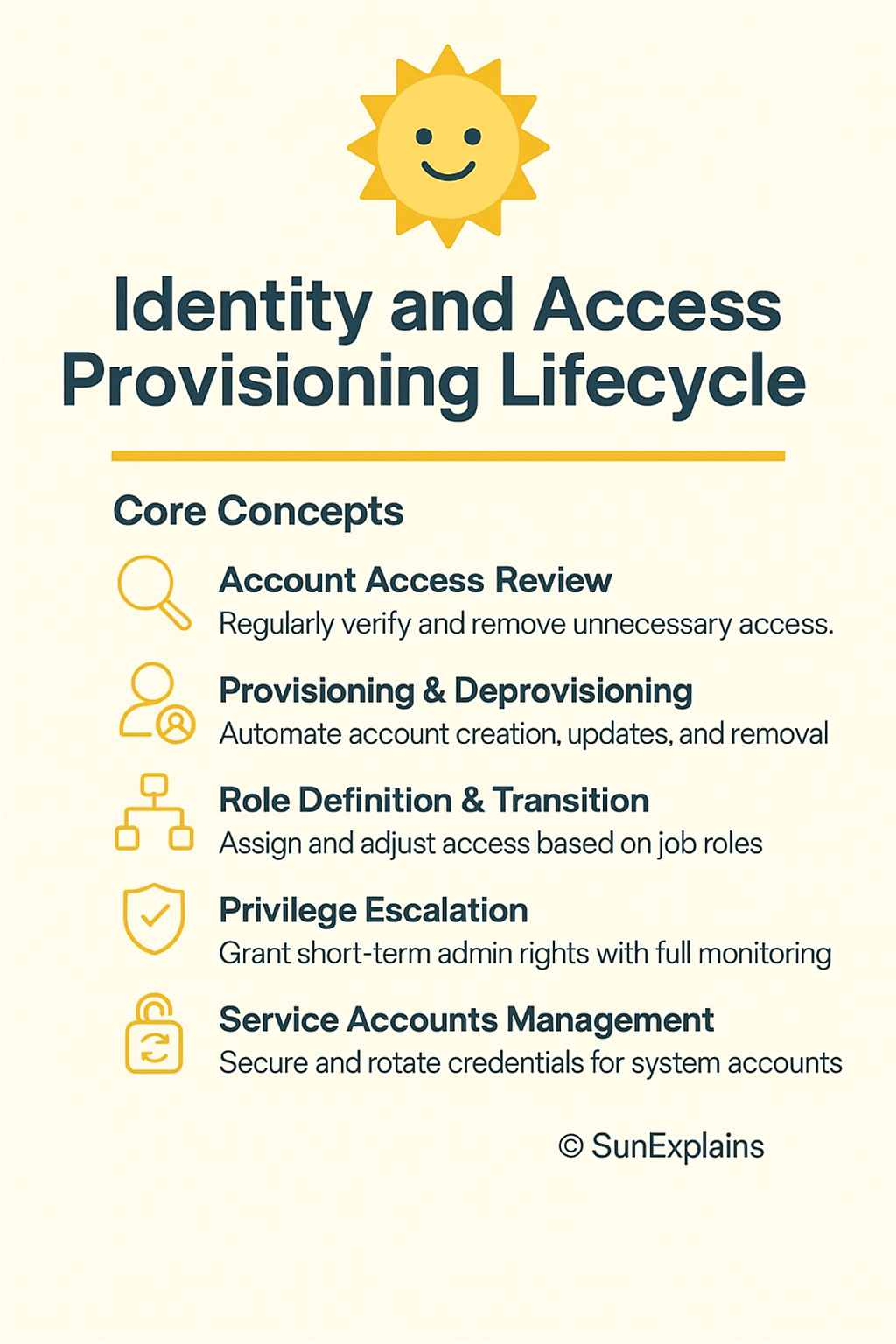
Core Concepts Explained Simply
1) Account Access Review (users, systems, services)
- Technical Definition: Regular certification by owners to confirm each identity still needs each permission; remove what’s not needed.
- Everyday Example: Floor managers review the badge roster every quarter.
- Technical Example: In Okta IGA/SailPoint, app owners attest users, groups, cloud roles, and service accounts. If they don’t respond by the deadline, access auto-revokes.
2) Provisioning & Deprovisioning (onboarding, transfers, offboarding)
- Technical Definition: Automated create/update/remove of accounts and permissions driven by JML (Joiner–Mover–Leaver) events from HR or a source of truth.
- Everyday Example: Issue badge on day one, switch floors on team change, collect and disable badge on exit.
- Technical Example: HR adds a hire → IGA creates accounts in Azure AD/Okta and apps; mover triggers role exchange; leaver disables accounts, revokes sessions/tokens, and rotates any shared secrets used by teams.
3) Role Definition & Transition
- Technical Definition: RBAC (Role-Based Access Control) tied to job functions, plus controlled transitions for movers with Segregation of Duties (SoD) rules.
- Everyday Example: Marketing badge opens 10–11; moving to Finance closes 10–11 and opens Finance—no overlap beyond a short handover.
- Technical Example: Role catalog (“Finance-AP,” “Finance-AR,” “Data-Engineer”). Movers use role exchange: grant new role, auto-remove old after 7 days; block risky combos via SoD.
4) Privilege Escalation (e.g., sudo)
- Technical Definition: Time-boxed admin elevation with approvals, command limits, and full logging via PAM (Privileged Access Management).
- Everyday Example: Borrow the master key for two hours; your name, time, and doors are logged.
- Technical Example: Azure PIM/CyberArk grants 1-hour “DB-admin” tied to a ticket; Linux
sudoersallows only listed commands; sessions stream to the SIEM for alerts.
5) Service Accounts Management
- Technical Definition: Governance for non-human identities: clear owner, least privilege, secrets in a vault, scheduled rotation, non-interactive auth where possible.
- Everyday Example: The night robot gets a dock-only badge—never the executive floor.
- Technical Example: Use OIDC federation for CI/CD to avoid long-lived keys. If secrets exist, store in Vault/Secrets Manager, rotate automatically, block VPN/email/interactive logins, include in access reviews.
Real-World Case Study
Failure — “Badge Under the Desk”
- Situation: Org X made a storage service account for a migration. Password set to never expire, broad
sudo, excluded from monitoring as “internal.” - Impact: An attacker learned about it from internal docs, used it to move laterally and copy backups. Dwell time: 36 days.
- Lesson: Service accounts must live the same lifecycle as people: owner, reviews, rotation, and removal.
Success — “Badges With Faces”
- Fixes:
- Inventory of all user/system/service accounts; owners assigned.
- Secrets moved to a vault; auto-rotation turned on with health checks.
- Just-In-Time (JIT) admin; tight
sudopolicy; sessions recorded. - Quarterly access reviews covering human and non-human identities.
- Results: Two over-privileged roles trimmed, one orphan API key found and rotated, review completion 98%, standing admin = 0.
Action Framework — Prevent → Detect → Respond
Prevent
- Single source of truth (HRIS) triggers JML for all identities.
- Maintain a role catalog with SoD; use role exchange for movers.
- Put all secrets in a vault; rotate passwords/keys/certs on schedule; prefer federation to remove long-lived keys.
- Enforce JIT for admins; remove always-on admin rights.
- Ban interactive logins for service accounts; require owner and purpose tags.
Detect
- Run access reviews quarterly; auto-revoke when owners don’t certify.
- Alert on service account anomalies: interactive logins, new countries, odd hours.
- Monitor sudo: unexpected commands, new hosts, high volume.
- Catch access drift: compare intended roles vs actual app/cloud permissions.
Respond
- Playbook: Disable account → Revoke sessions/tokens → Rotate secrets → Notify owner → Root-cause analysis.
- Keep break-glass accounts sealed, monitored, and reviewed after use.
- Fix upstream causes: JML trigger, role mapping, rotation policy, or review coverage.
Key Differences to Keep in Mind
- Provisioning vs Access Review — Provisioning gives access; reviews check it still makes sense.
- Scenario: Contractor gets access Monday; quarterly review removes “billing-admin” they don’t need.
- Mover vs Leaver — Movers swap roles; leavers remove everything immediately.
- Scenario: Team change replaces roles; exit disables accounts and revokes tokens the same day.
- Standing Privilege vs JIT — Standing is always on; JIT is time-boxed and logged.
- Scenario:
sudoallowed for one command for 30 minutes with a ticket.
- Scenario:
- Human vs Service Accounts — Humans use MFA and change teams; services use non-interactive auth and stable scopes.
- Scenario: Service account using VPN or email = instant alert.
- Password Rotation vs Key/Cert Rotation — Passwords follow policy; keys/certs need pipeline hooks and renewal plans.
- Scenario: DB password rotates with app restart; OIDC avoids static keys entirely.
Visual Workflow (Provision → Review → Revocation)
[Provisioning]
HRIS -> IGA -> Directory/Cloud -> Apps/DB
   |        |         |             |
   v        v         v             v
 Roles   Secrets    PAM/JIT     Service IDs
  |         \         /              |
  |          \       /               |
  v           v     v                v
[Access Review] -> attest -> right-size -> auto-revoke (SLA)
                |
                v
[Revocation/Rotation]
Disable -> Revoke tokens -> Rotate creds -> Notify -> RCA
Summary Table
| Concept | Definition | Everyday Example | Technical Example |
|---|---|---|---|
| Access Review | Regular owner check of who still needs what | Quarterly badge roster | IGA certifications with auto-revoke |
| Provision/Deprovision | Create/change/remove access via JML | Issue, update, collect badges | HRIS → IGA → Azure AD/Okta → apps; disable + revoke at exit |
| Role Definition/Transition | RBAC tied to jobs; clean swaps for movers | Floors/rooms change with role | Role catalog + SoD; role exchange on transfers |
| Privilege Escalation (sudo) | Short-term admin with logs and limits | Master key checkout | PIM/PAM JIT; sudoers allowlist; session recording |
| Service Accounts Mgmt | Owners, least privilege, vault, rotation, no interactive use | Night robot’s dock-only badge | OIDC federation; secrets in Vault; scheduled rotation |
What’s Next
Workload Identity, Made Simple: replace long-lived keys with OIDC federation for CI/CD and apps—migration patterns that won’t break production.
🌞 The Last Sun Rays…
The authentication and authorization mechanisms that govern provisioned access are covered in Authentication vs Authorization on the Internet (Part 6) and Authentication vs Authorization on Internal Networks (Part 7). Authorization mechanisms that determine what provisioned users can access are in Authorization Mechanisms Explained: IAM Series (Part 4). The controlling and monitoring of access that follows provisioning is in 14 CISSP: Controlling and Monitoring Access. The CISSP Domain 5 complete guide is at CISSP Domain 5: Identity and Access Management Complete Guide.
Those “open doors” came from a broken lifecycle: missing reviews, sloppy role swaps, loose sudo, and service accounts with no owner. Give every account a badge with a face—then issue it, review it, and retire it on time.
CTA: Download the 3-Phase Checklist (Prevent → Detect → Respond) and run a Badge Audit for Bots this week. Find one non-expiring service credential, assign an owner, move it to your vault, turn on rotation, and keep proof in your logs.
Reflect: If you tightened one step tomorrow—provisioning, reviews, role swaps, sudo controls, or service account care—which would cut your risk fastest?
Related reading: Explore more in-depth coverage across the CISSP Study Guide and other resources listed below.
- CISSP Study Guide — the complete roadmap for all 8 CISSP domains
- CISSP Elite Framework — exam-focused revision content
- Managing the IAM Provisioning Lifecycle — the provisioning lifecycle in detail

By profession, a CloudSecurity Consultant; by passion, a storyteller. Through SunExplains, I explain security in simple, relatable terms — connecting technology, trust, and everyday life.
Leave a Reply