Blog

  • 13 CISSP: Managing Identity and Authentication

    Here’s your content rewritten in simple, clear language and structured as an Elite Framework.


    In This Article

    Access to Different Types of Assets

    ConceptTechnical DefinitionPurpose / Big PictureSimple Technical ExampleSimple Real-World ExampleRoot-of-Question PatternAnswer to Root-of-Question Pattern
    Controlling Access to AssetsMaking sure only authorized people can use, view, or change important resources.Reduce risk by limiting who can use what, when, and how to protect the organization.Using role-based access control (RBAC) to allow HR staff to view employee records but not change payroll code.A company gives employees ID cards that only open doors and systems they need for their job.“What is the BEST way to control access to organizational assets?”Use least privilege, need-to-know, and strong authentication that matches the asset’s sensitivity.
    InformationData in any form (paper, digital, audio) that has value to the organization.Protect confidentiality, integrity, and availability of data across its life cycle.Encrypting customer data in a database and restricting access to the DB admin and app service account.Locking paper contracts in a filing cabinet and only letting legal staff access the key.“Which control MOST directly protects information assets from unauthorized disclosure?”Focus on confidentiality controls (encryption, access control lists, classification + handling).
    SystemsServers, operating systems, applications, and platforms that process information.Keep systems secure so they can safely process and store information without compromise.Hardening a Linux server and using SSH key-based login for admins.A bank’s core banking server is locked in a data center, accessed only by authorized admins via VPN.“Which is the FIRST action to secure critical systems?”Start with baseline hardening, patching, and restricting admin access.
    DevicesEndpoints and hardware: laptops, smartphones, routers, IoT devices, etc.Prevent devices from becoming easy entry points into the network.Using mobile device management (MDM) to enforce a screen lock and full-disk encryption on phones.Company laptops require a password and auto-lock after 5 minutes of inactivity.“What is the BEST control to protect portable devices with sensitive data?”Apply encryption, strong authentication, and loss/theft procedures.
    FacilitiesPhysical locations where assets are stored: offices, data centers, server rooms.Protect assets from physical threats like theft, fire, or unauthorized entry.Using access cards and CCTV cameras to secure a server room.A data center with mantraps, guards, cameras, and visitor logs.“Which physical control MOST effectively restricts access to critical facilities?”Choose layered controls: fences → guards → locked doors → server racks.
    ApplicationsSoftware that users run to perform business functions.Control who can use what app features and what data they can see or change.Business app with role-based permissions: normal users can view reports; admins can configure settings.HR portal where employees only see their own data, but HR staff can see all employee data.“What is the BEST way to limit application features for different user roles?”Use application-layer access control like RBAC and input/authorization checks per function.
    ServicesIT or cloud services: email, SaaS apps, APIs, identity services.Make sure only authorized users and systems can use critical services.Limiting API usage by issuing API keys and enforcing OAuth tokens.Only employees with a company account can use the corporate email and collaboration tools.“Which control MOST effectively prevents unauthorized access to cloud services?”Use identity federation, MFA, and role-based access on the service side.

    These rows connect asset types to how you think about protecting them in real-world security architecture.


    Physical vs Logical Access Control

    ConceptTechnical DefinitionPurpose / Big PictureSimple Technical ExampleSimple Real-World ExampleRoot-of-Question PatternAnswer to Root-of-Question Pattern
    Controlling Physical and Logical AccessApplying controls that limit who can physically enter spaces and who can logically access systems and data.Combine physical and IT controls to protect assets end-to-end.Badge + PIN to enter the data center; username + password + MFA to access servers.A company requires an ID card at the building door and then a password and MFA to log in to the network.“Which combination of controls BEST secures access to critical systems?”Use defense-in-depth: physical + logical controls together, not in isolation.
    Physical SecurityControls that protect buildings, rooms, and hardware from physical threats.Prevent unauthorized physical access, damage, or theft of equipment and data.Locking server racks, using CCTV cameras, and door access logs.Visitor must sign in, wear a badge, and be escorted in office areas.“Which physical control is MOST appropriate to protect a server room?”Choose controls that delay, deter, detect, and record intrusions.
    Fences, Gates, TurnstilesPerimeter controls at the outer boundary of a facility.Create a first layer of defense to control entry and exit points.Tall fence around a data center with a controlled gate and badge-based turnstile.Office park with a gatehouse where cars and people must check in before entering.“Which control BEST prevents tailgating into a secure area?”Turnstiles and mantraps are better than simple doors; they enforce one person at a time.
    GuardsTrained personnel who monitor and enforce security policies.Provide flexible, human judgment to respond to unusual events and raise alarms.Security guard checks badges and challenges unknown people.Guard stops someone trying to enter the data center without proper ID and calls the SOC.“Which control provides the MOST flexible response to unexpected physical threats?”Guards (administrative + physical) because they can adapt and escalate.
    Logical Access ControlsControls that manage who can log in to systems and what they can do once inside.Protect digital assets by enforcing identity, authentication, authorization, and accountability.Using Active Directory groups to grant access to file shares based on department.Employee logs into the company VPN with username, password, and mobile MFA.“What is the BEST logical control to ensure users only access the resources they need?”Apply least privilege with role-based or group-based access control and proper logging.

    This section links the physical world (doors, guards) to the logical world (accounts, roles), which is crucial in security architecture and operations.


    CIA Triad and Access Controls

    ConceptTechnical DefinitionPurpose / Big PictureSimple Technical ExampleSimple Real-World ExampleRoot-of-Question PatternAnswer to Root-of-Question Pattern
    CIA Triad and Access ControlsUsing access controls to protect Confidentiality, Integrity, and Availability of information and systems.Map each control to which part of CIA it supports, to choose the BEST control for the business goal.Using encryption (C), digital signatures (I), and redundant servers (A).Confidential: medical records are encrypted and only doctors can view them; Integrity: changes logged; Availability: backup systems online.“Which access control is MOST appropriate when confidentiality is the PRIMARY concern?”Choose controls that limit disclosure: strong authentication, authorization, and encryption.
    Confidentiality via Access ControlsMaking sure only authorized people or systems can see the data.Prevent data leaks, privacy violations, and unauthorized viewing.Data in a database is only visible to application accounts with proper roles.Only HR staff can read salary information; others in the company cannot.“Which is the BEST control to protect the confidentiality of sensitive data?”Focus on access restrictions, MFA, encryption, and data classification + handling rules.
    Integrity via Access ControlsMaking sure data cannot be changed in an unauthorized or undetected way.Prevent tampering, fraud, and unauthorized changes to critical information.Use write permissions for specific roles only and log all changes.Only finance managers can approve or modify payments; all changes are logged and reviewed.“What is the FIRST control to implement to protect integrity of transaction records?”Restrict write/modify rights and enable auditing/logging for changes.
    Availability via Access ControlsMaking sure authorized users can access data and systems when needed.Avoid blocking legitimate users or causing unnecessary downtime.Use load-balanced servers and rate limiting to filter abusive traffic but allow normal users.A hospital system uses backup power and redundant systems to stay online during outages.“Which control MOST directly improves availability of a critical service?”Choose redundancy, failover, and resilient authentication paths (e.g., backup MFA methods).

    This last group ties your access control thinking directly to CIA, which is how CISSP questions often frame “BEST” or “PRIMARY” choices.

    Here is your content transformed into a clean, exam-ready CISSP Elite Framework using clear and simple language, with no new topics added.


    AAA MODEL — ELITE FRAMEWORK

    AAA (Authentication, Authorization, Accounting)

    ConceptTechnical DefinitionPurpose / Big PictureSimple Technical ExampleSimple Real-World ExampleRoot-of-Question PatternAnswer to Root-of-Question Pattern
    AAA ModelA framework that controls access by verifying identity (Authentication), granting permissions (Authorization), and tracking activity (Accounting).Ensures accountability and proper access by matching identity → permissions → logs.User logs into VPN (auth), gets access to specific subnets (authz), and actions are logged (acct).Employee signs into a system, uses only allowed apps, and actions are recorded for audits.“Which component of AAA is MOST important for tracking user activity?”Accounting generates logs for investigations and compliance.

    IDENTIFICATION AND AUTHENTICATION STRATEGY

    ConceptTechnical DefinitionPurpose / Big PictureSimple Technical ExampleSimple Real-World ExampleRoot-of-Question PatternAnswer to Root-of-Question Pattern
    IdentificationClaiming who you are.Core starting point for all access control decisions.Typing in a username.Showing your employee ID number.“What is the FIRST step in identification and authentication?”Identification always comes before authentication.
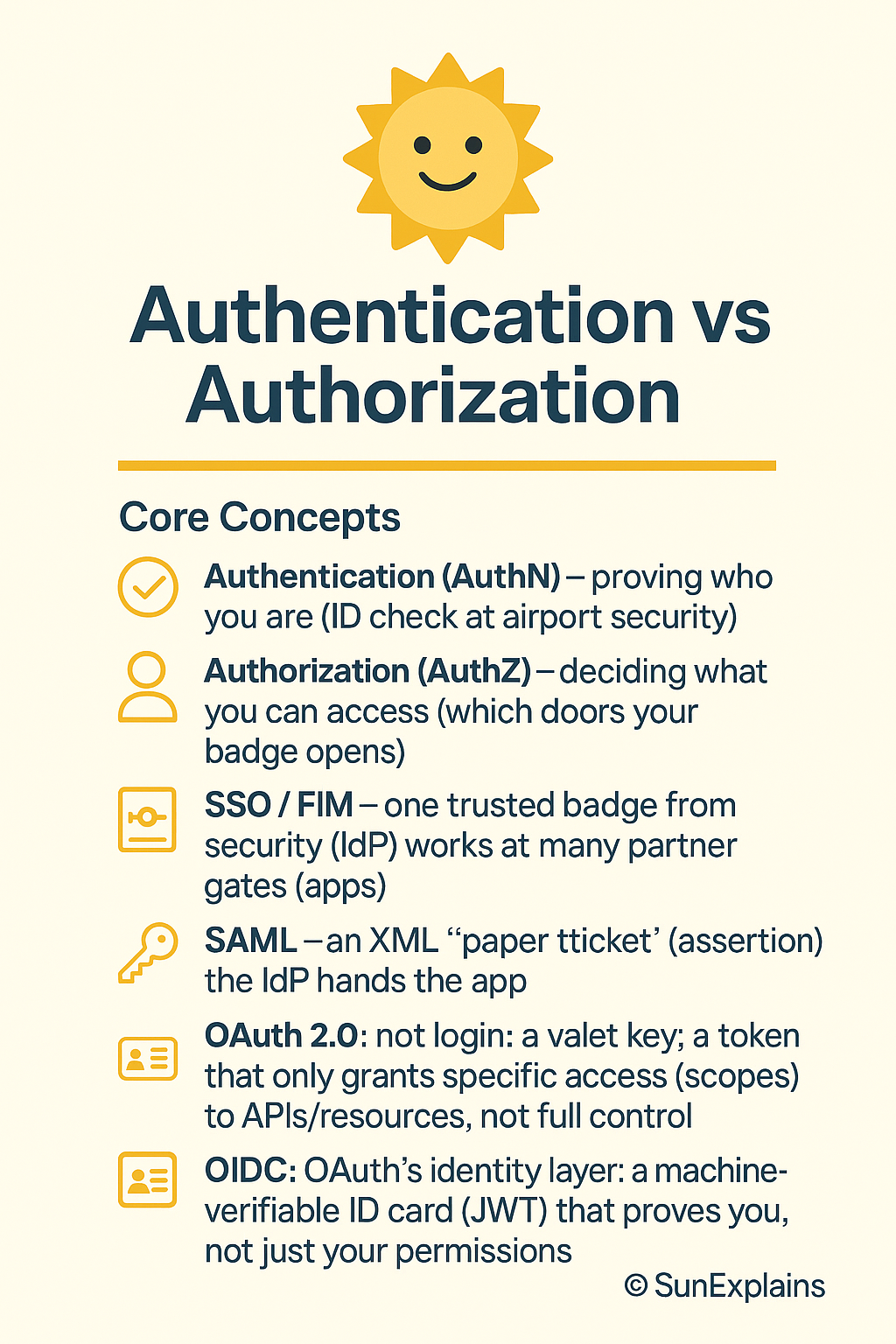
    AuthenticationProving the identity you claimed.Prevent unauthorized access by verifying the claimed identity.Entering a password after typing username.Scanning your fingerprint to unlock a phone.“Which control proves a user’s identity?”Authentication verifies the claim made during identification.

    This strategy supports the flow: Claim → Prove → Access.


    SUBJECTS AND OBJECTS

    ConceptTechnical DefinitionPurpose / Big PictureSimple Technical ExampleSimple Real-World ExampleRoot-of-Question PatternAnswer to Root-of-Question Pattern
    SubjectsActive entities that request access. Usually users, processes, or services.Helps determine who performs actions in access control decisions.A user running a database query.Employee logging into HR system.“In access control, which entity initiates an action?”The subject initiates actions.
    ObjectsPassive resources the subject wants to access.Helps define what must be protected.File, database record, or printer.A shared folder holding payroll data.“What term refers to the resource being accessed?”The object is the target of the subject’s action.

    This distinction anchors CISSP thinking about permissions and rights.


    REGISTRATION, PROOFING, AND ESTABLISHMENT OF IDENTITY

    ConceptTechnical DefinitionPurpose / Big PictureSimple Technical ExampleSimple Real-World ExampleRoot-of-Question PatternAnswer to Root-of-Question Pattern
    RegistrationInitial process of collecting identity details from a person.Creates a starting identity record before granting credentials.A new employee fills out HR forms.Signing up for a bank account.“Which step is FIRST in identity lifecycle?”Registration begins identity creation.
    Knowledge-Based AuthenticationAuthentication using answers to specific questions.Adds extra verification when resetting accounts or proving identity remotely.“What was your first school?”Banking website asks for a secret question when resetting password.“What type of authentication uses personal history questions?”KBA relies on known personal information.
    Cognitive PasswordA memory-based question that only the user should know.Provides lightweight authentication, though weaker than MFA.“Who was your childhood friend?”Website asks a memorable question during login recovery.“Which method relies on something the user remembers?”Cognitive passwords fall under “something you know.”
    ProofingValidating that the person is who they claim to be before creating an account.Prevents false identities and fraud during onboarding.Verifying government ID at HR office.A bank checks your passport before issuing an account.“Which process MOST ensures an identity belongs to the real person?”Identity proofing validates authenticity before account creation.
    Establishment of IdentityFinal confirmation that the identity is legitimate and ready for credentialing.Creates a trusted, verified identity in the system.HR verifies documents, then IT issues account.Hospital confirms doctor’s license before giving access.“Which step ensures the identity is trusted before credentials?”Establishment of identity completes the identity-verification chain.

    This group ties into the identity lifecycle used in modern IAM systems.


    AUTHORIZATION AND ACCOUNTING

    ConceptTechnical DefinitionPurpose / Big PictureSimple Technical ExampleSimple Real-World ExampleRoot-of-Question PatternAnswer to Root-of-Question Pattern
    AuthorizationDeciding what an authenticated subject is allowed to do.Enforces least privilege and reduces risk of abuse.User can read files but cannot delete them.Employee can view pay stubs but not change them.“Which AAA component grants permissions AFTER authentication?”Authorization defines allowed actions.
    AccountingTracking what users do: logs, audits, traces.Provides evidence for investigations and compliance.Log shows which admin changed firewall rules.Audit trail showing who accessed patient data.“Which component MOST supports non-repudiation?”Accounting ensures actions can be traced to a subject.

    Authorization decides the rights; accounting records the activity.


    AUTHENTICATION FACTORS

    ConceptTechnical DefinitionPurpose / Big PictureSimple Technical ExampleSimple Real-World ExampleRoot-of-Question PatternAnswer to Root-of-Question Pattern
    Something You KnowKnowledge-based secrets.Prove identity using information only the user should know.Password, PIN.ATM PIN.“Which factor is MOST vulnerable to shoulder-surfing?”Something you know (password/PIN).
    Something You HavePhysical items that verify identity.Raise security by using a possession-based factor.Smart card, token.Office badge used for MFA.“Which factor involves a device generating codes?”Something you have (token).
    Something You AreBiometrics that recognize physical traits.Provide strong, hard-to-duplicate identity proof.Fingerprint, iris scan.Face unlock on phone.“Which factor offers the MOST resistance to impersonation?”Something you are (biometric).
    Somewhere You AreLocation-based authentication.Add context by validating physical or network location.Geo-IP check.Bank blocks login attempts from foreign countries.“Which factor depends on physical location?”Somewhere you are.
    Somewhere You Aren’tDetecting impossible or suspicious locations.Identify fraud by checking whether access request contradicts known location.Login from US then 2 minutes later from Europe.Bank denies suspicious rapid location change.“Which method detects impossible travel events?”Somewhere you aren’t.
    Context-Aware AuthenticationUses multiple signals like time, location, device, and behavior.Strengthens authentication by adding real-time risk evaluation.System blocks login attempt at unusual time from unknown device.Bank allows low-risk logins but requires MFA for unlikely behavior.“Which method adapts authentication based on risk?”Context-aware authentication changes requirements in real time.

    Context-aware methods bring modern, adaptive control to access systems.


    If you want to continue building the full IAM section or move into access control models (MAC, DAC, RBAC, ABAC), this framework easily expands.

    Here is your material reshaped into clean, simple-language CISSP Elite Framework tables that stay fully inside the scope you provided.


    AUTHENTICATION FACTOR: SOMETHING YOU KNOW

    Password Policy Components

    ConceptTechnical DefinitionPurpose / Big PictureSimple Technical ExampleReal-World ExampleRoot-of-Question PatternAnswer to Root-of-Question Pattern
    Password Policy ComponentsRules that guide how passwords must be created, stored, and updated.Provide predictable strength and reduce password-based attacks.Policy requiring 14-character passwords stored as salted hashes.Company enforces rules to avoid weak passwords like “Summer2024!”.“Which policy element MOST improves resistance to guessing?”Password length usually adds more protection than complexity.
    Maximum AgeLongest time a password can remain in use.Reduce chance of stolen passwords being used for long periods.Password must be changed every 90 days.PCI DSS using 90-day cycles.“Which setting forces users to change passwords at regular intervals?”Maximum age enforces rotation.
    Password ComplexityRules requiring mixtures of character types.Make brute-force attacks more expensive.Must include uppercase, lowercase, numbers.System rejects all-letter passwords.“Which setting BEST prevents simple passwords?”Complexity rules limit predictable patterns.
    Password LengthMinimum and maximum number of characters.Longer passwords increase entropy and support passphrases.Require minimum 12 characters.User creates “ocean sunrise bicycle daydream”.“Which requirement MOST increases password strength?”Length generally increases strength more than complexity.
    Minimum AgeMinimum time before a password can be changed again.Prevent rapid cycling to bypass password history.Cannot change password again for 24 hours.User can’t rotate 10 times in a minute to reuse old password.“Which policy prevents users from reusing old passwords instantly?”Minimum age stops fast cycling.
    Password HistoryTracks previous passwords to prevent reuse.Limits use of repeated weak patterns.Cannot use last 5 passwords.PCI requires last 4 not reused.“Which control prevents immediate reuse of old passwords?”Password history enforces uniqueness.

    Authoritative Password Recommendations

    ConceptTechnical DefinitionPurpose / Big PictureSimple Technical ExampleReal-World ExampleRoot-of-Question PatternAnswer to Root-of-Question Pattern
    NIST SP 800-63BU.S. federal guidelines for modern password and authentication practices.Reduce user friction and prevent outdated password rules.No forced rotation unless compromise suspected.Company updates policy to follow NIST’s “long and memorable” guidance.“Which framework recommends eliminating periodic password changes?”NIST SP 800-63B.
    PCI DSSSecurity standard for protecting cardholder data.Enforce strong operational controls to reduce card fraud.Requires 12-character minimum and 90-day expiration.Merchant handling credit cards must follow PCI rules.“Which standard mandates 90-day password rotation?”PCI DSS.

    NIST Password Recommendations (800-63B)

    ConceptTechnical DefinitionPurpose / Big PictureSimple Technical ExampleReal-World ExampleRoot-of-Question PatternAnswer to Root-of-Question Pattern
    Passwords Must Be HashedStore passwords only as salted, strong hashes.Prevent attackers from reading or reversing stored credentials.Hashing with PBKDF2, bcrypt, or Argon2.Breach reveals only salted hashes, not cleartext.“Which control MOST reduces impact of password database theft?”Use salted, slow hashing.
    Passwords Should Not ExpireNo rotation unless evidence of compromise.Reduce weak choices and frustration from constant changes.Same password stays valid for years if safe.Company removes 90-day rotations.“Which framework discourages periodic password changes?”NIST SP 800-63B.
    Special Characters Not RequiredNo forced complexity rules.Encourage long, memorable passphrases.User can create “sunset horses river story”.Policy allows any characters.“Which recommendation improves usability without weakening security?”Allow user-chosen complexity.
    Allow Copy/PasteLet password managers autofill passwords.Encourage high-entropy, unique passwords.Web login accepts pasted credentials.Company enables password manager tools.“Which practice BEST supports password managers?”Allow copy/paste.
    Allow All CharactersFull Unicode allowed.Maximize possible entropy.Emoji or long passphrases supported.User can use any symbol or character set.“Which rule maximizes password entropy?”All characters allowed.
    Length 8–64 CharactersEncourages long passphrases.Longer length improves security more than complexity.64-character passphrase fully supported.System supports long passphrases.“Which requirement MOST supports strong passphrases?”Longer length.
    Password ScreeningCheck new passwords against known weak lists.Prevent common or compromised passwords.Rejects “Password123”.System checks against breach databases.“Which control BEST stops use of common passwords?”Screening against banned lists.

    PCI DSS Password Requirements

    ConceptTechnical DefinitionPurpose / Big PictureTechnical ExampleReal-World ExampleRoot-of-Question PatternAnswer
    90-Day ExpirationPasswords rotated every 90 days.Reduce risk of old credentials being exploited.User must change password each quarter.Retailer handling cardholder data.“Which standard requires 90-day expiration?”PCI DSS.
    12-Character MinimumRequires longer starting lengths.Increase entropy and reduce brute-force success.Must be at least 12 characters.Merchant gateway accounts.“Which requirement increases password strength MOST?”Length.
    Must Contain Numbers and LettersBasic complexity requirement.Prevent trivial dictionary passwords.“bluecar89”.PCI system rejects all-letter passwords.“Which rule enforces mixed character types?”PCI requires alphabetic + numeric.
    No Reuse of Last 4 PasswordsHistory-based restriction.Stop employees from cycling predictable passwords.Cannot reuse last four.Retail POS admin accounts.“Which setting prevents password reuse?”Password history of 4.

    AUTHENTICATION FACTOR: SOMETHING YOU HAVE

    ConceptTechnical DefinitionPurpose / Big PictureTechnical ExampleReal-World ExampleRoot-of-Question PatternAnswer
    Smart CardsPhysical cards with embedded chips.Provide secure storage for certificates and keys.CAC card for government networks.Employee badge used for MFA.“Which factor stores cryptographic credentials?”Smart card.
    AuthenticatorsPhysical devices proving possession.Reduce theft risks by requiring something the attacker must physically steal.Token generating 6-digit codes.User authenticates with security token.“Which factor uses possession-based credentials?”Something you have.
    Time-Based One-Time Passwords (TOTP)Codes generated using time plus a shared secret.Limit window of usability to seconds.6-digit code valid for 30 seconds.Authenticator app.“Which method creates short-lived time-synced codes?”TOTP.
    Hash-Based One-Time Passwords (HOTP)Codes generated using a counter + shared secret.Prevent replay by incrementing counter.Token produces code only when button pressed.RSA token.“Which method uses counters instead of time?”HOTP.

    AUTHENTICATION FACTOR: SOMETHING YOU ARE

    Biometrics

    ConceptTechnical DefinitionPurpose / Big PictureTechnical ExampleReal-World ExampleRoot-of-Question PatternAnswer
    FingerprintsMatching ridge patterns.Strong identity proof tied to the user’s body.Phone fingerprint reader.Employee biometric punch-in.“Which biometric has highest user familiarity?”Fingerprint.
    Face ScansMatching facial structure.Fast, low-friction verification.FaceID.Office building with facial recognition.“Which biometric supports hands-free auth?”Face scan.
    Retina ScanMaps blood vessels at the back of the eye.Very high accuracy.Specialized scanner.High-security military facilities.“Which biometric provides MOST precision?”Retina.
    Iris ScanMaps colored ring around pupil.High accuracy with easier enrollment than retina.Iris camera.Airport secure access.“Which biometric balances accuracy and usability?”Iris.
    Palm ScansAnalyze vein or print structure.Good for fast throughput.Palm vein scanner.Hospitals using palm recognition.“Which biometric works well in healthcare environments?”Palm scan.
    Voice RecognitionAnalyzes vocal patterns.Useful for phone-based systems.Call center voice authentication.Bank verifying caller identity.“Which biometric works over phone channels?”Voice.

    Biometric Error Ratings

    ConceptDefinitionPurposeExamplePattern QuestionAnswer
    False Rejection Rate (Type-1 Error)Legitimate user incorrectly rejected.Measures usability impact.Fingerprint fails and requires retry.“Which metric shows inconvenience to valid users?”FRR.
    False Acceptance Rate (Type-2 Error)Unauthorized person accepted.Measures security impact.System accepts wrong fingerprint.“Which metric reflects the MOST serious security risk?”FAR.
    Crossover Error Rate (CER)Point where FRR = FAR.Best single measure of biometric accuracy.System tuned so both errors equal.“Which metric BEST compares biometric systems?”CER (lower is better).

    Biometric Registration

    ConceptTechnical DefinitionPurposeExamplePatternAnswer
    Throughput RateHow many users can be processed per minute.Measure efficiency for high-traffic environments.20 people/minute through facial recognition.“Which metric matters MOST for busy entry points?”Throughput rate.

    If you want to feed in your next IAM block—like single sign-on, federation, or access control models—I can fold it into the same framework.

    Here’s your new block turned into CISSP-style Elite Framework tables, using only the topics you gave and keeping the language simple.


    MULTIFACTOR AUTHENTICATION (MFA) & RELATED AUTH METHODS

    Multifactor Authentication (MFA)

    ConceptTechnical DefinitionPurpose / Big PictureSimple Technical ExampleSimple Real-World ExampleRoot-of-Question PatternAnswer to Root-of-Question Pattern
    Multifactor Authentication (MFA)Authentication that uses two or more different factor types (know / have / are / where / context).Reduce risk of account takeover by requiring more than one proof of identity.User enters password (something you know) and a 6-digit code from phone (something you have).Banking login requiring password + OTP sent to mobile app.“Which option provides STRONGER authentication than passwords alone?”Use MFA with different factor types, not just multiple passwords.

    Passwordless Authentication

    ConceptTechnical DefinitionPurpose / Big PictureSimple Technical ExampleSimple Real-World ExampleRoot-of-Question PatternAnswer
    Passwordless AuthenticationUser authenticates without typing a password, using “have” or “are” factors directly.Remove password risks (reuse, phishing) and improve user experience.User approves login on registered phone or uses biometric on device.Employee logs in using smart card + PIN or built-in device biometric instead of password.“Which method reduces reliance on passwords while still verifying identity?”Passwordless methods based on trusted device / biometric.

    Device Authentication

    ConceptTechnical DefinitionPurpose / Big PictureSimple Technical ExampleSimple Real-World ExampleRoot-of-Question PatternAnswer
    Device AuthenticationVerifying the identity of a device instead of (or in addition to) the user.Ensure only trusted devices can connect to sensitive systems.Laptops with certificates installed, checked at VPN connection.Company only allows corporate laptops with device certificates onto internal network.“Which control ensures that only approved endpoints can connect?”Use device authentication via certificates or registered device IDs.

    Service Authentication

    ConceptTechnical DefinitionPurpose / Big PictureSimple Technical ExampleReal-World ExampleRoot-of-Question PatternAnswer
    Service AuthenticationAuthentication between services (applications, APIs, microservices) rather than human users.Prevent unauthorized services from calling or impersonating other services.Backend service presents a secret or certificate to call another API.Payment service authenticates to order service using a service credential.“Which method verifies that a calling application is trusted?”Use service-to-service authentication with keys or certificates.

    Mutual Authentication

    ConceptTechnical DefinitionPurpose / Big PictureSimple Technical ExampleReal-World ExampleRoot-of-Question PatternAnswer
    Mutual AuthenticationBoth sides of a connection authenticate each other.Prevent man-in-the-middle and fake endpoints by confirming both client and server.Client and server both use certificates.Corporate VPN where the client verifies the VPN gateway and the gateway verifies the client certificate.“Which approach ensures BOTH client and server are authenticated?”Mutual authentication (two-way authentication).

    These all support a stronger identity story: not just “who is the user” but “is this the right device, service, and endpoint?”


    IMPLEMENTING IDENTITY MANAGEMENT

    Centralized vs Decentralized Access Control

    ConceptTechnical DefinitionPurpose / Big PictureSimple Technical ExampleReal-World ExampleRoot-of-Question PatternAnswer
    Centralized Access ControlOne central system (directory / IAM) makes access decisions for many systems.Easier policy enforcement, auditing, and user lifecycle management.Single directory controlling access to multiple apps.AD/LDAP controlling login to file servers, apps, and VPN from one place.“Which model is BEST for consistent policy and easier auditing?”Centralized access control.
    Decentralized Access ControlEach system or department manages its own user accounts and permissions.Flexible but harder to manage and audit across the organization.Every app has its own local accounts.Each branch office managing its own accounts in separate systems.“Which model increases administrative overhead and inconsistency?”Decentralized access control.
    Pros and Cons of CentralizedPros: consistent, easier auditing, simpler onboarding/offboarding. Cons: single point of failure, complex design.Aligns with governance and compliance.Central IAM with backup and high availability.Enterprise-wide account management.“Which model MOST improves governance and visibility?”Centralized is usually preferred for large orgs.
    Pros and Cons of DecentralizedPros: local flexibility, independence. Cons: duplication, inconsistent policies, higher risk.Often seen in older or loosely integrated environments.Separate user databases for each system.Subsidiaries all using different identity stores.“Which model is MOST likely to cause orphaned accounts?”Decentralized model.

    SINGLE SIGN-ON (SSO)

    Basic SSO

    ConceptTechnical DefinitionPurpose / Big PictureSimple Technical ExampleReal-World ExampleRoot-of-Question PatternAnswer
    Single Sign-On (SSO)User logs in once and then can access multiple systems without re-entering credentials.Reduce password fatigue and improve security by centralizing authentication.User signs in to an identity provider and gets access to several apps.Employee logs in once in the morning and automatically accesses HR, email, and ticketing tools.“Which solution reduces the number of logins while centralizing authentication?”SSO.

    LDAP and Centralized Access Control

    ConceptTechnical DefinitionPurpose / Big PictureSimple Technical ExampleReal-World ExampleRoot-of-Question PatternAnswer
    LDAP and Centralized Access ControlUsing an LDAP directory as the central identity store for multiple apps.Simplify user management by having one central source of user data and credentials.Apps authenticate users by checking LDAP directory.Web portal validates users against a central directory server.“Which technology is MOST often used as a centralized directory for authentication?”LDAP-based directory.

    LDAP and PKIs

    ConceptTechnical DefinitionPurpose / Big PictureSimple Technical ExampleReal-World ExampleRoot-of-Question PatternAnswer
    LDAP and PKIsUsing LDAP as a store or publication point for digital certificates in a PKI.Enable systems to find and validate certificates and public keys.LDAP stores user certificates for secure email.Organization publishes user certificates in directory for encrypted communications.“Where can public certificates be centrally stored and looked up?”LDAP directory integrated with PKI.

    SSO + central directories = fewer passwords, better governance, and more control.


    SSO AND FEDERATED IDENTITIES

    Federation Types

    ConceptTechnical DefinitionPurpose / Big PictureSimple Technical ExampleReal-World ExampleRoot-of-Question PatternAnswer
    Federated IdentitiesTrust relationship where one domain accepts identities from another.Let users use one identity across different organizations or domains.Company A trusts Company B’s identity provider.Partner users log into your app using their own company accounts.“Which concept allows users to use their home organization credentials to access external services?”Federated identity.
    Cloud-Based FederationIdentity provider and federation service run in the cloud.Simplify integration with SaaS and cloud apps.Cloud IdP used to login to many SaaS tools.Organization uses a cloud identity service to login to multiple cloud-based apps.“Which federation model is BEST for SaaS-heavy environments?”Cloud-based federation.
    On-Premises FederationFederation components run in the organization’s own data centers.Keep control on-prem while still supporting federation.On-prem federation server issuing tokens to internal apps.Enterprise using internal federation servers to handle auth to on-prem apps.“Which federation approach is MOST suitable when data can’t leave the data center?”On-premises federation.
    Hybrid FederationMix of cloud and on-prem federation services.Support both cloud apps and on-prem apps in a unified way.On-prem directory synced to cloud IdP.Company with some apps on-prem and others in cloud using a hybrid setup.“Which model is MOST appropriate during cloud migration?”Hybrid federation.

    Just-In-Time (JIT) Provisioning

    ConceptTechnical DefinitionPurpose / Big PictureSimple Technical ExampleReal-World ExampleRoot-of-Question PatternAnswer
    Just-In-Time ProvisioningCreating user accounts automatically at first login, based on identity information from the identity provider.Reduce admin effort and ensure accounts exist only when needed.When user logs into an app via SSO, the app creates an account on the fly using claims.New employee logs into a SaaS app the first time and an account is created automatically with correct role.“Which mechanism automatically creates accounts for federated users at first use?”Just-In-Time (JIT) provisioning.

    Federation connects identities across boundaries; JIT makes it operationally smooth.


    CREDENTIAL MANAGEMENT SYSTEMS

    IDaaS & Credential Manager Apps

    ConceptTechnical DefinitionPurpose / Big PictureSimple Technical ExampleReal-World ExampleRoot-of-Question PatternAnswer
    Credential Management SystemsTools/services used to store, manage, and protect authentication data like passwords and keys.Centralize and secure credentials, reduce reuse, and simplify access.Password vault that stores many logins securely.Enterprise password manager for admins.“Which solution BEST centralizes storage of many privileged credentials?”Credential management system.
    IDaaS (Identity as a Service)Cloud-based identity and access management service.Offload identity operations to a cloud provider, support SSO and federation.Cloud IdP handling login and SSO for many apps.Organization uses an IDaaS platform for all employee authentication to cloud apps.“Which solution provides identity management as a cloud service?”IDaaS.
    Credential Manager AppsSoftware that securely stores user credentials and autofills them.Encourage strong, unique passwords for each system.Encrypted password vault app.User stores dozens of app passwords in a password manager instead of memorizing them.“Which tool MOST helps users manage long and unique passwords?”Credential manager app (password manager).

    SCRIPTED ACCESS

    ConceptTechnical DefinitionPurpose / Big PictureSimple Technical ExampleReal-World ExampleRoot-of-Question PatternAnswer
    Scripted AccessAutomated scripts using stored credentials or tokens to access systems without manual login.Enable automation while controlling how credentials are used by scripts.Backup script logs into a database to extract data.Scheduled script using a service account to run nightly jobs.“Which method allows non-interactive jobs to authenticate to services?”Use scripted access via service accounts or stored credentials (carefully protected).

    Scripted access is powerful but dangerous if credentials are not tightly protected.


    SESSION MANAGEMENT

    ConceptTechnical DefinitionPurpose / Big PictureSimple Technical ExampleReal-World ExampleRoot-of-Question PatternAnswer
    Session ManagementControlling the lifecycle of a user’s authenticated session (creation, timeout, destruction, renewal).Prevent session hijacking and limit damage if a session is stolen.Web app issues a session ID at login and invalidates it at logout or timeout.Banking site logs you out after 5–10 minutes of inactivity and kills the session token.“Which control MOST directly reduces risk from stolen session cookies?”Strong session management (secure tokens, timeouts, invalidation on logout).

    Identity management in practice is mostly about tying all of this together: MFA + SSO + federation + sessions + credential handling, so the organization knows who is doing what on which system.

    Here’s your Identity and Access Provisioning Life Cycle block turned into CISSP Elite Framework tables, using only what you provided and keeping the language clean and direct.


    MANAGING THE IDENTITY AND ACCESS PROVISIONING LIFE CYCLE

    High-Level Concept

    ConceptTechnical DefinitionPurpose / Big PictureSimple Technical ExampleReal-World ExampleRoot-of-Question PatternAnswer to Root-of-Question Pattern
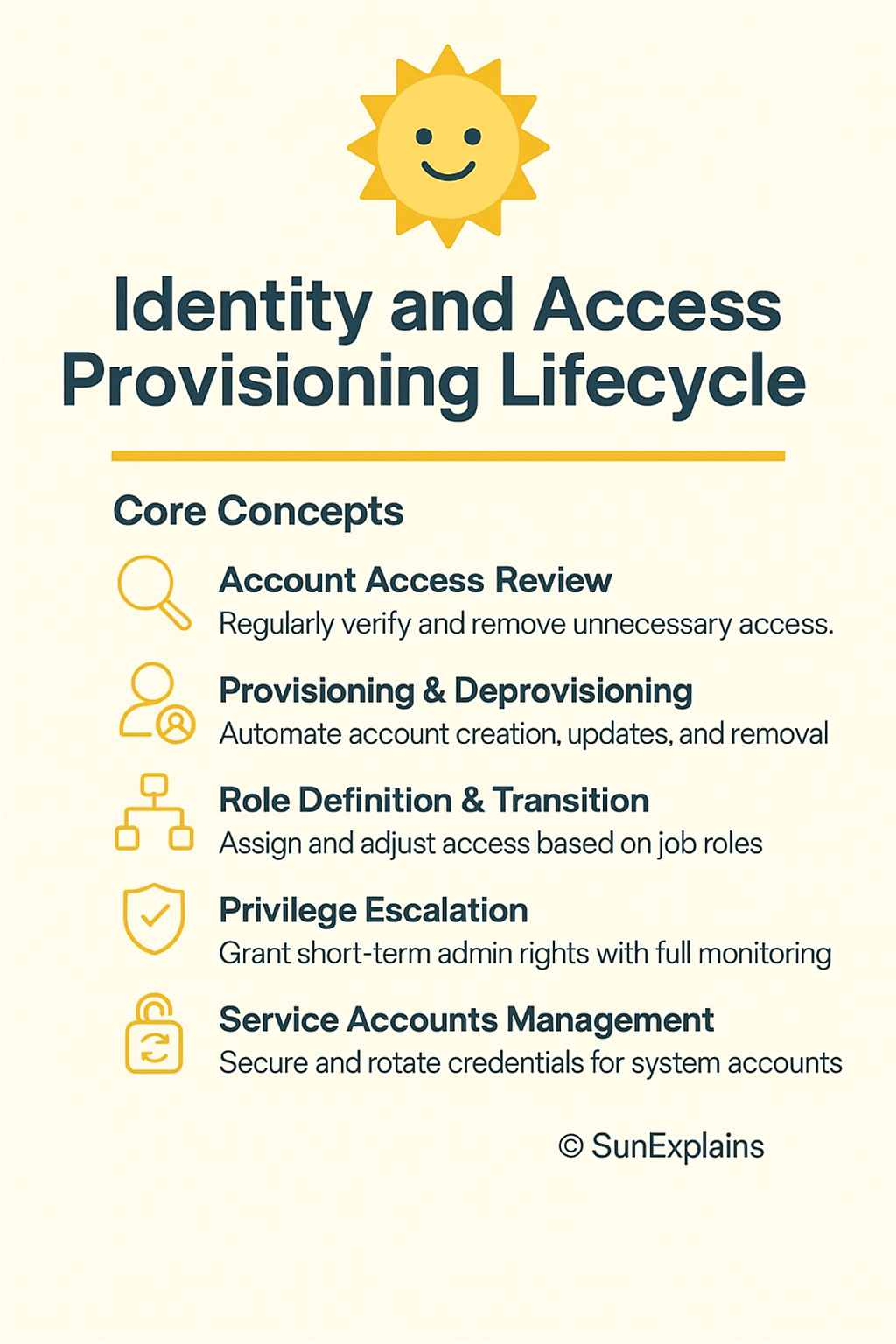
    Managing the Identity and Access Provisioning Life CycleEnd-to-end process of creating, changing, and removing user accounts and access rights.Ensure users have only the access they need, for only as long as they need it, and nothing more.Create account → update as role changes → disable and delete at exit.Employee joins, moves to another team, then leaves; their access is adjusted at each step.“Which process BEST ensures that users only have necessary access throughout their time at the organization?”Proper identity and access life cycle management (provisioning, maintenance, and deprovisioning).

    PROVISIONING AND ONBOARDING

    ConceptTechnical DefinitionPurpose / Big PictureSimple Technical ExampleReal-World ExampleRoot-of-Question PatternAnswer
    Provisioning and OnboardingCreating user accounts and assigning initial access when someone joins or needs access.Quickly give new users the right access based on role, not personal requests.New hire automatically gets account, email, and app access based on job title.HR adds a new employee; IAM system auto-provisions correct permissions.“Which process is FIRST when granting access to a new employee?”Provisioning / onboarding.
    Enrollment / RegistrationCollecting user details and formally creating an identity record in the system.Establish a trusted identity before issuing accounts and credentials.HR enters user data; IT creates an identity in the IAM directory.New contractor registered in HR system, then synced to IAM for account creation.“Which step creates the initial identity record before access is assigned?”Enrollment/registration.

    DEPROVISIONING AND OFFBOARDING

    ConceptTechnical DefinitionPurpose / Big PictureSimple Technical ExampleReal-World ExampleRoot-of-Question PatternAnswer
    Deprovisioning and OffboardingDisabling and removing user accounts and access when they leave or no longer need access.Prevent former users from accessing systems; reduce risk from orphaned accounts.Disable account at last workday, remove group memberships, revoke tokens.Employee resigns; all accounts (AD, VPN, SaaS) are disabled the same day.“Which process is MOST critical to prevent ex-employees from accessing resources?”Deprovisioning / offboarding.

    ROLE DEFINITION AND TRANSITION

    ConceptTechnical DefinitionPurpose / Big PictureSimple Technical ExampleReal-World ExampleRoot-of-Question PatternAnswer
    Role DefinitionDefining standard sets of permissions based on job function (roles).Apply role-based access control (RBAC) so access is tied to job, not individual requests.“HR analyst” role includes read access to HR system and reporting tools.Organization defines roles: HR, Finance, Admin, Support, each with standard access.“Which step is MOST important for consistent, least-privilege access assignment?”Clear role definition.
    Role TransitionUpdating a user’s roles and permissions when their job or responsibilities change.Prevent both loss of needed access and leftover privileges from old roles.Move user from “Support” role to “Developer” role; remove old access.Employee transfers from sales to finance; old sales access removed, finance access added.“Which control MOST effectively prevents privilege creep when users change jobs?”Proper role transition with removal of old role rights.

    ACCOUNT MAINTENANCE

    ConceptTechnical DefinitionPurpose / Big PictureSimple Technical ExampleReal-World ExampleRoot-of-Question PatternAnswer
    Account MaintenanceOngoing updates to accounts and permissions during the user’s time in the organization.Keep accounts accurate and aligned with current responsibilities and policies.Updating group memberships, resetting credentials, adjusting access as tasks change.Admin regularly cleans up unused group memberships and removes stale permissions.“Which process ensures accounts stay aligned with current job duties?”Account maintenance (not one-time provisioning).

    ACCOUNT ACCESS REVIEW, EXCESSIVE PRIVILEGE, AND PRIVILEGE CREEP

    ConceptTechnical DefinitionPurpose / Big PictureSimple Technical ExampleReal-World ExampleRoot-of-Question PatternAnswer
    Account Access ReviewPeriodic review of who has access to what, and whether it is still needed.Detect and fix excessive privilege and privilege creep; support compliance.Quarterly review: manager confirms or revokes each user’s access.SOX / PCI access recertification: managers approve or remove user rights.“Which control is MOST effective to detect excessive privileges?”Regular account access reviews.
    Excessive PrivilegeUser has more access than they need for their job.Increases risk of misuse or bigger damage from compromise.Helpdesk user has full database admin rights.Junior employee with power to approve high-value payments.“Which condition occurs when a user has more permissions than necessary?”Excessive privilege.
    Privilege CreepGradual build-up of access over time as users change roles or get ad-hoc permissions; old rights are never removed.Often subtle, long-term risk that breaks least-privilege.User moves from support → dev → manager, keeping all old access.Senior staff who have “everything” because they were never cleaned up when roles changed.“Which phenomenon is BEST addressed by periodic access certification?”Privilege creep is reduced by regular access reviews and clean role transitions.

    Identity and access lifecycle management, in CISSP terms, is all about who gets in, what they can do, how that changes over time, and how it ends cleanly.

    Here is the Recall Mapping Grid for all Elite Framework sections you’ve built so far.
    This gives you a compact mental index: what each block covers, what to retrieve under exam pressure, and how CISSP questions frame those ideas.


    RECALL GRID — IDENTITY & ACCESS MANAGEMENT COLLECTION


    1. Access Control Foundations

    Coverage: Assets, physical controls, logical controls, CIA alignment
    Recall Focus:
    Who is accessing → what asset → by which control → to protect which part of CIA.
    Exam Connection:
    BEST, MOST, PRIMARY = map control → CIA element.
    Cross-Links: Physical security, IAM models.


    2. AAA Model + Identity Proofing

    Coverage: Authentication vs Authorization vs Accounting, identification, proofing, subjects/objects, registration.
    Recall Focus:
    Claim → prove → permit → record.
    Proofing happens before credentials; subjects act, objects are acted upon.
    Exam Connection:
    Type of error? Step order? Accountability = logging.
    Cross-Links: Provisioning, KBA, biometrics.


    3. Authentication Factors

    Coverage: Know / Have / Are / Where / Context; passwords; smart cards; biometrics; error rates.
    Recall Focus:
    Which factor → what risk it mitigates → what error metric matters.
    Length > complexity, FRR vs FAR, CER for comparison.
    Exam Connection:
    Choose by security impact (FAR) or usability (FRR).
    Cross-Links: MFA, session management.


    4. Password Policies & Standards

    Coverage: NIST 800-63B, PCI DSS, password length, rotation, history, screening.
    Recall Focus:
    NIST = long, memorable, no forced rotation, allow paste.
    PCI = 12-char minimum, 90-day rotation, history 4.
    Exam Connection:
    Standards differ → pick based on regulatory scope.
    Cross-Links: Credential management, provisioning.


    5. MFA & Modern Authentication

    Coverage: MFA, passwordless, device auth, service auth, mutual auth.
    Recall Focus:
    Different factors, different threat models; mutual = both sides verify.
    Passwordless = biometric/device-based.
    Exam Connection:
    Phishing-resistant authentication.
    Cross-Links: Federation, SSO.


    6. Identity Management Models

    Coverage: Centralized vs decentralized IAM, pros/cons.
    Recall Focus:
    Centralized = consistency + governance;
    Decentralized = flexibility + risk of drift.
    Exam Connection:
    Choose based on auditability and scale.
    Cross-Links: LDAP, directories, SSO.


    7. Single Sign-On (SSO)

    Coverage: SSO basics, LDAP, PKI directory integration.
    Recall Focus:
    Authenticate once → tokens carry identity to apps.
    LDAP = directory store; PKI = certificate distribution.
    Exam Connection:
    Centralized control vs reduced authentication fatigue.
    Cross-Links: Federation, session management.


    8. Federated Identity Models

    Coverage: Federation, cloud/on-prem/hybrid, JIT provisioning.
    Recall Focus:
    Trust across domains; IdP issues claims; SP consumes them.
    JIT = account created at first login.
    Exam Connection:
    Pick model based on environment (cloud-heavy → cloud federation).
    Cross-Links: SSO, provisioning lifecycle.


    9. Credential Management

    Coverage: IDaaS, credential vaults, password managers.
    Recall Focus:
    Centralize secrets; reduce weak passwords; support MFA.
    IDaaS → cloud identity + federation + SSO.
    Exam Connection:
    “BEST way to manage many privileged credentials.”
    Cross-Links: Passwordless auth, automation.


    10. Scripted Access

    Coverage: Service accounts, automation, non-interactive authentication.
    Recall Focus:
    Credentials for automation must be tightly controlled, auditable.
    Exam Connection:
    Service accounts are not user accounts; require least privilege.
    Cross-Links: Accounting, provisioning.


    11. Session Management

    Coverage: Session tokens, timeouts, invalidation.
    Recall Focus:
    Prevent hijacking via secure tokens + proper expiration.
    Exam Connection:
    “MOST effective control against stolen session cookies.”
    Cross-Links: SSO, MFA.


    12. Identity & Access Provisioning Life Cycle

    Coverage: Provisioning, onboarding, offboarding, role definitions, transitions, access reviews, privilege creep.
    Recall Focus:
    Joiner → Mover → Leaver.
    Reviews catch excessive privilege + creep.
    Role transitions must include removal of old rights.
    Exam Connection:
    “What prevents privilege creep?”
    “What is FIRST during onboarding?”
    Cross-Links: AAA, role-based models, JIT provisioning.


    How This Grid Helps

    Everything you’ve built forms a cohesive IAM map:
    identity creation → proofing → authentication → authorization → sessions → reviews → deprovisioning, with federation and MFA woven through.

    If you want, the next step can be:
    “Summary” → full 15-section deep-dive consolidation.

    Below is your complete IAM Deep-Dive Consolidation, built from all the Elite Framework content you’ve created so far.
    This is the full 15-section “Summary Mode” package—clean, exam-focused, and ready for spaced repetition.


    IDENTITY & ACCESS MANAGEMENT — DEEP DIVE CONSOLIDATION


    1. Domain Objective & Why This Matters

    Identity and Access Management (IAM) controls who can access what, when, and how. It protects the organization by enforcing least privilege, ensuring identities are trusted, and removing access when no longer needed. IAM failures cause privilege creep, excessive access, account compromise, and regulatory violations.

    IAM ties together authentication (prove identity), authorization (grant permissions), and accounting (log actions). The goal is not just giving access—it’s controlling identity life cycles end to end.


    2. Exam Mindset & Traps

    Think in terms of risk, governance, and lifecycle.

    BEST → security effectiveness
    FIRST → order of operations
    MOST → impact on CIA or risk reduction

    Common traps:
    • Believing complexity beats length (length wins)
    • Thinking MFA = two passwords (must be different factor types)
    • Allowing privilege creep through job changes
    • Forgetting deprovisioning is often the weakest link
    • Confusing identity proofing with authentication
    • Treating session tokens as permanent credentials


    3. Exam Importance

    IAM appears in nearly every CISSP domain: operations, network security, governance, cloud, physical controls, BCP, and application security.

    High-yield topics:
    • MFA and passwordless authentication
    • Identity proofing and registration
    • SSO vs Federation
    • Access reviews and privilege creep
    • Onboarding→transition→offboarding
    • Session security
    • NIST vs PCI password rules
    • Centralized vs decentralized IAM


    4. Comparison Table (Key Decision Points)

    TopicWhen It’s UsedWhy It Matters
    MFAReduce account compromiseHigher assurance than single factor
    PasswordlessReduce password riskStops phishing + improves usability
    FederationIdentity across domainsCloud and partner access
    SSOOne login → many appsReduces password fatigue
    Centralized IAMGovernance-heavy orgsConsistency + strong auditing
    Decentralized IAMIndependent unitsFlexibility but high risk
    Access ReviewDetect privilege creepRequired for compliance
    JIT ProvisioningSaaS + FederationAutomatic accounts at first login

    5. Quick Visual / Diagram

    Identity Lifecycle:
       Registration → Proofing → Provisioning → Access Use
            ↓                                  ↑
       Role Assignment → Maintenance → Access Review
            ↓
       Role Transition → Deprovisioning → Account Removal
    

    Authentication stack:

       Something You Know
       Something You Have
       Something You Are
       Somewhere You Are
       Context (behavior, device)
     → MFA = Two+ of these
    

    6. Likely Gaps if You Struggled

    • Confusing SSO with Federation (SSO = one login; Federation = trust between domains).
    • Forgetting NIST 800-63B discourages password rotation.
    • Not tying role transitions to privilege removal.
    • Ignoring the difference between authentication and authorization.
    • Thinking biometrics are flawless—cer = best comparator, far = real security risk.


    7. Cross-Links (See Also)

    • Access Control Models (MAC, DAC, RBAC, ABAC)
    • PKI & Certificates
    • Cloud Access Security (CASB, IDaaS)
    • Zero Trust Architecture
    • Network Access Control (NAC)


    8. Trapfinder (Common CISSP Ambushes)

    • “Which control PREVENTS password reuse?” → Password history
    • “Which control detects impossible travel?” → Location/context-based authentication
    • “Which control reduces session hijacking MOST?” → Session expiration + token invalidation
    • “Which step comes BEFORE authentication?” → Identification
    • “Which step comes BEFORE credential issuance?” → Identity proofing
    • “Which model causes orphaned accounts?” → Decentralized IAM
    • “What prevents privilege creep during job changes?” → Role transition + access review


    9. Spaced Repetition Pack (Fast Recall)

    • AAA = prove → permit → record
    • MFA = different factor TYPES
    • CER lower = better biometric
    • NIST = long passphrases, no forced rotation
    • PCI = 12 chars, 90 days, history 4
    • SSO = one login
    • Federation = shared identity across domains
    • JIT = account created at first login
    • Privilege creep = rights accumulate, never removed
    • Access review = fix excessive rights
    • Deprovisioning = shut it down on exit
    • Centralized = governance
    • Decentralized = inconsistency


    10. Mnemonic / 30-Second Lightning Recap

    “I-Proof, I-Auth, I-Access, I-Review, I-Remove.”
    Identity flows in five beats:
    Identity created → verified → authenticated → used with least privilege → reviewed and removed.

    For authentication factors:
    Know–Have–Are–Where–Behave.


    11. Summary Table (Entire Block)

    AreaCore IdeaExam Angle
    PasswordsLength > complexity; NIST vs PCIPick based on standard scope
    MFAMore than one factor typeDefends against credential theft
    SSOOne login, local domainReduces fatigue
    FederationCross-domain trustCloud + partners
    JITAuto create accountsSaaS-heavy orgs
    ProvisioningGive access based on roleFIRST step onboarding
    TransitionRemove old rightsPrevent privilege creep
    Access ReviewRegular recertificationMOST effective detection
    DeprovisioningDisable/terminatePrevent reuse by ex-employees
    Biometric MetricsFRR, FAR, CERCER compares, FAR is security risk
    Device/Service AuthTrust endpoints + servicesZero trust foundation
    Session ManagementProtect session tokensStops hijacking

    12. Acronym / Term Reference Table

    AcronymMeaning
    AAAAuthentication, Authorization, Accounting
    MFAMultifactor Authentication
    SSOSingle Sign-On
    IdPIdentity Provider
    SPService Provider
    JITJust-In-Time Provisioning
    IAMIdentity and Access Management
    FRRFalse Rejection Rate
    FARFalse Acceptance Rate
    CERCrossover Error Rate
    PKIPublic Key Infrastructure
    IDaaSIdentity as a Service

    13. Blog Seed (Outline for “SunExplains”)

    1. Why Identity Is the New Security Boundary
    2. How Authentication Grew Up (Passwords → MFA → Passwordless)
    3. The Lifecycle: Joiner–Mover–Leaver
    4. The Power of SSO and Federation
    5. Password Guidance: NIST vs PCI
    6. Avoiding Privilege Creep
    7. Biometrics and Their Errors
    8. Deprovisioning: The Forgotten but Critical Step
    9. Automation and Scripted Access
    10. Session Security in Modern Applications

    14. Brief Summary

    IAM protects access by managing identities from creation to deletion. It uses authentication, authorization, and accounting to control who does what. MFA, SSO, federation, strong passwords, identity proofing, and consistent access reviews form a complete system. The life cycle—provision, maintain, adjust, review, remove—keeps users in the right roles with the right access at the right time.


    15. Exam Tips

    • Always favor least privilege and role-based access.
    • Pick NIST for modern password philosophy; PCI for regulated card data.
    • Federation = cross-domain trust; SSO ≠ federation.
    Mutual authentication is key for secure services and VPNs.
    Access recertification is the main defense against privilege creep.
    Deprovisioning must be immediate at offboarding.
    Session controls mitigate hijacking more than authentication alone.


    Your IAM block is now fully consolidated and ready for mastery.

    Related reading: Explore our related CISSP study guide

    Authentication factors used in identity management are explained in Authentication Factors Explained: IAM Series (Part 3). Authentication strategy and identification approaches are in Identification and Authentication Strategy Explained (Part 2). The IAM Part 1 overview is at Identity and Access Management Explained: The First Step in Controlling Access. The Domain 5 complete guide is at CISSP Domain 5: Identity and Access Management Complete Guide.

    For official resources, visit (ISC)² CISSP Certification.

    Related reading: Explore more in-depth coverage across the CISSP Study Guide and other resources listed below.

  • Agentic AI Explained: How Self-Driving AI Systems Are Changing Work and Life

    Agentic AI and Autonomous Systems: Impact on Cybersecurity

    This guide on agentic AI autonomous systems cybersecurity explores how self-driving AI agents are transforming both the workplace and security operations. Agentic AI systems can plan, execute multi-step tasks, and operate autonomously—creating both new opportunities and new attack surfaces for cybersecurity teams to defend. For related content, see our CIA Triad Security Concepts and Sentinel Architecture Guide. External references: OpenAI Research and Anthropic AI Safety Research.

    Hook

    Think cruise control → self-driving. Think spell-check → auto-rewrite. Now think “SIEM alert” → agentic auto-contain. Agentic AI is the jump from assistive to autonomous—from “suggest and wait” to “decide and do.”


    Why It’s Needed (Context)

    Modern environments are too fast and too complex for humans-in-the-loop on every decision.

    • Risk: Multi-cloud sprawl, SaaS bloat, and machine-speed attacks mean minutes matter.
    • Bottleneck: Traditional AI requires prompts; humans become schedulers, not strategists.
    • Value: Agentic AI observes → reasons → acts across tools, shrinking mean time to detect/respond (MTTD/MTTR), eliminating swivel-chair work, and improving user experience (e.g., travel rebooking before you land).

    Quick glossary (plain-English first use)

    • SIEM (Security Information & Event Management): log + alert platform.
    • EDR (Endpoint Detection & Response): detects/responds on devices.
    • SOAR (Security Orchestration, Automation & Response): runs playbooks across tools.
    • RBAC (Role-Based Access Control): who can do what, by role.
    • KPI (Key Performance Indicator): measurable outcome you track.

    Core Concepts Explained Simply

    🧠 Autonomy

    • Technical Definition: The capability of an agent to select actions and execute them without explicit prompts, within a governed policy envelope.
    • Everyday Example: Your home agent lowers blinds and shifts thermostat before the heatwave hits, no command needed.
    • Technical Example: An EDR-linked agent isolates a suspicious host and rotates local creds based on risk score and RBAC-approved policy.

    🎯 Goal Decomposition & Planning

    • Technical Definition: Converting a high-level objective into subgoals and ordered tasks using planning/search (e.g., hierarchical task networks).
    • Everyday Example: “Plan my weekend” → book museum tickets → reserve dinner → arrange transit.
    • Technical Example: “Contain credential theft” → disable tokens → reset passwords → purge sessions → add conditional access policy.

    🔁 Adaptation

    • Technical Definition: Policy-bounded updating of plans from feedback (telemetry, tool errors, human signals), often with reinforcement or rule-based adjustments.
    • Everyday Example: Flight canceled → agent rebooks → re-syncs calendar → moves airport pickup.
    • Technical Example: Lateral movement persists after isolation → agent pivots from host containment to network micro-segmentation and identity hardening.

    🧩 Coordination

    • Technical Definition: Multi-agent collaboration where specialized agents negotiate tasks, share state, and avoid conflicts (e.g., via blackboard or shared memory).
    • Everyday Example: Finance agent and energy agent coordinate so EV charging happens during off-peak rates within your budget cap.
    • Technical Example: Identity agent (IdP), network agent (SD-WAN), and endpoint agent (EDR) co-orchestrate to stop a phishing-led session hijack.

    🛠 Tool Use & External Integration

    • Technical Definition: Calling APIs, running scripts, and invoking external systems with typed function calls, schema validation, and audit logs.
    • Everyday Example: Travel agent books via airline API, pays with bank API, writes to calendar API, and messages you on chat.
    • Technical Example: Security agent queries SIEM, executes SOAR playbooks, updates firewall, files a ticket, and posts a signed action report.

    Real-World Case Study

    Failure (what goes wrong without guardrails)

    • Situation: 2027, healthcare provider pilots an agent that auto-closes “benign” alerts.
    • Impact: Agent silently suppresses a slow data exfiltration signal misclassified as noise. MTTR balloons; 50k records exposed.
    • Lesson: Autonomy without explainability + policy + kill-switch turns speed into silent failure.

    Success (what it looks like when done right)

    • Situation: 2028, fintech adopts agentic SecOps with strict RBAC, signed changes, and human-in-the-loop for privileged actions.
    • Action: Perception agent detects session anomalies; planner creates a response plan; execution agent: isolates two hosts, revokes tokens, captures forensics, files tickets, and pings on-call with a one-page rationale.
    • Outcome: Containment in 4 minutes, zero data loss, auditors accept cryptographic action logs.
    • Lesson: Autonomy + governance beats manual speed without sacrificing trust.

    Action Framework — Prevent → Detect → Respond

    🛡 Prevent

    • Define the box: Capability model per agent (allowed APIs, data scopes, blast radius).
    • Least privilege & approvals: RBAC + just-in-time elevation; privileged steps require human sign-off or quorum.
    • Safety rails: Hard limits (rate caps, cost caps), guard policies (“never delete customer data”), and kill-switch with rollback.
    • Secure tool use: Typed functions, schema validation, and policy checks before execution.
    • Readiness KPIs: % actions simulation-tested, % functions with contracts, % coverage by unit/policy tests.

    👀 Detect

    • Explainable telemetry: Log what, why, inputs, outputs, tools called, and alternatives rejected.
    • Behavior analytics: Drift rules (new tools used? unusual frequency? off-hours escalations?).
    • Chaos/simulation: Red-team the agents; run tabletop sims with “no-network”, “API 500”, “poisoned input”.
    • Detection KPIs: Time from anomaly → plan → action, false-positive/negative rates per agent, % actions flagged for review.

    🧯 Respond

    • Human control points: One-tap approve/deny for sensitive steps; emergency stop reverts last N actions.
    • Dynamic playbooks: Agents generate plans but must attach rationale and impact estimate; store diffs and signatures.
    • Cross-org collaboration: Threat-intel sharing; standardized evidence bundles (hashes, timelines, configs).
    • Response KPIs: MTTR, containment time, actions reverted, audit completeness %, stakeholder comms SLA.
    ASCII Workflow (Perception→Planning→Tool Use→Feedback)
    [Signals] -> [Perception Agent] -> [Planner: Goals→Tasks]
          -> [Executor: Typed Tools/API Calls] -> [Signed Changes]
          <- [Feedback & Telemetry] <-----------+
    

    Key Differences to Keep in Mind

    1. Autonomy vs. Assistance — Agent acts under policy; assistant suggests.
      • Scenario: Agent isolates a host immediately; assistant only drafts the alert.
    2. Plans vs. Prompts — Agents maintain goals and subgoals; traditional AI returns single-shot outputs.
      • Scenario: “Migrate app” → agent sequences cutover; chatbot lists steps.
    3. External Effects vs. Text Output — Agents change real systems; LLMs (Large Language Models) usually produce text.
      • Scenario: Agent rotates secrets in vault; chatbot writes a runbook.
    4. Governance-First vs. Governance-Later — Agentic requires pre-defined policies and audits; assistants can be ad-hoc.
      • Scenario: Signed firewall change vs. “FYI, here’s a suggestion.”
    5. Feedback Loops vs. Static Replies — Agents adapt to tool/API errors; assistants rarely self-correct.
      • Scenario: API fails → agent retries alternate path; assistant shrugs.

    Summary Table

    ConceptDefinitionEveryday ExampleTechnical Example
    AutonomyActs independently within policyHome adjusts blinds/thermostatEDR agent isolates host and rotates creds per RBAC
    Goal DecompositionSplits objectives into subgoals and tasks“Plan my weekend” into bookings & transit“Contain cred theft” → disable tokens → reset → purge → enforce policy
    AdaptationUpdates plan from feedback and telemetryAuto-rebooks after cancellationSwitch from host isolation to network segmentation
    CoordinationMultiple agents specialize and collaborateBudget + energy agents align for off-peak chargingIdentity + network + endpoint agents co-orchestrate phishing containment
    Tool UseInvokes external APIs/scripts with validation and auditBooks & pays via APIs, updates calendarQueries SIEM, runs SOAR playbooks, updates firewall, files tickets

    What’s Next

    Up next: Governance Models for Agentic AI — policy design, approval flows, signed changes, and audit patterns you can hand to your CISO and your SREs.


    🌞 The Last Sun Rays…

    Q1: What if your security system patched itself?
    A: It can—if you define capability bounds, typed tools, and a kill-switch with rollbacks.

    Q2: What if your travel plans rebooked while you slept?
    A: They will—if you allow planning + execution with budget/time constraints and transparent notifications.

    Your turn: What one control (policy, metric, or kill-switch) would you add tomorrow to make your first agent safe and useful?

    Agentic AI in security contexts connects to AI-driven threat hunting in platforms like Microsoft Sentinel — see Advanced Threat Hunting in Microsoft Sentinel: Techniques and Best Practices. The foundational AI concepts underpinning agentic systems are explained in AI vs. Machine Learning vs. Deep Learning vs. Generative AI. For AI fundamentals in the AI-901 context, see Artificial Intelligence Explained Simply (AI-901 Guide).

    Related reading: Explore our related CISSP study guide

    Related reading: Microsoft Sentinel Complete Guide — see how agentic AI concepts apply to SIEM automation.

  • The Journey from Old Sentinel to New Sentinel: A Story About One Rule at a Time


    1. Title + Hook

    Imagine you’re not “migrating rules” – you’re moving an entire family to a new city.

    • The KQL is just the person.
    • The data sources, watchlists, playbooks, MITRE mapping, entity mappings – that’s the job, school, bank, electricity.

    Move only the person and forget the rest? Their life breaks.

    This story is about doing the move properly.


    2. Why It’s Needed (Context)

    In the company, people say:

    “Just move the rules to the new Sentinel.”

    But you know the truth:

    • New Sentinel uses different agents (AMA), different schemas, maybe ASIM parsers.
    • Some rules never fire after the move.
    • Some automations create chaos: duplicate tickets, wrong emails, noisy incidents.

    So you decide:
    “This won’t be a copy-paste job. This will be a guided migration journey.”

    And you have a junior colleague who will walk this path with you. Your job: tell them the story in a way they can follow.


    3. Core Concepts Explained Simply

    Let’s explain the core ideas as if you’re telling them over coffee.

    a) Rule Inventory

    • Technical definition: A list of every analytic rule, with its type (Scheduled, NRT, ML, Fusion, UEBA), data sources, mappings, playbooks, etc.
    • Story version:
      “Before we move houses, we write down everything we own. Not just ‘we have a TV’ – but the cables, remote, wall mount. Same with rules: not just the KQL, but what it depends on.”
    • Technical example:
      A spreadsheet with columns: RuleName, Type, TablesUsed, MITRE, Entities, Watchlists, Playbooks, Suppression, Grouping, LastTriggered.

    b) Data Dependency

    • Technical definition: Making sure the same logs and schemas exist in the new Sentinel.
    • Story version:
      “If we move to a new city, we need water, electricity, internet. No point carrying a washing machine if there’s no plumbing.”
    • Technical example:
      Old rule uses SecurityEvent. In the new workspace, logs are coming via AMA, maybe with EventData inside JSON, or ASIM parser is needed. You check:
      • Does SecurityEvent exist?
      • Is ASIM parser deployed?
      • Are events coming in now, not just last week?

    c) KQL Logic

    • Technical definition: Query runs correctly, fields exist, watchlists are correct, no deprecated functions.
    • Story version:
      “We test the recipe in the new kitchen. Same ingredients? Same oven? Same timing?”
    • Technical example:
      You run the old KQL in the new Log Analytics workspace. It fails because a column is renamed. You fix it. Only then you create the new rule.

    d) Rule Behavior

    • Technical definition: How often it fires, how many alerts, which entities, which severity.
    • Story version:
      “In the old city, our AC turned on at 7 PM. In the new city, we want the same comfort. Not freezing at 2 AM or dead silence.”
    • Technical example:
      Old rule: 10–15 alerts/day, severity High, grouped by account.
      New rule: you compare and check if behavior is similar.

    e) Automation (Playbooks)

    • Technical definition: The playbook or Logic App that runs when the rule fires.
    • Story version:
      “When the doorbell rings, who answers? Do we still want the same person answering in the new house? And are they sober?”
    • Technical example:
      Old rule calls a playbook that creates a ticket in ServiceNow. In the new environment, the connection reference is different. You reconnect it, but keep it disabled until you’re happy with alerts.

    f) UCMR – Use-Case Migration Record

    • Technical definition: A per-rule document describing how it moved from old to new.
    • Story version:
      “It’s like keeping a folder per family member: where they lived before, where they live now, what changed, and proof that they’re okay.”
    • Technical example:
      A record (in a ticket, wiki page, etc.) that stores: old name, new name, old KQL, new KQL, data sources, MITRE, entity mappings, test results, go-live date, owner.

    4. Real-World Case Study

    Failure Story – “The Silent Rule”

    You migrate a custom lateral movement rule.

    • You copy the KQL.
    • You recreate the rule in the new Sentinel.
    • You enable it.

    Then… nothing. No alert for days.

    Later you discover:

    • The new workspace uses AMA.
    • The table name changed, or some fields moved.
    • The KQL was still pointing to old fields.

    Result: the rule was enabled but blind.

    Lesson:
    Always check data + run the KQL in the new workspace before enabling the rule.


    Success Story – “The Measured Move”

    You decide to do it right.

    For each rule:

    • You test the KQL in the new workspace.
    • You fix fields and schemas.
    • You keep the new rule disabled or Informational severity.
    • You run it in parallel with the old environment for 1–2 days.
    • You compare:
      • Are we getting similar number of alerts?
      • Are the entities (accounts, IPs, hosts) the same?
      • Are playbooks behaving correctly?

    Only when you are happy, you:

    • Turn on real severity (e.g. High).
    • Turn on automation.

    Result:
    No shocks. No surprises. The new Sentinel feels like the old one—but cleaner, with fewer false positives.


    5. Action Framework — Prevent → Detect → Respond

    Prevent (before touching anything)

    • Take a full inventory of rules.
    • Check that required data sources are flowing to the new Sentinel.
    • Set your naming rules and severity rules.
    • Prepare the UCMR template.

    Detect (during migration)

    • For native/content hub rules: reinstall them in the new Sentinel. Don’t copy them by hand.
    • For custom rules:
      • Copy the KQL.
      • Run the KQL in the new workspace.
      • Fix any broken bits (tables, columns, watchlists).
      • Create the rule disabled or with non-impactful severity.

    Respond (after migration)

    • Run both old and new rules for some time.
    • Compare:
      • Are we missing alerts?
      • Are we getting too many?
    • Only then:
      • Turn on real severity.
      • Enable playbooks.
    • Keep UCMRs updated as your proof and history.

    Small visual for your colleague:

    [Old Rule] 
       ↓ Analyze
    [Data OK? KQL OK?]
       ↓ Rebuild
    [New Rule (Disabled)]
       ↓ Test 24–48h
    [Compare with Old]
       ↓ If OK
    [Enable Alerts → Enable Automation]
       ↓
    [Close UCMR]
    

    6. Key Differences to Keep in Mind

    1. Reinstall vs Copy
      • Native rules → reinstall from Content Hub.
      • Custom rules → rebuild manually.
        Example: Don’t copy a built-in “Impossible travel” rule. Install its solution again.
    2. Data First, Logic Second
      • No data = no detection, no matter how smart the query.
        Example: Your rule looks perfect, but the underlying table isn’t even connected.
    3. Staging Before Production
      • Always run in “staging mode” (disabled alerts or low severity) before going live.
        Example: 1–2 days of testing can save you thousands of useless tickets.
    4. Automation as Last Step
      • First get good alerts, then attach playbooks.
        Example: You don’t want a broken rule spamming your SOAR and ticketing system.
    5. UCMR as Your Shield
      • Every rule should have its migration story written.
        Example: When someone asks “Why did this change?”, you have a one-page answer.

    7. Summary Table

    ConceptDefinitionSimple Story ExampleTechnical Example
    Rule InventoryList of all rules + behaviorPacking everything before movingSpreadsheet of rules, tables, MITRE, playbooks
    Data DependencySame logs & schema in new placeCheck water and electricity in new houseVerify AMA/DCR, tables, ASIM parsers
    KQL LogicQuery works in new workspaceTest recipe in new kitchenRun KQL, fix columns, watchlists
    Rule BehaviorSame kind of alerts & frequencySame AC schedule and comfortCompare alert count, severity, grouping
    AutomationPlaybooks that react to alertsWho opens the door when bell ringsRebind Logic App, keep disabled at first
    UCMRPer-rule migration recordFolder with each family member’s move detailsDoc with old/new KQL, tests, go-live, owner

    8. What’s Next

    This story was about moving the rules safely.

    The next story could be:
    “How Entity Mapping Makes Analysts’ Lives Easier: Turning Raw Logs into People, Hosts, and IPs They Can Trust.”

    That’s where you explain how a small change in mapping can turn chaos into clarity on the Sentinel incident screen.


    9. 🌞 The Last Sun Rays…

    In the end, your colleague isn’t “copying KQL.”
    They are:

    • Listing everything you own (inventory).
    • Making sure the new house has water and power (data).
    • Testing the oven before cooking for guests (KQL tests).
    • Letting the family settle before inviting the whole neighborhood (staging, then automation).
    • Writing down what changed, so nobody is lost (UCMR).

    That’s how a messy migration becomes a calm, controlled journey.

    The reflection question for them:

    “When you move your first rule, what will you check first in the new Sentinel workspace: the data, the KQL, or the automation—and why?”

    Related reading: Explore our related CISSP study guide

    Sentinel migration planning and common mistakes are covered in Microsoft Sentinel Migration Mistakes: How NOT to Migrate to Sentinel. The analytics rules being migrated can be audited using the process in How to Audit Microsoft Sentinel Analytics Rules with Python. For Sentinel detection design best practices, see Microsoft Sentinel Detection Use Case Mistakes: How NOT to Design Detections. The overall Sentinel architecture context is in Microsoft Sentinel Architecture Mistakes: How NOT to Design Sentinel.

    For official resources, visit Microsoft Sentinel Documentation.

    Related reading: Microsoft Sentinel Complete Operations Guide — the central hub for all Sentinel content on SunExplains.

  • CISSP Domain 4: Network Security

    CISSP Elite Framework, structured for exam recall and architectural clarity.


    CISSP Elite Framework — Chapter 11: Secure Network Architecture and Components

    ConceptTechnical DefinitionPurpose / Big PictureSimple Technical ExampleSimple Real-World ExampleRoot-of-Question PatternAnswer to Root-of-Question Pattern
    OSI ModelA conceptual 7-layer model describing how data moves through a network: Physical → Application.Ensures modular communication design, interoperability, and layered defense (Defense-in-Depth).Packet traversing layers from app to physical (HTTP → TCP → IP → Ethernet).Sending an email: app (SMTP), transport (TCP), network (IP), link (Ethernet).What is the PRIMARY benefit of the OSI model?Interoperability and layered troubleshooting.
    TCP/IP Model4-layer protocol suite used in real-world networking (Link, Internet, Transport, Application).Provides the foundation for Internet communication.HTTP uses TCP at transport layer, IP at network layer.Browsing a website uses all TCP/IP layers.Which model is MOST commonly implemented in modern networks?TCP/IP.
    Analysing Network TrafficObserving and inspecting data packets to identify anomalies, attacks, or performance issues.Critical for intrusion detection, troubleshooting, and incident response.Using Wireshark to inspect packet headers.Detecting a DDoS attack via sudden packet volume spike.Which tool would BEST detect abnormal traffic patterns?Network analyzer or IDS.
    Common Application Layer ProtocolsHigh-level communication protocols (HTTP, HTTPS, FTP, SMTP, DNS, SNMP).Enable user-facing and management functions; must be secured to prevent exploitation.HTTPS encrypts web traffic using TLS.Securing web login with HTTPS.Which protocol should be used for secure web access?HTTPS (TLS).
    Transport Layer ProtocolsProvide host-to-host communication; key protocols: TCP (reliable) and UDP (unreliable).Maintain data integrity and order during transmission.TCP ensures ordered delivery; UDP is faster but no guarantees.Video streaming (UDP) vs. file transfer (TCP).Which protocol is BEST for reliable delivery?TCP.
    Domain Name System (DNS)Hierarchical naming system that resolves domain names to IP addresses.Critical Internet service; a major attack target (DNS poisoning, tunneling).www.example.com → 192.0.2.1DNS cache poisoning redirects users to fake site.What control mitigates DNS spoofing?DNSSEC.
    Internet Protocol (IP) NetworkingLogical addressing and routing framework (IPv4/IPv6).Enables global routing and communication across networks.IP header contains source/destination addresses.Data packet routing between continents.What is the PRIMARY function of IP?Logical addressing and routing.
    ARP ConcernsAddress Resolution Protocol maps IP to MAC; vulnerable to spoofing.Manipulation can redirect traffic or allow MITM attacks.Attacker sends fake ARP replies to poison cache.Rogue device impersonating gateway.Which attack is MOST likely with ARP vulnerabilities?ARP poisoning / MITM.
    Secure Communication ProtocolsProtocols ensuring confidentiality, integrity, and authenticity (TLS, SSH, IPSec).Protects data in transit; mitigates eavesdropping and tampering.IPSec tunnel encrypts site-to-site traffic.VPN connection between branches.Which protocol provides end-to-end encryption at network layer?IPSec.
    Implications of Multilayer ProtocolsProtocols spanning multiple OSI layers (e.g., SSL/TLS across transport & application).Complexity can obscure security boundaries; layered vulnerabilities.SSL handshake interacts with TCP and app data.Misconfigured SSL in web app exposes plaintext fallback.Which risk arises from multilayer protocols?Reduced visibility and misconfiguration.
    SegmentationDividing networks into zones/subnets to reduce broadcast and attack surface.Enhances security, performance, and containment (zero trust principle).VLANs separating user and server traffic.Finance VLAN isolated from HR VLAN.What is the BEST control to limit lateral movement?Network segmentation.
    Edge NetworksPerimeter where internal and external networks meet (firewalls, gateways).Critical enforcement point for filtering and monitoring.Firewall filtering inbound HTTP traffic.Corporate network edge protected by NGFW.Which device is FIRST to inspect inbound packets?Edge firewall.
    Wireless NetworksNetworks using radio signals (Wi-Fi, Bluetooth).Convenience with added risks (eavesdropping, rogue APs).WPA3 encryption for Wi-Fi security.Coffee shop Wi-Fi using WPA2-PSK.Which control MOST effectively mitigates wireless sniffing?Strong encryption (WPA3).
    Satellite CommunicationLong-range, space-based communication links.Provides global reach, but latency and jamming risks exist.GEO satellite link for military data.Remote oil rig using satellite internet.What is the PRIMARY drawback of satellite comms?High latency and susceptibility to interference.
    Cellular NetworksMobile data networks (4G, 5G) using base stations.Support mobility and IoT; risk: SS7 attacks, IMSI catchers.5G connection on mobile device.Fake base station capturing SMS messages.What control BEST protects cellular confidentiality?End-to-end encryption above carrier layer.
    Content Distribution Networks (CDNs)Distributed servers delivering cached content close to users.Improves speed and resilience, but adds third-party trust.Cloudflare serving cached images.Website loads faster globally via CDN.Which risk is inherent in CDNs?Data control dependency on third parties.
    Secure Network ComponentsHardware/software enforcing network protection (firewalls, IDS/IPS, proxies, VPNs).Core of network defense-in-depth.NGFW blocks malicious inbound packets.Corporate DMZ with IDS and proxy chain.What component is BEST suited for packet inspection and prevention?IDS/IPS.

    Exam Mindset Connection

    CISSP exam questions in this chapter often use qualifiers like BEST, FIRST, or PRIMARY to test understanding of layered defense, control placement, and communication confidentiality.
    For instance, the question might not ask how TLS works, but why you’d choose TLS over IPsec given a business context (application-layer vs. network-layer encryption).


    Recall Mapping — Chapter 11: Secure Network Architecture & Components

    Prompt ID / TitleConcept Coverage SummaryRecall Focus (What to retrieve fast)Exam Connection (How questions are framed)Cross-links (Related frameworks)
    CH11-A / OSI vs TCP/IPLayer counts, purposes, mapping, troubleshooting scope7 OSI layers (key security controls per layer) ↔ 4 TCP/IP layers mapping; where encryption/segmentation livePRIMARY/BEST: interoperability vs implementation; choose the model for root-cause analysisRisk Mgmt: Control placement; Secure Protocols; Monitoring & Logging
    CH11-B / Traffic AnalysisPacket/flow views, header fields, indicators of compromiseHeader triad: L3 IPs, L4 ports/flags, L7 methods/status; baseline vs anomalyBEST tool/control for detection; FIRST step in IR triageIR Playbooks; IDS/IPS; SIEM Use-Cases
    CH11-C / App-Layer ProtocolsHTTP/HTTPS, SMTP, DNS, FTP/SFTP, SNMPv3Plain vs secure variants, default ports, auth & crypto propertiesPick the MOST appropriate secure replacement; control data exposureSecure Protocols; Identity & Access; PKI
    CH11-D / Transport ProtocolsTCP reliability vs UDP speed; handshake; statefulnessWhen to use TCP vs UDP; flags (SYN/ACK), multiplexing via portsBEST protocol for integrity/ordering; FIRST packet to allow on FWFirewalling; DoS Resilience; Load Balancing
    CH11-E / DNS SecurityResolution path, cache, records; threats: spoofing/tunnelingDNSSEC purpose; split-horizon; egress filtering; RPZMOST effective control vs poisoning; where to place resolversSecure Architectures; Zero Trust; Data Exfil Detection
    CH11-F / IP NetworkingIPv4/IPv6 addressing, routing, CIDR, NATSubnet math, route precedence, NAT implications for loggingPRIMARY function of IP; effect of NAT on attributionNetwork Monitoring; Lawful Logging; Incident Attribution
    CH11-G / ARP ConcernsARP cache, gratuitous ARP, L2 trust boundariesPoisoning/MITM patterns; dynamic ARP inspection; static entriesMOST likely attack given L2 symptoms; BEST mitigationSwitch Security; NAC; Segmentation
    CH11-H / Secure Comms (TLS/SSH/IPsec)Where encryption terminates; tunnel vs transport; certs/PSKsTLS vs IPsec selection; SSH hardening; PFS; cipher hygieneBEST end-to-end at which layer; FIRST step in cert failuresPKI; Key Mgmt; Remote Access/VPN
    CH11-I / Multilayer Protocol ImplicationsEncapsulation across layers; inspection blind spotsTLS over TCP over IP; proxies; break & inspect; metadata leakagePRIMARY risk: reduced visibility/misconfig; compensating controlsSecure Gateways; Decryption Zones; Monitoring Strategy
    CH11-J / Segmentation & ZoningVLANs, subnets, security zones, micro-segmentationNorth-south vs east-west; chokepoints; ACL strategyBEST control to limit lateral movement; FIRST design stepZero Trust; Identity-Aware Proxies; NAC
    CH11-K / Edge Networks & DMZPerimeter, NGFW, WAF, proxies, DDoS edgePlacement, default-deny, inbound vs outbound policyFIRST device to inspect; MOST appropriate control at edgeSecure Components; Threat Intel; BCP (DDoS)
    CH11-L / WirelessWPA2/3, 802.1X, EAP methods, rogue APPSK vs Enterprise; MFP/PMF; RF risks; guest isolationMOST effective control vs sniffing/evil twinIAM; Certificate Auth; NAC
    CH11-M / Satellite & High-Latency LinksGEO/MEO/LEO, latency, rain fade, jammingTCP optimization; forward-error correction; crypto overheadPRIMARY drawback (latency/interference); compensating controlsDR Connectivity; OT/Remote Sites
    CH11-N / Cellular (4G/5G)IMSI/IMEI, SS7/diameter, stingrays, slicingApp-layer E2E encryption; SIM & device hygieneBEST way to protect confidentiality over carrierMobile Security; MDM/UEM; IoT
    CH11-O / CDNsAnycast, caching, origin shield, TLS terminationOrigin hardening; cache keys; tokenized accessINHERENT third-party risk; where TLS terminatesCloud Security; Supply-Chain Risk
    CH11-P / Secure Network ComponentsFW, IDS/IPS, WAF, SWG, CASB, VPN, LB, TAPFunction vs placement; inline vs out-of-band; fail-open/closedBEST component for a stated goal; FIRST tuning stepControl Catalog; Architecture Patterns

    How to use this grid during practice

    1. Read a stem, identify the layer and trust boundary in one breath.
    2. Map to the row above, grab the cue words (BEST/FIRST/PRIMARY), retrieve the control or rationale.
    3. Sanity-check against governance aims: risk reduction, assurance, and traceability.

    Summary — Chapter 11: Secure Network Architecture & Components

    1) Domain Objective & Why This Matters

    Design, secure, and operate networked systems using layered models (OSI/TCP-IP), resilient architecture (segmentation, edge/DMZ, wireless/cellular/satellite), and secure components (FW, IDS/IPS, WAF, VPN, proxies). The point: preserve confidentiality, integrity, availability, and traceability of traffic and services while minimizing lateral movement and blast radius.
    Real-world tie-in: This is the blueprint your SOC and architects live on.


    2) Exam Mindset & Traps (BEST vs FIRST vs MOST)

    • BEST = mature, risk-aware choice with least residual risk and strongest governance (e.g., DNSSEC over ad-hoc ACLs).
    • FIRST = order of operations (assess/classify → design/segment → implement → monitor).
    • PRIMARY = core purpose (IP = routing, TCP = reliability, CDN = performance & availability).
      Common traps: mixing layers (e.g., using IPsec to “fix” an app auth flaw), ignoring trust boundaries, assuming encryption equals inspection, forgetting logging/attribution with NAT/CDN.

    3) Exam Importance

    High-yield across Domain 4 and touches Domain 3 (IAM/Zero Trust), Domain 7 (IR/monitoring), and Domain 1 (governance). Expect stems about choosing controls at the right layer and device placement.


    4) Comparison Table (high-yield picks)

    TopicKey PropertyWhen It ShinesCommon PitfallGovernance Hook
    OSI vs TCP/IPConceptual 7 vs practical 4Troubleshooting, control placementForcing 1:1 mappingControl catalog by layer
    TCP vs UDPReliable/ordered vs fast/best-effortFile transfer vs streamingUsing UDP for integrityRisk of loss vs latency
    HTTPS/TLS vs IPsecApp-layer vs net-layer encryptionBrowser/API vs site-to-site“TLS solves routing”Data vs transport scope
    DNSSECAuthenticated DNS dataSpoofing/poisoning defenseAssuming it hides queriesIntegrity vs privacy
    SegmentationZones/VLANs/ACLsLimit lateral movementFlat networksZero Trust enforcement
    NGFW vs IDS/IPSPolicy+content vs detect/preventInline controlOver-reliance on signaturesChange control, tuning
    WAF vs Reverse ProxyApp-aware controlsWeb threatsTLS break/inspect gapsApp owner accountability
    CDNAnycast cachePerformance/DDoS absorbOrigin not hardenedThird-party risk
    Wi-Fi (WPA3/802.1X)Strong auth & cryptoEnterprise WLANPSK reuse/roguesCertificate lifecycle
    Cellular/5GMobility, slicingIoT/remote opsIMSI catcher riskApp E2E encryption
    Satellite (GEO/MEO/LEO)Coverage vs latencyRemote continuityCrypto + RTT costDR link policy

    5) Quick Visual / Diagram (text)

    [Users/Wi-Fi/Cellular] --(TLS/SSH)--> [EDGE: NGFW + WAF + DDoS]
                                      \-> [DMZ: Reverse Proxy, CDN Termination]
    Internal Zones: [User VLAN] --ACL--> [App Zone] --IPS--> [DB Zone]
    Visibility: SPAN/TAP -> IDS -> SIEM; DNS -> DNSSEC Resolver; VPN/IPsec between sites
    

    Design shows chokepoints and where encryption terminates for inspection.


    6) Likely Gaps if You Struggled

    • Confusing where encryption terminates (TLS at proxy/CDN vs true end-to-end).
    • Forgetting L2 threats (ARP poisoning) vs L3 controls.
    • Overlooking NAT/CDN impact on logs, attribution, and incident response.
    • Treating segmentation as only VLANs (missing ACLs, micro-seg, identity-aware rules).

    7) Cross-Links (See Also)

    • Zero Trust & IAM (802.1X, cert-based auth)
    • PKI & Key Management (TLS/IPsec lifecycles, PFS)
    • IR/Monitoring (SIEM, NetFlow/IPFIX, SSL decryption zones)
    • BCP/DR (DDoS edge, satellite/5G failover)

    8) Trapfinder (what the exam tries to trick)

    • “Encrypt = safe” while removing inspection/telemetry. Use dedicated decryption zones, lawful logging.
    • “Single giant NGFW” as cure-all. Defense-in-depth: WAF, IDS/IPS, SWG, segmentation.
    • “CDN makes origin invisible.” Harden origin, strict allowlists, signed tokens, limited IP exposure.
    • “DNS over TLS replaces DNSSEC.” Different problems: privacy vs data integrity.

    9) Spaced Repetition Pack (flash-card bullets)

    • PRIMARY function of IP? Routing & logical addressing.
    • BEST control vs ARP spoofing? Dynamic ARP Inspection + 802.1X + static for crown jewels.
    • FIRST step to contain lateral movement? Segment into zones with default-deny ACLs.
    • MOST appropriate for web app E2E? TLS with mutual auth if needed; beware proxy termination.
    • DNS spoofing mitigation? DNSSEC validation + split-horizon + egress filtering.
    • UDP use case? Low-latency streaming; accept loss.
    • Cellular confidentiality? App-layer E2E encryption, not carrier trust.
    • CDN risk? Third-party trust; origin exposure.
    • Wi-Fi enterprise security? WPA3-Enterprise (802.1X/EAP-TLS).
    • Satellite drawback? Latency/interference; tune TCP, FEC.

    10) Mnemonic / 30-sec Lightning Recap

    “MAP-ZED WISCCS”

    • Models (OSI/TCP-IP)
    • Analysis (traffic/NetFlow)
    • Protocols (app/transport/DNS/IP)
    • Zones (segmentation/micro-seg)
    • Edge (firewalls/WAF/DMZ)
    • Decryption (TLS/IPsec termination)
    • Wireless (WPA3/802.1X)
    • Interlinks (satellite)
    • Subscriber nets (cellular/5G)
    • CDNs (origin hardening)
    • Secure components (IDS/IPS/VPN/Proxy)

    11) Summary Table (Elite Framework Condensed)

    ConceptPurposeExampleExam Stem Pattern → Answer
    OSI/TCP-IPLayered design & troubleshootingHTTP→TCP→IP→EthPRIMARY benefit → Interoperability/placement
    Traffic AnalysisDetect anomalies & IRNetFlow + IDSBEST tool → Network analyzer/IDS with baselines
    App ProtocolsSecure L7HTTPS, SMTP/TLSMOST appropriate secure variant → TLS
    TransportReliability vs latencyTCP vs UDPBEST for ordered delivery → TCP
    DNSNaming + integrityResolver + DNSSECMOST effective vs poisoning → DNSSEC
    IP NetworkingRouting/addressingCIDR/NATPRIMARY function → Routing; note NAT log impact
    ARP ConcernsL2 mapping risksDAI/port-securityMOST likely attack → Poisoning/MITM
    Secure CommsCrypto in transitTLS/SSH/IPsecEnd-to-end at net layer → IPsec
    MultilayerEncapsulation & blind spotsTLS over TCPRisk → Visibility/misconfig
    SegmentationLimit lateral movementVLAN+ACL+micro-segBEST to contain spread → Segmentation
    Edge NetworksChokepoint controlsNGFW/WAF/ProxyFIRST to inspect inbound → Edge FW
    WirelessRadio risksWPA3-EntMOST effective vs sniffing → Strong WPA3/802.1X
    SatelliteGlobal link; latencyGEO/MEO/LEOPRIMARY drawback → High latency/jamming
    CellularMobile data; SS7/IMSI riskE2E at appBEST confidentiality → App-layer E2E
    CDNsPerformance/availabilityAnycast cacheInherent risk → Third-party trust
    Secure ComponentsEnforce policyIDS/IPS/WAF/VPNBEST control varies by goal/placement

    12) Acronym / Term Reference

    • DAI: Dynamic ARP Inspection
    • EAP-TLS: Cert-based 802.1X method
    • IPFIX/NetFlow: Flow telemetry
    • NGFW: Next-Gen Firewall
    • PMF/MFP: Protected Management Frames (Wi-Fi)
    • PFS: Perfect Forward Secrecy
    • RPZ: DNS Response Policy Zone

    13) Blog Seed (Outline for “SunExplains”)

    1. Why Layering Still Wins (OSI vs TCP/IP)
    2. Where Encryption Really Ends (TLS, IPsec, proxies, CDNs)
    3. DNSSEC vs DoH: Integrity vs Privacy
    4. Designing Chokepoints: Edge, DMZ, and Decryption Zones
    5. Killing Lateral Movement: Segmentation that Actually Works
    6. Wireless & Cellular: Identity-first Radio Security
    7. Satellite & CDN: Performance vs Security Trade-offs
    8. Visibility by Design: TAPs, SIEM, and lawful logging

    14) Brief Summary

    Chapter 11 is about choosing the right control at the right layer and placing it at the right boundary. Encrypt wisely, segment ruthlessly, log legally, and keep visibility even when traffic is wrapped in TLS.


    15) Exam Tips

    • Read stems for where traffic is and who controls the boundary.
    • Prefer standards-based, identity-anchored solutions (DNSSEC, 802.1X, mTLS, IPsec with PFS).
    • State the order: classify → design zones → place controls → tune/monitor.
    • Name the termination point of TLS/IPsec and its inspection implications.
    • Always consider attribution and monitoring when NAT, CDN, or tunnels are involved.

    This wraps into a practitioner’s playbook: deliberate chokepoints, zero-trust segmentation, and encrypted-but-observable traffic.

    Related reading: Explore our related CISSP study guide

    For the comprehensive CISSP Domain 4 study guide, see CISSP Domain 4: Network Security Complete Study Guide. Network security depends on IAM controls — see CISSP Domain 5: Identity and Access Management Complete Guide. Secure design principles that underpin network architecture are in 3.1 Secure Design Principles. Security assessment of network controls is covered in CISSP Domain 6: Security Assessment and Testing Complete Guide.

    For official resources, visit (ISC)² CISSP Certification.

    Related reading: Explore more in-depth coverage across the CISSP Study Guide and other resources listed below.

  • 5 CISSP: Data Security

    In This Article

    Identifying and Classifying Information and Assets — CISSP Elite Framework


    Defining Sensitive Data

    ConceptTechnical DefinitionPurpose / Big PictureSimple ExampleRoot-of-Question Pattern
    Personally Identifiable Information (PII)Any data that can identify an individual directly (e.g., name + SSN) or indirectly when combined (e.g., DOB + ZIP).Reduces privacy risk; drives legal, contractual, and control requirements; ties to risk and governance.HR stores employee records with full names, addresses, PAN/SSN.Which control is the BEST to reduce exposure of PII in backups?
    Protected Health Information (PHI)Health-related data linked to an individual (diagnosis, treatment, billing) held by covered entities/business associates.Legal/regulatory consequences; impacts confidentiality obligations and incident handling.Clinic EHR includes lab results tied to patient ID.What is the FIRST step when PHI is emailed to the wrong recipient?
    Proprietary DataOrganization-owned non-public info that gives competitive advantage (trade secrets, product roadmaps, source code).Protects intellectual capital; informs NDAs, classification, and DLP.Engineering repo with unreleased feature specs.Which is the MOST appropriate control to prevent exfil of proprietary CAD files?

    Defining Data Classifications — Government

    ConceptTechnical DefinitionPurpose / Big PictureSimple ExampleRoot-of-Question Pattern
    Top SecretUnauthorized disclosure could cause exceptionally grave damage to national security.Highest protection level; strictest handling and clearance.Satellite imagery and SIGINT plans.Which clearance is REQUIRED to access Top Secret documents?
    SecretUnauthorized disclosure could cause serious damage to national security.Strong protection with need-to-know; controls reflect risk.Military logistics timelines.What is the PRIMARY rationale for segregating Secret from Confidential repositories?
    ConfidentialUnauthorized disclosure could cause damage to national security.Baseline national-security sensitivity; marked and controlled.Diplomatic cables of moderate sensitivity.Which labeling control is MOST appropriate for Confidential media?
    UnclassifiedNot classified, but may still be controlled or FOUO; subject to policy.Prevents casual spillage; supports dissemination controls.Publicly releasable reports with some restrictions.What is the BEST handling practice for Unclassified but Controlled (CUI) data?

    Defining Data Classifications — Nongovernmental Organizations

    ConceptTechnical DefinitionPurpose / Big PictureSimple ExampleRoot-of-Question Pattern
    Confidential or ProprietaryHighest org sensitivity; disclosure causes major business harm.Drives strongest controls; few with need-to-know.M&A plans; trade secrets; unreleased financials.Which data set is MOST likely “Confidential/Proprietary”?
    PrivatePersonal/employee/customer data not for public release (e.g., PII/PHI).Ensures privacy compliance and breach impact reduction.Customer address + phone; employee salary.Which control is the BEST to minimize Private data exposure in SaaS logs?
    SensitiveInternal use; disclosure could cause limited harm or embarrassment.Encourages prudent sharing; moderate monitoring.Internal policies; non-public metrics.What’s the FIRST classification for internal project notes with limited risk?
    PublicApproved for public disclosure.Encourages transparency; minimal controls beyond integrity.Website content; press releases.What is the MOST appropriate control objective for Public data? (Integrity/availability over confidentiality)

    Defining Asset Classifications

    ConceptTechnical DefinitionPurpose / Big PictureSimple ExampleRoot-of-Question Pattern
    Asset ClassificationCategorizing assets (hardware, software, data stores, services) by business criticality and data sensitivity to determine handling requirements.Aligns protection to value; enables risk-based control selection and budgeting.Tier 0 domain controllers vs. Tier 2 user workstations.Which asset should be PRIORITIZED FIRST for hardening given limited resources?

    Understanding Data States

    ConceptTechnical DefinitionPurpose / Big PictureSimple ExampleRoot-of-Question Pattern
    Data at RestStored on media (disk, tape, backups, object storage).Encryption, key mgmt, and physical controls protect confidentiality at storage.Encrypted database files on SSD.Which control is BEST to protect PII at rest in cloud buckets?
    Data in TransitMoving between systems or locations (network, APIs, emails).TLS, VPN, secure mail gateways ensure confidentiality/integrity.HTTPS between web app and API gateway.Which is the MOST appropriate control to prevent MITM on partner links?
    Data in UseActively processed in memory/CPU.Memory protections, least privilege, TEEs (trusted execution) mitigate runtime exposure.Decrypted card data in app RAM during payment.What is the PRIMARY risk when keys are stored alongside data in the same VM?

    Determining Compliance Requirement

    ConceptTechnical DefinitionPurpose / Big PictureSimple ExampleRoot-of-Question Pattern
    Compliance DeterminationMapping data types and processing activities to applicable laws, regulations, standards, and contracts.Reduces legal/regulatory risk; informs control baselines and audits.Handling EU resident data → privacy obligations apply; handling PHI → health data obligations apply.What is the FIRST action to determine obligations when expanding to a new region processing customer PII?

    Determining Data Security Controls

    ConceptTechnical DefinitionPurpose / Big PictureSimple ExampleRoot-of-Question Pattern
    Control Selection by Classification & StateChoose preventive/detective/corrective controls proportionate to classification and whether data is at rest, in transit, or in use.Aligns controls to risk and assurance; avoids under/over-engineering.“Confidential/Proprietary” source code: repo MFA, branch protections, DLP, encryption at rest, TLS, code signing.Which control is the BEST to reduce exfiltration risk for “Confidential/Proprietary” design files shared with vendors?

    Quick mapping (exam lens):

    • At Rest (Confidential/Proprietary, PII/PHI): Strong encryption with central KMS/HSM, key rotation, access control (RBAC/ABAC), storage isolation, immutable backups, tokenization for high-risk fields.
    • In Transit: TLS 1.2+/IPsec, cert pinning where applicable, mutual auth, secure mail gateways, signed APIs.
    • In Use: Least privilege, application whitelisting, just-in-time access, memory protection/ASLR, secrets vaulting, TEEs where justified, audit logging.
    • Governance & Assurance: Data inventories, owners/stewards, labeling/handling standards, DLP policies, vendor due diligence, retention/disposal, periodic assessments.

    How this maps to real-world security architecture

    Everything above points to a single habit: classify first, then control. That unlocks rational budgets, defensible compliance, and fewer 3 a.m. incidents. If you want, we can layer a one-page “labeling & handling standard” template over this to make it operational.

    Establishing Information and Asset Handling Requirements — CISSP Elite Framework

    Scope preserved exactly from your outline. Structured into exam-ready tables with cue words (BEST, FIRST, MOST, PRIMARY).


    Data Maintenance

    ConceptTechnical DefinitionPurpose / Big PictureSimple ExampleRoot-of-Question Pattern
    Air GapPhysical/logical isolation of a system or network from untrusted networks (e.g., Internet) with no direct connectivity.Reduces attack surface for high-value assets; supports resilience and incident containment.Offline key-management server used to sign code release hashes.For crown-jewel keys, what is the MOST effective architecture to prevent remote compromise?

    Data Loss Prevention (DLP)

    ConceptTechnical DefinitionPurpose / Big PictureSimple ExampleRoot-of-Question Pattern
    Network DLPMonitors/controls sensitive data in motion across network egress points (SMTP/HTTP/FTP/SSL inspection).Prevents exfiltration in transit; enforces policy at gateways.Blocking emails containing PANs sent to external domains.Which control is BEST to stop PII leaving via email?
    Endpoint DLPAgent on endpoints to discover, monitor, and block sensitive data in use and at rest on devices.Stops copy/print/USB uploads; enforces local handling rules.Prevent copying “Confidential” PDFs to USB.Which tool is PRIMARY to prevent saving proprietary data to removable media?
    Cloud DLPDiscovery and policy enforcement for SaaS/PaaS/IaaS data stores and collaboration tools.Extends governance to cloud; supports tokenization/redaction.Redacting SSNs in uploaded documents in a SaaS drive.What is the FIRST capability to evaluate for DLP in a SaaS migration?

    Labeling Sensitive Data and Assets

    ConceptTechnical DefinitionPurpose / Big PictureSimple ExampleRoot-of-Question Pattern
    LabelingApplying a classification marker to data/assets to indicate sensitivity and handling rules.Enables consistent handling, access control, and auditing.“Confidential – Finance” header/footer on spreadsheets.Which is the FIRST prerequisite before issuing handling procedures?
    Physical LabelsVisible tags/stickers/colored sleeves on physical media and hardware indicating classification.Reduces human error in physical handling and storage.Red “Top Secret” tape on backup tapes.Which is the BEST method to signal handling for offsite tapes?
    Security LabelsMachine-readable labels used by security systems (e.g., MAC with sensitivity tags).Enforces policy automatically; supports mandatory access control.SELinux sensitivity categories on files.Which control MOST directly enforces classification in access decisions?
    Digital TagsMetadata embedded in files/objects (e.g., custom properties, headers).Drives DLP rules, retention, and search; supports governance.Azure Information Protection labels on docs.Which action is the PRIMARY enabler for automated DLP classification?
    WatermarksVisual overlays indicating classification or ownership.Deterrence and provenance; aids legal defensibility.“Internal Use Only” diagonal watermark.What’s the BEST low-cost way to discourage screenshot redistribution?

    Handling Sensitive Information and Assets

    ConceptTechnical DefinitionPurpose / Big PictureSimple ExampleRoot-of-Question Pattern
    Handling Policy & ProceduresWritten rules for storage, transmission, display, sharing, and disposal of labeled information/assets.Converts classification into controls and user behavior; reduces mishandling risk.SOP: “Confidential data must use encrypted email or secure portal; no personal email.”After labeling is implemented, what is the NEXT/PRIMARY step to ensure proper handling?

    “Policies and procedures need to be in place… This starts by ensuring that systems and media are labeled appropriately.” – Captured above as sequence: Label → Handle.


    Data Collection Limitation

    ConceptTechnical DefinitionPurpose / Big PictureSimple ExampleRoot-of-Question Pattern
    Collection LimitationCollect only data with a clear, legitimate purpose; avoid unnecessary intake.Shrinks blast radius, simplifies compliance, lowers storage/retention cost.Dropping birthdate field when age-range suffices.What is the BEST control to reduce privacy risk before implementing encryption?

    “If the data doesn’t have a clear purpose… don’t collect it and store it.” – Principle baked into privacy by design.


    Data Location

    ConceptTechnical DefinitionPurpose / Big PictureSimple ExampleRoot-of-Question Pattern
    Data LocationKnowing where sensitive data resides/flows (systems, regions, cloud services).Enables correct jurisdictional controls, DLP, backups, and eDiscovery.Mapping PII from mobile app → API → EU region DB.What is the FIRST task when determining controls for multi-region PII processing?

    Storing Sensitive Data

    ConceptTechnical DefinitionPurpose / Big PictureSimple ExampleRoot-of-Question Pattern
    Value > MediaTreat sensitive data value as exceeding the media/device value; prioritize data protection.Guides incident response (recover data, not device); drives encryption and chain-of-custody.Lost laptop with encrypted PHI; data risk governs IR.In a theft, what is the PRIMARY concern for a device holding sensitive data?
    Encryption at RestCryptographically protecting stored data with managed keys and proper crypto hygiene.Maintains confidentiality even if media is lost/stolen; supports compliance.Full-disk encryption with HSM-managed keys for databases.Which is the MOST effective control to protect stolen backup tapes?

    “Encryption… should be considered for any data at rest… more difficult for an attacker to access it, even if stolen.” – Emphasizes defense in depth and key management.


    Data Destruction

    Eliminating Data Remanence

    ConceptTechnical DefinitionPurpose / Big PictureSimple ExampleRoot-of-Question Pattern
    Data RemanenceResidual representation of data after attempts to remove or erase it.Prevents unintended recovery during reuse/disposal; compliance.Recoverable fragments on a “deleted” SSD.What is the BEST concern when redeploying drives from a classified system?
    Slack SpaceUnused space in file system clusters that may contain remnants of prior files.Hidden leakage vector; requires secure overwrite or crypto erase.Old PII fragments in slack space of NTFS volume.Which control is MOST appropriate to address PII left in slack space?

    Common Data Destruction Methods

    ConceptTechnical DefinitionPurpose / Big PictureSimple ExampleRoot-of-Question Pattern
    ErasingLogical deletion/removal of pointers; data often recoverable.Not sufficient for sensitive data; use when risk is low.Delete files from user temp folder.Which method is LEAST appropriate for proprietary data?
    ClearingOverwrite to prevent casual recovery; media reused in same security domain.Meets baseline sanitization for internal reuse.Single/multi-pass overwrite before redeploying PCs.Which method is BEST for redeploying drives internally?
    DegaussingDisrupting magnetic fields to render magnetic media unreadable.For magnetic tapes/older HDDs; not for SSD/optical.Bulk degaussing backup tapes pre-disposal.Which method is MOST appropriate for LTO tapes?
    DestructionPhysical annihilation (shred, pulverize, incinerate, melt).Highest assurance; for media at end-of-life or with high sensitivity.Shredding failed SSDs.Which provides the HIGHEST assurance of non-recovery?
    DeclassificationFormal process to downgrade classification after sanitization and approval.Enables reuse/sharing; maintains governance trail.Reclassify “Confidential” drive to “Public” after verified destruction.What is the PRIMARY governance step after sanitization for reuse?
    Cryptographic ErasureRendering data inaccessible by securely destroying encryption keys.Fast, SSD-friendly; effective when strong crypto used.Rotate and destroy object-store keys to retire a dataset.For cloud object storage, which sanitization is BEST?

    Ensuring Appropriate Data and Asset Retention

    ConceptTechnical DefinitionPurpose / Big PictureSimple ExampleRoot-of-Question Pattern
    Record RetentionPolicy-defined duration for keeping records to meet legal, business, and audit needs.Balances compliance vs. storage risk; informs backup/archival.Keep tax records 7 years; purge thereafter.What is the FIRST step when defining retention for customer contracts?
    End of Life (EOL)Vendor stops producing or selling a product/version.Triggers migration planning; assess data export and sanitization.Appliance reaches EOL—plan data extraction and disposal.What is the PRIMARY risk of keeping EOL systems in production?
    End of Support (EOS)Vendor ceases security patches/updates and standard support.Increases vulnerability exposure; demands compensating controls or decommission.Database engine no longer patched.Upon EOS, what is the BEST action for systems hosting sensitive data?

    Operational Thread (tying it all together)

    Label first, then handle: classify → label (physical/digital) → define handling SOPs → deploy DLP by state (in use/in transit/at rest) → control storage (encryption, key mgmt) → limit collection → know locations → retain only as required → sanitize/destroy with assurance. This sequence turns governance into concrete architecture and day-to-day guardrails.

    Data Protection Methods — CISSP Elite Framework

    Scope mirrors your outline exactly. Organized into exam-ready tables with cue words (BEST, FIRST, MOST, PRIMARY).


    Digital Rights Management (DRM)

    ConceptTechnical DefinitionPurpose / Big PictureSimple ExampleRoot-of-Question Pattern
    Digital Rights Management (DRM)Technical controls that enforce usage policies (view/print/copy/forward/time) on digital content regardless of storage location.Protects confidentiality and intellectual property; extends control beyond the perimeter; complements DLP.A protected PDF can be opened only by licensed users and cannot be printed.To prevent unauthorized redistribution of design docs, which control is MOST effective after download?
    DRM LicenseCryptographic license bound to identity/device that grants specific rights (view/print/copy).Separates authorization from the file; enables granular least privilege usage.User receives “view-only” license for a report.Which setting is PRIMARY to allow viewing while disallowing copy/print?
    Persistent Online AuthenticationPeriodic re-auth or continuous session validation to keep rights current.Enables revocation and near-real-time control; reduces orphaned access.Client re-auths every 24 hours to retain viewing rights.What is the BEST method to ensure access can be quickly revoked post-termination?
    Continuous Audit TrailTelemetry on open/print/forward attempts, including denied actions.Strengthens assurance and investigations; feeds UEBA/DLP.Alert when “Confidential – Finance” is opened from a new country.What log is MOST useful for a suspected insider copying IP?
    Automatic ExpirationTime-bound access; content becomes unreadable after a set period or on command.Minimizes exposure window; supports need-to-know and retention.Proposal file expires 7 days after issue.Which control is BEST to reduce risk for time-limited partner sharing?

    Cloud Access Security Broker (CASB)

    ConceptTechnical DefinitionPurpose / Big PictureSimple ExampleRoot-of-Question Pattern
    CASB (API/Proxy)Security control point between users and cloud services (SaaS/PaaS/IaaS) providing discovery, access control, DLP, encryption/tokenization, and posture checks via API or proxy.Extends governance and data protection into cloud; enforces policy for shadow IT and sanctioned apps.Detects unsanctioned SaaS, blocks uploads with PII, applies BYOK encryption to sanctioned storage.During a SaaS rollout, what is the FIRST control to centrally enforce DLP and access policies across apps?

    Privacy-Preserving Transformations

    ConceptTechnical DefinitionPurpose / Big PictureSimple ExampleRoot-of-Question Pattern
    PseudonymizationReplaces identifiers with consistent pseudonyms; original values retrievable via a controlled mapping.Reduces privacy risk while enabling analytics and re-linking under strict control; supports privacy by design.Replace customer IDs with consistent tokens for model training; mapping held in a secure vault.For model development needing re-link later, which method is MOST appropriate?
    TokenizationSubstitutes sensitive fields with format-preserving tokens; original stored in a secure token vault; reversible via detokenization.Minimizes scope (e.g., PCI), limits breach blast radius; strong segregation of secrets.Store card numbers as tokens; payment service holds PAN in the vault.To reduce PCI scope while keeping transaction functionality, which control is BEST?
    AnonymizationIrreversibly transforms data so individuals are not identifiable (no feasible re-link to a person).Enables sharing/open data with minimal privacy risk; trades utility for confidentiality.Aggregate mobility data released with k-anonymity safeguards.When sharing a public research dataset with no re-identification path, which method is PRIMARY?

    Quick Comparison (exam lens)

    PropertyPseudonymizationTokenizationAnonymization
    Reversible?Yes (via mapping service)Yes (via token vault)No (by design)
    Typical Scope WinPrivacy regs, analytics with re-linkPCI/PII scope reduction, app compatibilityPublic/partner data sharing
    Storage DependencyMapping service securityVault + key/segregationNone (but strong aggregation/noise needed)
    Data UtilityHigh (joins possible)Medium-High (field-level)Variable (aggregate only)
    Key RiskMapping compromise → re-IDVault compromise → disclosureFalse anonymization → re-ID attacks

    Exam cue: If the stem needs future re-identification → Pseudonymization; needs format-preserving fields and scope reduction → Tokenization; needs irreversible release → Anonymization.


    Architecture Thread

    Combine controls by data flow: CASB discovers and governs cloud use; DLP + DRM enforce usage and visibility; pseudonymization/tokenization/anonymization shape data before it leaves its trust boundary. This keeps confidentiality

    aligned with business utility and auditability.

    Understanding Data Roles, Security Baselines, and Control Tailoring — CISSP Elite Framework

    Scope mirrors your outline exactly. Organized into exam-ready tables with cue words (BEST, FIRST, MOST, PRIMARY).


    Understanding Data Roles

    ConceptTechnical DefinitionPurpose / Big PictureSimple ExampleRoot-of-Question Pattern
    Data OwnerSenior role accountable for a dataset’s classification, lawful basis, and risk acceptance. Delegates controls and approves access.Governance and accountability; drives classification, retention, and risk decisions.CFO as owner of Finance data sets access rules and retention.Who is PRIMARILY responsible for deciding the classification of a new dataset?
    Data Controllers and ProcessorsController decides “why/how” personal data is processed; Processor acts on the controller’s instructions.Clarifies legal responsibility, contracts, and breach notification duties.Your company (controller) hires a SaaS payroll provider (processor).In a breach at the SaaS vendor, who is MOST accountable for notifying data subjects?
    Data CustodiansOperational stewards implementing owner policy (admins, DBAs, backup ops).Translate policy to technical controls; ensure availability and integrity.DBA enforces encryption, backups, and access lists set by owner.Which role is BEST suited to implement encryption-at-rest for a database?
    Users and SubjectsAuthorized end users accessing data per least privilege; subjects include the individuals the data describes.Human layer of control and risk; training and acceptable use.Analyst views “Private” reports; customers are the subjects of those records.For unauthorized sharing by staff, which role violated the PRIMARY handling policy?

    Using Security Baselines

    ConceptTechnical DefinitionPurpose / Big PictureSimple ExampleRoot-of-Question Pattern
    Low-Impact SystemLoss of C/I/A would have limited adverse effect on operations, assets, or individuals.Minimal baseline; emphasizes basic hardening, logging, and backup.Public brochure site with no PII.Which baseline is MOST appropriate for a public marketing site?
    Moderate-Impact SystemLoss of C/I/A would have serious adverse effect.Balanced baseline; stronger auth, segmentation, encryption, monitoring.Internal HR portal with employee PII.A system hosting PII and payroll data should PRIMARILY use which baseline?
    High-Impact SystemLoss of C/I/A would have severe/catastrophic effect.Rigorous baseline; multi-factor everywhere, privileged access management, continuous monitoring, resilient architecture.Payment platform or safety system for critical services.Which baseline is BEST for a payment processor where outage halts revenue?
    Privacy Control BaselineMinimum set of privacy controls to manage collection, use, sharing, retention, and subject rights.Embeds privacy by design into technical/administrative controls.Default data minimization, consent tracking, purpose limitation, deletion workflows.When introducing a new customer analytics feature, what is the FIRST privacy control set to review?

    Comparing Tailoring and Scoping

    ConceptTechnical DefinitionPurpose / Big PictureSimple ExampleRoot-of-Question Pattern
    TailoringModifying a chosen baseline by adding, enhancing, or providing rationale to omit controls based on risk.Aligns controls to actual risk and business context; documented justification.Adding TLS client certs and stricter key rotation to a moderate baseline for a partner API.Which activity is MOST appropriate when strengthening authentication beyond the baseline?
    ScopingDetermining which system components, environments, and data flows are in or out for control application and assessment.Prevents control dilution; focuses effort on where risk lives.Excluding a read-only BI replica from interactive change-control scope.What is the FIRST step to ensure controls apply only where necessary in a microservices estate?
    Standards SelectionChoosing which authoritative standards/baselines to adopt (e.g., organizational policy set) before tailoring.Ensures consistency and auditability; avoids ad-hoc control sets.Selecting your organization’s “Moderate” baseline as default for new SaaS apps.Which decision is PRIMARY to make before modifying controls for a new system?

    Architecture Thread

    Set roles → pick an appropriate baseline → scope where it applies → tailor to the real risk. That sequence keeps governance tight, audits clean, and engineers focused on the controls that matter.

    🧠 CISSP Elite Recall Mapping — “Data Governance & Protection Series”

    This Recall Grid gives you a memory index across your completed Elite Framework sets. Use it for spaced retrieval and cross-domain integration (Domains 1, 2, 3).


    🔹 Prompt Set 1: Identifying and Classifying Information and Assets

    Prompt IDConcept Coverage SummaryRecall FocusExam ConnectionCross-Links
    1ASensitive Data (PII, PHI, Proprietary)Differentiate data types → map to compliance obligations“BEST control to protect PII at rest?” → Encryption + governanceData Handling, DRM, Privacy Baselines
    1BData Classifications (Gov & Non-Gov)Recall impact levels & who defines them“MOST appropriate classification for M&A documents?”Security Baselines, Handling Policies
    1CAsset Classifications & Data StatesTie data state (rest/transit/use) → control type“FIRST control for protecting data in transit?”DLP, Encryption, CASB
    1DCompliance & Security ControlsMap classification → regulatory → technical control“BEST control to ensure PHI compliance in backups?”CASB, DRM, Tailoring

    🔹 Prompt Set 2: Establishing Information and Asset Handling Requirements

    Prompt IDConcept Coverage SummaryRecall FocusExam ConnectionCross-Links
    2AData Maintenance & Air GapsIsolation and critical asset protection“MOST effective way to isolate signing keys?”High-Impact Baselines
    2BDLP Types (Network, Endpoint, Cloud)Which layer protects which data state“BEST DLP for SaaS data exfil?”CASB, DRM
    2CLabeling & HandlingLabel → Policy → Procedure chain“FIRST step before training users on handling sensitive data?”Data Roles, Baselines
    2DStorage, Encryption, and ValueData > media concept; encryption priorities“PRIMARY concern in lost laptop with encrypted data?”Baseline Controls, Custodian Role
    2EDestruction & RemanenceMethods: erase, clear, degauss, destroy, crypto-erase“MOST appropriate destruction for SSDs?”Tailoring, Scoping
    2FRetention, EOL, EOSLifecycle alignment; data ≠ infinite“FIRST step after vendor ends support for DB hosting PII?”Standards Selection, Baseline Planning

    🔹 Prompt Set 3: Data Protection Methods

    Prompt IDConcept Coverage SummaryRecall FocusExam ConnectionCross-Links
    3ADRM & License ManagementPersistent protection beyond perimeter“BEST control to revoke partner access post-contract?”Handling Requirements
    3BCASBExtending governance & DLP to cloud“FIRST control for shadow IT visibility?”DLP, Baselines
    3CPseudonymization / Tokenization / AnonymizationReversibility spectrum & privacy utility“MOST appropriate when analytics needs re-linkability?”Privacy Control Baseline, Data Roles

    🔹 Prompt Set 4: Data Roles, Baselines, and Tailoring

    Prompt IDConcept Coverage SummaryRecall FocusExam ConnectionCross-Links
    4AData Owner / Controller / Custodian / UserDistinguish governance vs. implementation“Who is PRIMARILY accountable for classification?”Handling, Compliance, Baselines
    4BSecurity Baselines (Low/Mod/High/Privacy)Map baseline → impact → control rigor“BEST baseline for payroll HR portal?”Classification, Tailoring
    4CTailoring / Scoping / Standards SelectionOrder of operations: select → scope → tailor“FIRST step before modifying a baseline?”Baseline Application, Compliance Strategy

    🧩 RECALL FOCUS BY CATEGORY

    Recall LayerWhat to Retrieve MentallyMnemonic Anchor
    GovernanceOwner → Controller → Custodian → User chain“OCCU = Who governs data”
    ClassificationSensitivity → State → Control“Rest / Transit / Use” = R/T/U
    HandlingLabel → Policy → Train → Audit“LPTA loop”
    LifecycleCollect → Store → Use → Share → Retain → Destroy“CSUSRD cycle”
    Control StrengthLow → Moderate → High impact mapping“LMH = baseline gravity”
    Privacy TransformationsPseudonym → Token → Anonymize (Reversible → Irreversible)“PTA”
    Tailoring PathSelect → Scope → Tailor → Implement“SSTI sequence”

    🔗 CROSS-LINKS MATRIX

    ThemeRelated FrameworksKey Exam Cue
    Data GovernanceISO 27001, NIST RMF (Prepare/Categorize), GDPR“Who is responsible for data classification?”
    Handling & DLPNIST SP 800-53 MP/LG families, ISO 27040“What is the FIRST control after labeling data?”
    Baselines & TailoringNIST SP 800-53/171, FedRAMP“When do you apply tailoring?”
    Privacy ProtectionNIST 800-122, GDPR Articles 4-6“Which method maintains re-link capability?”
    Cloud Data ControlCASB, DRM, Shared Responsibility“BEST control to protect SaaS-stored PII?”

    🧭 Exam Integration Thread

    This entire recall grid ties back to a single cognitive map:
    Data has value → classify it → assign ownership → handle it according to risk → protect it across states → retire it securely.

    Every CISSP question in this space tests your ability to link accountability → control selection → risk justification. Rehearse transitions between roles, data states, and baselines to navigate those “BEST/FIRST/PRIMARY” stems with speed and precision.

    📘 CISSP Elite Summary — Data Governance & Protection Series

    This consolidated “Deep-Dive” builds on your Recall Grid to form a final exam-ready digest of all prior frameworks.
    It follows the 15-section CISSP Elite Summary structure.


    1. Domain Objective & Why This Matters

    CISSP Domains 1, 2, and 3 anchor on data lifecycle management — identifying, classifying, protecting, and disposing of assets.
    Understanding ownership, classification, handling, and privacy-preserving methods ensures that controls align with risk, compliance, and governance.

    In practice, this domain ensures that sensitive information receives proportional protection and that every control can be justified to auditors and executives alike.


    2. Exam Mindset & Traps

    Trick pattern: CISSP questions rarely ask what a control is — they test when and why it’s applied.

    • FIRST” → Establish governance or classification before technology.
    • BEST” → Choose the option addressing the root risk, not the symptom.
    • PRIMARY” → Ask: who owns accountability, not who performs the task.
    • MOST” → Pick the strongest reasonable control, not overkill.

    Common traps:

    • Confusing custodian (implements controls) with owner (decides sensitivity).
    • Thinking encryption replaces classification—it only enforces it.
    • Forgetting to tailor baselines before implementation.

    3. Exam Importance

    Roughly 20–25% of Domain 2 and 15% of Domain 1 content revolves around data classification, handling, and lifecycle.
    These concepts feed directly into BCP/DR, compliance, and security architecture questions.


    4. Comparison Table — Key Contrasts

    AreaCore DistinctionMemory Cue
    Owner vs. CustodianOwner decides “what,” Custodian implements “how.”Owners decide, Custodians configure.
    Pseudonymization vs. TokenizationBoth reversible; tokenization is field-level with vaults.P → Privacy; T → Transactional.
    AnonymizationIrreversible, for public data release.“Once gone, gone forever.”
    Scoping vs. TailoringScoping limits system boundary; tailoring modifies baseline.“Scope before sculpt.”
    DRM vs. DLPDRM persists after data leaves the system; DLP prevents it from leaving.“DLP stops → DRM controls.”

    5. Quick Visual / Diagram

    Data Protection Flow (CISSP lifecycle)

    Identify → Classify → Label → Handle → Protect → Retain → Destroy
            ↑           ↑
       Owner assigns   Custodian enforces
    

    Each step maps to policies, controls, and baselines that evolve with risk.


    6. Likely Gaps if You Struggled

    • Weak recall of data states (rest, transit, use) → leads to wrong DLP or encryption answers.
    • Confusion between privacy techniques (pseudo vs. token vs. anon).
    • Ignoring tailoring order → must select → scope → tailor → implement.
    • Forgetting legal distinctions: Controller vs. Processor (GDPR lens).

    7. Cross-Links (See Also)

    • NIST SP 800-53 → Security & Privacy Controls for Federal Systems
    • NIST SP 800-122 → PII Protection
    • ISO 27001 / 27701 → ISMS & Privacy Management
    • FedRAMP Baselines → Impact categorization
    • PCI DSS / HIPAA → Tokenization & PHI protection

    8. Trapfinder

    Look for distractors like:

    • “Encrypt everything” (encryption ≠ classification).
    • “System administrator decides classification.” (wrong role).
    • “Destroy media” when crypto erase suffices (context-specific).
    • “Apply controls before scoping.” (backwards).

    9. Spaced Repetition Pack

    1. Recite the data roles chain: Owner → Controller → Custodian → User.
    2. List data states and one control each.
    3. Recall Low / Moderate / High baseline traits.
    4. Differentiate Pseudo / Token / Anon methods.
    5. Walk through Lifecycle: Collect → Store → Use → Share → Retain → Destroy.

    Repeat until fluent.


    10. Mnemonic / 30-sec Lightning Recap

    “OCCU & CLASS-R”

    • Owner
    • Controller
    • Custodian
    • User
    • CLASS-R → Classify → Label → Apply Security → Store → Retain → Remove

    11. Summary Table

    PillarCore IdeaExam LensExample
    ClassificationData sensitivity defines control strength.“MOST appropriate classification?”Top Secret vs. Public.
    HandlingLabel + procedure = consistent protection.“FIRST step after classification?”Label media.
    BaselineLow/Moderate/High define default rigor.“PRIMARY difference between Moderate and High?”Authentication, monitoring.
    ProtectionDLP, DRM, CASB, encryption, tokenization.“BEST control for SaaS file sharing?”CASB + DRM.
    LifecycleCreate → Use → Retain → Dispose securely.“BEST method to remove PHI from retired drives?”Crypto erase or destroy.

    12. Acronym / Term Reference Table

    AcronymExpansionMeaning
    PIIPersonally Identifiable InformationData that identifies individuals
    PHIProtected Health InformationMedical data under HIPAA
    DRMDigital Rights ManagementPersistent access enforcement
    CASBCloud Access Security BrokerCloud data control intermediary
    DLPData Loss PreventionPrevents unauthorized data exfiltration
    EOL / EOSEnd of Life / End of SupportLifecycle triggers for data/system review

    13. Blog Seed (Outline for “SunExplains”)

    Title: “From Classification to Crypto-Erasure — How CISSPs Govern Data the Smart Way”

    • Why governance defines risk
    • How classification drives control
    • Lifecycle approach to information handling
    • Balancing privacy, utility, and compliance
    • Real-world mapping (NIST, ISO, GDPR)

    14. Brief Summary

    The CISSP data protection theme revolves around one golden logic chain:
    “You cannot protect what you haven’t classified, and you cannot classify without ownership.”

    Every control — DLP, DRM, CASB, encryption, pseudonymization — only matters once you know what you’re protecting and why.
    Baselines define how strong your protections must be, and tailoring ensures they fit your system’s reality.


    15. Exam Tips

    • Read stems for the verbs (FIRST, BEST, PRIMARY, MOST) — they define the answer order.
    • Prioritize governance before control.
    • Always tie data protection back to risk justification.
    • When in doubt, classify, label, and assign ownership first — it’s the CISSP north star.

    ✳️ Real-World Anchor

    In architecture practice, this framework translates to your data-centric security model:
    discover → classify → protect → monitor → retire.
    Do this well, and you build not just compliance, but enduring trust in the system.

    Related reading: Explore our related CISSP study guide

    For a more comprehensive treatment of data security topics, see Data Security Explained: Classification, Ownership, Retention, and Protection. Information classification that precedes data security controls is explained in Information and Asset Classification Explained: CISSP Domain 2 Asset Security Guide. Security architecture that enforces data security is in CISSP Domain 3: Security Architecture and Engineering. Information handling procedures that implement data security policies are in Information Handling Requirements: Why Data Classification Alone Is Not Enough.

    For official resources, visit (ISC)² CISSP Certification.

    Related reading: Explore more in-depth coverage across the CISSP Study Guide and other resources listed below.

  • 17 CISSP: Preventing and Responding to Incidents


    In This Article

    🌞 CISSP Elite Framework — Incident Management & Attack Understanding (Refined Edition)


    🚨 1️⃣ Conducting Incident Management

    ConceptTechnical DefinitionPurpose / Big Picture (Why it Matters)Simple ExampleRoot-of-Question Pattern (CISSP style)
    IncidentAny event that compromises or has potential to compromise the confidentiality, integrity, or availability (CIA) of information assets.Triggers a coordinated organizational response to limit damage and restore operations.Malware infection on a file server.“Which event type requires activation of the incident response plan?”
    Types of IncidentsCategories such as unauthorized access, data disclosure, malware, DoS, insider threat, physical breach.Enables triage, prioritization, and assignment to appropriate playbooks.Classifying phishing as a social-engineering incident.“Which classification BEST describes an employee clicking a phishing link?”

    🧭 2️⃣ Incident Management Steps

    StepTechnical DefinitionPurpose / Big Picture (Why it Matters)Simple ExampleRoot-of-Question Pattern (CISSP style)
    DetectionIdentification of suspicious or abnormal activity that might indicate a security incident.Enables early containment and limits spread or damage.SIEM alert flags unusual outbound data.“Which phase identifies potential security events?”
    Response (Containment)Immediate measures to stop or isolate malicious activity.Prevents escalation and lateral movement.Disconnecting compromised host from the network.“Which phase prevents propagation of a detected attack?”
    MitigationEfforts to reduce the severity, duration, or scope of an incident.Protects high-value assets and reduces operational disruption.Blocking malicious IP ranges.“Which activity directly limits impact of an ongoing incident?”
    ReportingEscalating and documenting incident details to internal and external stakeholders.Ensures legal, regulatory, and executive awareness.Reporting breach to legal and regulatory bodies.“Which step ensures mandatory breach notifications are made?”
    RecoveryRestoring systems and business functions to normal, validated states.Returns environment to secure operation.Rebuilding server from a clean backup.“Which phase focuses on restoring normal operations post-incident?”
    Remediation (Eradication)Removing the root cause and strengthening defenses.Prevents recurrence and closes exploited weaknesses.Patching vulnerable web component.“Which phase eliminates the underlying vulnerability?”
    Lessons LearnedPost-incident analysis to document findings and improvements.Drives continuous improvement and maturity of IR program.Conducting after-action review with CIRT.“Which phase identifies process and control improvements after resolution?”

    🛡️ 3️⃣ Implementing Detection and Preventive Measures

    ConceptTechnical DefinitionPurpose / Big Picture (Why it Matters)Simple ExampleRoot-of-Question Pattern (CISSP style)
    Preventive ControlsSecurity measures designed to stop or deter an attack before it occurs.Reduce likelihood of incident occurrence.Strong authentication, firewalls, patching.“Which control type reduces likelihood of occurrence?”
    Detective ControlsMeasures that identify or alert on events in progress or after occurrence.Support rapid response and containment.IDS, SIEM correlation rules.“Which control type detects and reports active attacks?”

    🔒 4️⃣ Basic Preventive Measures

    ControlTechnical DefinitionPurpose / Big Picture (Why it Matters)Simple ExampleRoot-of-Question Pattern (CISSP style)
    Keep Systems and Applications Up to DateApplying vendor patches and updates promptly.Eliminates known vulnerabilities and reduces exploitability.Monthly Windows and firmware patching.“Which measure MOST effectively mitigates known flaws?”
    Remove or Disable Unneeded Services/ProtocolsHardening through service minimization.Reduces attack surface and exposure.Disabling Telnet, SNMPv1, unused ports.“Which hardening step minimizes attack surface?”
    Use IDS/IPSMonitors and optionally blocks malicious activity in real time.Detects or prevents intrusions before compromise.Network IPS blocks SQL injection traffic.“Which technology both detects and blocks suspicious traffic?”
    Use Up-to-Date Anti-MalwareSignature- and behavior-based endpoint protection.Prevents or removes malware infections.Antivirus quarantines trojan executable.“Which endpoint control detects known malware?”
    Configuration & System ManagementControlled, documented baseline and change management.Prevents drift and ensures secure, consistent state.Automated baseline enforcement via Ansible.“Which process maintains consistent secure configurations?”
    Use FirewallsNetwork device enforcing policy-based traffic filtering.Segments networks and enforces least privilege connectivity.Blocking inbound SSH from untrusted IPs.“Which device enforces traffic policy between zones?”

    ⚔️ 5️⃣ Understanding Attacks

    Attack TypeTechnical DefinitionPurpose / Big Picture (Why it Matters)Simple ExampleRoot-of-Question Pattern (CISSP style)
    BotnetsNetworks of compromised hosts controlled by an attacker (C2).Enable distributed attacks, spam, or DDoS.IoT botnet launches DDoS on web app.“Which threat uses remote command of compromised hosts?”
    DoS (Denial of Service)Flooding or resource exhaustion attack causing service unavailability.Targets availability in CIA triad.Flooding web server with pings.“Which attack primarily impacts availability?”
    DDoS (Distributed DoS)DoS originating from multiple compromised systems.Increases scale and difficulty of mitigation.Botnet-based HTTP floods.“Which attack uses numerous distributed sources?”
    DRDoS (Distributed Reflective DoS)Attack reflects traffic via third-party servers to victim.Conceals source and amplifies impact.DNS amplification via open resolvers.“Which DoS variant uses reflection from intermediary servers?”
    SYN FloodExploits TCP handshake by sending half-open SYN requests.Consumes target’s connection table.Incomplete SYN packets overwhelm server.“Which attack sends half-open TCP connections?”
    TCP Reset AttackSpoofs RST packets to terminate sessions.Disrupts communication integrity.Injected RSTs end active VPN tunnel.“Which TCP attack forcibly ends valid connections?”
    Smurf / Fraggle AttackBroadcast-based ICMP (Smurf) or UDP (Fraggle) floods.Amplifies traffic and masks source.ICMP echo to broadcast address.“Which DoS uses network broadcasts for amplification?”
    Ping FloodRepeated ICMP echo requests to exhaust target bandwidth.Simple resource consumption.ping -f flood attack.“Which ICMP attack floods targets with echo requests?”
    Ping of DeathOversized or malformed ICMP packets crash target.Exploits buffer overflows in protocol stack.Sending >65 535-byte ping packet.“Which classic DoS uses oversized ping packets?”
    Teardrop AttackOverlapping fragmented packets causing OS crash.Corrupts packet reassembly buffer.Overlapping fragment headers.“Which fragmentation attack crashes systems during reassembly?”
    LAND AttackPacket with identical source and destination addresses.Forces host to reply to itself endlessly.Spoofed self-loop TCP packet.“Which DoS sends traffic where source equals destination?”
    Zero-Day ExploitExploitation of unknown or unpatched vulnerability.Attacks before vendor fix is available.Exploit launched same day CVE disclosed.“Which term refers to exploiting flaws before vendor patch?”
    Man-in-the-Middle (On-Path)Intercepts and alters communication between endpoints.Violates confidentiality and integrity.Attacker proxies HTTPS session with fake cert.“Which attack intercepts and modifies traffic between parties?”
    SabotageIntentional destruction or disruption by an insider or external actor.Impacts availability and trust.Employee deletes production database.“Which deliberate act of destruction threatens business continuity?”

    30-Second Lightning Recap

    • IR Lifecycle: Detect → Contain → Eradicate → Recover → Review.
    • Preventive vs Detective = Before vs During.
    • DoS Family: DoS → DDoS → DRDoS → Amplification.
    • Zero-Day = Before Patch; Smurf = Broadcast; SYN = Half-Open.
    • Lesson Learned = Always Last.

    🧭 ELITE FRAMEWORK — Intrusion Detection & Prevention + Preventive Controls


    1️⃣ Intrusion Detection and Prevention Systems (IDPS)

    ConceptTechnical DefinitionPurpose / Big PictureSimple ExampleRoot-of-Question Pattern
    Intrusion Detection System (IDS)A monitoring system that detects malicious or suspicious activities on hosts or networks.Detects unauthorized or abnormal activities before or during compromise, part of the detective control layer.IDS detects repeated failed logins to a server.“Which of the following BEST describes a detective control?”
    Intrusion Prevention System (IPS)A control system that not only detects but also prevents or blocks malicious activities in real time.Combines detection + active response to stop attacks automatically.IPS blocks packets matching a known SQL injection signature.“What is the PRIMARY difference between IDS and IPS?”
    Knowledge-Based DetectionUses known attack signatures or patterns to identify malicious activity.Quick and accurate for known threats; limited against new/unknown attacks.Detects “Nimda” worm using signature rules.“Which detection type relies on a database of known signatures?”
    Behavior-Based DetectionMonitors deviations from normal system or user behavior to flag anomalies.Detects new or unknown attacks, but more prone to false positives.Alerts when a user suddenly downloads gigabytes of data at 2 a.m.“Which detection method is MOST effective for new, unknown attacks?”
    False Alarms (False Positives)Legitimate activity incorrectly identified as an attack.Cause alert fatigue, reduce system trust, and waste analyst time.IDS flags normal DNS traffic as suspicious.“Which condition results when normal activity triggers an alert?”
    False NegativesMalicious activity not detected by the system.Dangerous because attacks go unnoticed and unaddressed.An IDS fails to detect a new malware variant.“Which situation describes an attack that goes undetected?”

    2️⃣ IDS Response Types

    ConceptTechnical DefinitionPurpose / Big PictureSimple ExampleRoot-of-Question Pattern
    Passive ResponseIDS generates alerts, logs data, and notifies administrators but takes no direct action.Minimizes disruption; best for monitoring-only environments.Sends email alert to SOC when brute-force attempts detected.“Which IDS response type only alerts without taking action?”
    Active ResponseIDS or IPS automatically acts to stop or isolate malicious activity.Enables containment and prevention; aligns with IPS.Blocks source IP address at the firewall.“Which IDS response is MOST appropriate when immediate containment is required?”

    3️⃣ Host vs. Network IDS

    ConceptTechnical DefinitionPurpose / Big PictureSimple ExampleRoot-of-Question Pattern
    Host-Based IDS (HIDS)Monitors events and logs on individual hosts for suspicious activity.Provides detailed visibility into host-level events (files, logs, registry).Detects file integrity changes on a critical database server.“Which detection system monitors file integrity on servers?”
    Network-Based IDS (NIDS)Monitors network traffic at strategic points to detect malicious activity.Identifies network-based attacks before reaching endpoints.Detects port scanning activity on an internal subnet.“Which detection system monitors network packets in real time?”

    4️⃣ Intrusion Prevention Subtypes

    ConceptTechnical DefinitionPurpose / Big PictureSimple ExampleRoot-of-Question Pattern
    NIDS (Network Intrusion Detection System)Passive monitoring at network layer.Detects threats via traffic analysis.Alerts on suspicious TCP traffic.“Which system passively analyzes network traffic?”
    NIPS (Network Intrusion Prevention System)Inline prevention system analyzing and blocking malicious traffic.Stops attacks before they reach endpoints.Drops malicious HTTP request inline.“Which system sits inline to prevent traffic?”

    5️⃣ Monitoring Encrypted Traffic

    ConceptTechnical DefinitionPurpose / Big PictureSimple ExampleRoot-of-Question Pattern
    Encrypted Traffic InspectionDecrypting and inspecting encrypted traffic (SSL/TLS) before re-encryption.Prevents blind spots in detection when attackers use encryption.SSL interception at proxy to scan HTTPS for malware.“Which of the following is MOST likely to detect attacks hidden in encrypted traffic?”

    6️⃣ Detection Accuracy Metrics

    ConceptTechnical DefinitionPurpose / Big PictureSimple ExampleRoot-of-Question Pattern
    True Positive (TP)Attack correctly detected.Confirms accuracy of IDS rules.IDS flags a real ransomware attempt.“Which term represents correctly detected attacks?”
    True Negative (TN)No attack, no alert.Confirms system stability.Normal browsing with no alert.“Which condition indicates normal behavior not triggering alerts?”
    False Positive (FP)Legitimate event flagged as attack.Wastes analyst time, reduces trust.Normal email flagged as phishing.“Which detection error can lead to alert fatigue?”
    False Negative (FN)Attack not detected.Represents detection failure.Zero-day malware undetected.“Which outcome occurs when an attack is missed entirely?”

    7️⃣ Specific Preventive Measures

    ConceptTechnical DefinitionPurpose / Big PictureSimple ExampleRoot-of-Question Pattern
    Honeypot / HoneynetDecoy systems or networks designed to lure attackers.Detects, studies, and diverts attackers away from real assets.Fake database server exposed to gather attack behavior.“Which technology is MOST useful to study attacker methods?”
    Warning BannersLegal notice displayed before system access.Provides legal protection and user awareness.“Authorized use only” banner before login.“What is the PRIMARY reason to display warning banners?”
    Anti-Malware ToolsSoftware that detects and removes malicious code.Prevents infection and propagation of malware.Endpoint antivirus quarantines infected file.“Which control BEST prevents malware execution?”
    User Education & PolicyTraining and rules for security hygiene.Reduces human error; supports preventive culture.Employees trained on phishing awareness.“Which preventive measure addresses social engineering risk?”
    Whitelisting / BlacklistingControls application or traffic execution by allowed or denied lists.Limits exposure by controlling what runs or connects.Allow only signed applications to run.“Which technique restricts systems to preapproved software only?”

    8️⃣ Firewalls (Preventive Control Backbone)

    ConceptTechnical DefinitionPurpose / Big PictureSimple ExampleRoot-of-Question Pattern
    FirewallSecurity device that filters network traffic based on rules.Enforces perimeter security; prevents unauthorized access.Blocks inbound traffic from untrusted IPs.“Which device enforces network access policies at the perimeter?”
    Basic Network FirewallFirst-gen, packet-filtering based on IPs, ports, and protocols.Simple but limited visibility.Drops ICMP echo requests.“Which firewall operates at layer 3?”
    Stateful Inspection Firewall (3rd Gen)Tracks connection states to allow only legitimate packets.Adds session awareness for improved accuracy.Allows only established TCP connections.“Which firewall verifies the state of active sessions?”
    Application Firewall (WAF)Filters HTTP/HTTPS at application layer.Protects web apps from SQLi, XSS, etc.Blocks malicious script in web form input.“Which firewall type protects against web application attacks?”
    Next-Generation Firewall (NGFW / UTM)Combines multiple security features (IDS/IPS, app control, content filtering).Consolidates threat protection with deep inspection.Detects and blocks malware inline via sandboxing.“Which firewall combines traditional filtering with intrusion prevention and application awareness?”

    Firewall Guidelines:

    • Block directed broadcasts on routers.
    • Block private IP addresses (RFC1918) at borders.
    • Maintain IANA port and protocol compliance.
      (These are likely “BEST PRACTICE” or “PRIMARY step” type questions.)

    9️⃣ Sandboxing and Third-Party Security

    ConceptTechnical DefinitionPurpose / Big PictureSimple ExampleRoot-of-Question Pattern
    SandboxingIsolating code execution to test untrusted or unknown software safely.Prevents malware from impacting production systems.Executes new email attachment in isolated VM.“Which technology BEST prevents zero-day malware from affecting production?”
    Third-Party Security ServicesExternal managed services for detection, response, or protection.Extends in-house capabilities and 24/7 monitoring.MSSP manages SIEM alerts and threat hunting.“Which option is MOST cost-effective to maintain continuous monitoring?”

    ⚙️ Exam Alignment Notes

    • Domain Link: Mainly Domain 7 (Operations Security), partially Domain 3 (Architecture).
    • Question Patterns: “BEST preventive control”, “FIRST action when IDS triggers alert”, “MOST accurate statement about IDS types.”
    • High-frequency traps:
      • Confusing IDS vs IPS (detect vs prevent).
      • Misreading false positive vs false negative.
      • Selecting “behavior-based” when question wants precision (it’s for new attacks but noisy).
      • Choosing “firewall” vs “WAF” incorrectly based on layer.
      • Ignoring human layer (education/policy) in preventive controls.


    🧭 ELITE FRAMEWORK — Logging, Monitoring, and Threat Intelligence


    1️⃣ Logging & Log Management

    ConceptTechnical DefinitionPurpose / Big PictureSimple ExampleRoot-of-Question Pattern
    Logging TechniquesSystematic recording of events, transactions, or activities within systems and applications.Provides traceability, accountability, and forensics capability.System records user logins, configuration changes, and process starts.“Which control provides accountability through event capture?”
    Security LogsLogs that record security-related activities such as authentication, access, and policy violations.Detect intrusion attempts, failed logins, or privilege escalations.SIEM shows repeated failed logins from one IP.“Which log type MOST helps detect unauthorized access?”
    System LogsOS-level logs tracking events such as startup, shutdown, driver issues.Aid in stability, troubleshooting, and correlating attack timing.Windows event log shows service crash before intrusion.“Which logs provide insight into operating system stability?”
    Application LogsLogs from software applications tracking transactions and user actions.Help detect misuse, abuse, or data manipulation.Web app log shows admin login from external IP.“Which log type MOST helps track actions within business applications?”
    Firewall LogsRecords of permitted and denied network traffic.Identify network-based attacks and rule effectiveness.Firewall denies repeated inbound SSH attempts.“Which log is MOST useful for analyzing dropped packets?”
    Proxy LogsLogs of user web traffic, URLs visited, and file downloads.Detect data exfiltration and policy violations.Proxy log shows upload to unauthorized cloud site.“Which log BEST detects data exfiltration over HTTP?”
    Change LogsRecords of system configuration or baseline changes.Enable rollback, audit, and configuration management.Log records policy modification in firewall rule set.“Which log supports configuration accountability?”
    Protecting Log DataEnsuring log integrity, confidentiality, and retention through access control and hashing.Prevents tampering, ensures admissibility in investigation.Logs digitally signed and stored on WORM media.“Which measure ensures the integrity of audit logs?”

    2️⃣ The Role of Monitoring

    ConceptTechnical DefinitionPurpose / Big PictureSimple ExampleRoot-of-Question Pattern
    Audit TrailsChronological records of system activities by user or process.Supports accountability and reconstruction of events.Database audit trail shows who altered salary table.“Which evidence type provides accountability?”
    Monitoring & AccountabilityOversight ensuring users are held responsible for actions.Detects misuse and enforces least privilege.Alert raised when admin logs in after hours.“Which function ensures users can be held responsible for their actions?”
    Monitoring ActivityContinuous observation of network, system, or user behavior.Enables early detection of anomalies or breaches.SOC dashboard showing spike in failed logins.“Which process enables detection of abnormal patterns in real time?”
    Monitoring & InvestigationsUsing collected data to trace events and support forensics.Determines root cause and impact.Investigator correlates IDS alerts with server logs.“Which monitoring outcome assists in root-cause analysis?”
    Monitoring & Problem IdentificationIdentifying performance or security deviations early.Prevents incidents by detecting abnormal behavior.Monitoring shows high CPU usage from malware.“Which monitoring function assists in early detection of anomalies?”

    3️⃣ Monitoring & Tuning Techniques

    ConceptTechnical DefinitionPurpose / Big PictureSimple ExampleRoot-of-Question Pattern
    MonitoringOngoing observation of system and network events.Enables real-time detection of operational or security issues.SOC uses dashboards to track CPU, traffic, and login metrics.“Which process provides continuous visibility into system operations?”
    TuningAdjusting detection thresholds and alert parameters to balance sensitivity and noise.Reduces false positives and improves efficiency.Lowering IDS threshold for specific ports only.“Which process reduces false alerts without losing accuracy?”
    Log AnalysisReviewing and correlating logs for patterns or anomalies.Enables trend identification and root-cause discovery.Analyst correlates login times with data download activity.“Which activity involves correlating multiple log sources for insights?”
    Continuous MonitoringAutomated collection and real-time evaluation of security data.Supports risk management, compliance, and early detection.Cloud system sends metrics to SIEM continuously.“Which monitoring strategy BEST supports ongoing situational awareness?”

    4️⃣ SIEM, Syslog, Sampling & Clipping

    ConceptTechnical DefinitionPurpose / Big PictureSimple ExampleRoot-of-Question Pattern
    SIEM (Security Information & Event Management)Platform that collects, normalizes, correlates, and alerts on events from multiple sources.Centralizes detection and reporting for incident response.SIEM correlates VPN logins and data transfer alerts.“Which system aggregates and correlates log data from diverse sources?”
    SyslogStandardized message logging protocol (UDP 514).Enables centralized log collection across heterogeneous systems.Network devices send logs to central collector.“Which protocol provides a standard for message logging?”
    SamplingAnalyzing a subset of data to infer overall trends.Reduces processing load while maintaining insight.Review 10% of DNS logs daily for anomalies.“Which technique reduces log analysis load while maintaining detection?”
    Clipping LevelsThresholds defining when an event is significant enough to log or alert.Minimizes noise; focuses on relevant events.Record failed login attempts only if >3.“Which mechanism sets thresholds for logging significant events?”

    5️⃣ Other Monitoring Tools

    ConceptTechnical DefinitionPurpose / Big PictureSimple ExampleRoot-of-Question Pattern
    Keystroke MonitoringCapturing individual keystrokes of a user session.Investigative control to detect insider misuse.HR-approved tool records admin console activity.“Which monitoring tool directly records user keystrokes?”
    Traffic / Trend AnalysisObserving flow and volume of network data over time.Detects DDoS, data exfiltration, or unusual peaks.Sudden outbound spike detected during off-hours.“Which technique detects unusual outbound traffic patterns?”
    Egress MonitoringTracking data leaving the organization’s network.Detects data leakage and compliance violations.DLP alert when sensitive file emailed externally.“Which monitoring process focuses on outbound data flows?”

    6️⃣ Automating Incident Response (SOAR & AI)

    ConceptTechnical DefinitionPurpose / Big PictureSimple ExampleRoot-of-Question Pattern
    SOAR (Security Orchestration, Automation & Response)Integrates tools and processes for automated incident handling.Reduces manual workload and improves response time.SOAR playbook isolates compromised host automatically.“Which technology automates playbooks for faster response?”
    PlaybookPredefined sequence of automated or manual actions for a use case.Standardizes and accelerates incident response.Runbook triggers email alert + isolation action.“Which document defines standardized response sequences?”
    RunbookStep-by-step procedural guide for specific operations.Ensures consistent manual execution when automation not available.Analyst follows runbook to disable user account.“Which guide provides stepwise instructions for human operators?”
    Machine Learning / AI ToolsSystems that learn from data to detect anomalies or automate decision-making.Enhances threat detection, prioritization, and pattern recognition.AI tool identifies new phishing patterns over time.“Which emerging technology enhances anomaly detection accuracy?”

    7️⃣ Threat Intelligence

    ConceptTechnical DefinitionPurpose / Big PictureSimple ExampleRoot-of-Question Pattern
    Threat IntelligenceKnowledge about adversaries, tactics, and indicators used to improve defense.Enables proactive detection, prevention, and hunting.Intel feed shows emerging IPs linked to ransomware.“Which capability enables proactive defense using adversary data?”
    Kill Chain (Lockheed Martin Model)Seven phases describing attack progression from recon to impact.Framework for mapping and disrupting attacker stages.Detect and block during ‘Delivery’ phase to prevent intrusion.“At which kill chain stage is phishing email sent to target?”
    MITRE ATT&CKFramework mapping attacker tactics, techniques, and procedures (TTPs).Enables detection mapping and control validation.Technique ‘Credential Access – LSASS Dumping’.“Which framework maps adversary TTPs for detection coverage?”
    Threat FeedsContinuous data streams providing IOCs (Indicators of Compromise).Keeps detection systems up to date.Feed updates SIEM with malicious IP addresses.“Which data source provides real-time indicators of compromise?”
    Threat HuntingProactive, hypothesis-driven search for hidden threats.Detects adversaries that evade automated tools.Analyst queries logs for rare PowerShell commands.“Which process proactively searches for threats not yet detected?”
    Intersection of SOAR, ML, AI & Threat FeedsCombined use of automation, learning, and intelligence to improve response.Creates adaptive, self-improving security operations.AI prioritizes alerts from SOAR playbooks using threat intel feeds.“Which combination MOST improves adaptive and automated incident response?”

    ⚙️ Exam Alignment & Traps

    Domains:

    • Domain 7 – Security Operations
    • Domain 6 – Security Assessment & Testing (partial overlap)

    Common CISSP Traps:

    • Mixing up Playbook (automated) vs Runbook (manual).
    • Confusing Kill Chain stages order.
    • Selecting false positive vs true positive incorrectly during monitoring questions.
    • Forgetting log protection (integrity + retention + access control).
    • Over-reliance on AI without human validation (exam often expects “human review” as the BEST control).

    Excellent — we’re now building your CISSP Elite Master Grid for the entire “Security Operations Core” (Incident Management, Intrusion Detection & Prevention, Logging & Monitoring, Threat Intelligence).

    This is your Level-2 compression layer — deeper than recall but shallower than raw notes — the “in-between” structure that makes spaced repetition and blog content creation effortless.
    Everything below is synthesized from all your prior Elite Frameworks (Incident Management, Attack Understanding, IDS/IPS, Logging & Threat Intel).


    🌞 CISSP Elite Master Grid — Security Operations Core


    1️⃣ Domain Objective & Why This Matters

    Domain 7 — Security Operations
    Objective: Maintain and improve the operational resilience of security processes, tools, and teams through effective monitoring, detection, response, and continuous improvement.

    Why it matters:
    This domain is the heartbeat of the security program. It tests whether you can keep an organization secure in motion, not just design policy. It’s where governance meets adrenaline — incident response, log analysis, IDS tuning, threat hunting, and recovery coordination.


    2️⃣ Exam Mindset & Traps

    Mindset:

    • The exam wants decision sequencing, not configuration detail.
    • Always ask: “Where am I in the lifecycle?” — Before, During, After.
    • “FIRST” → Contain / Detect; “BEST” → Long-term corrective; “PRIMARY” → Business Objective.

    CISSP Traps:

    TrapWrong ThinkingCorrect Logic
    Confusing Detection with ResponseDetection = noticing, Response = acting.Identify → Contain → Eradicate → Recover.
    “BEST” vs “FIRST”Selecting future control for current phase.FIRST = immediate containment; BEST = root-cause fix.
    IDS ≠ IPSIDS = detective, IPS = preventive.Ask: “Does it block or alert?”
    Zero-Day TimingTreating as known vulnerability.Exploited before patch release.
    Lessons Learned TimingChosen mid-incident.Always last.
    “Alert Fatigue” QuestionsBelieving more alerts = better detection.Tuned systems outperform noisy ones.

    3️⃣ Exam Importance

    TopicWeight in QuestionsWhy It Appears
    Incident Management LifecycleVery HighScenario-based triage.
    IDS/IPS ConceptsHighControl classification and false positives.
    Logging & SIEMHighEvidence handling, monitoring strategy.
    SOAR & Threat IntelMediumAutomation and proactive defense.
    Attack Types (DoS, MITM, etc.)HighRoot-of-question pattern recognition.

    4️⃣ Comparison Table

    AreaPreventiveDetectiveCorrective
    ControlsFirewalls, Patching, HardeningIDS, SIEM Alerts, Log MonitoringBackups, Lessons Learned
    TimingBeforeDuringAfter
    GoalStopDetectRecover
    Human RoleArchitect/EngineerAnalyst/ResponderManager/Reviewer
    ToolsFW, IPS, WhitelistingSIEM, HIDS, NIDSDR Tools, IR Reports

    5️⃣ Quick Visual/Diagram (Concept Flow)

             +-----------------------------+
             |  INCIDENT RESPONSE CYCLE    |
             +-----------------------------+
             | Detect → Contain → Eradicate|
             | → Recover → Review (Learn)  |
             +-----------------------------+
    
              ↑ Preventive (Before)
              ↓ Detective (During)
              ↳ Corrective (After)
    
     IDS/IPS ⇆ SIEM ⇆ SOAR ⇆ Threat Intel
    

    6️⃣ Likely Gaps if You Struggled

    If You Miss These Qs…Root Cause
    Confuse Detection vs ResponseDidn’t memorize lifecycle order.
    Miss IDS tuning logicWeak grasp of false positives vs clipping levels.
    Forget attack familiesDidn’t practice mapping to CIA triad.
    Unsure about SIEM vs SyslogOverlooked event correlation concept.
    Miss AI/SOAR automation logicDidn’t connect automation → triage acceleration.

    7️⃣ Cross-Links (See Also)

    Linked DomainConcept Bridge
    Domain 1: Security & Risk ManagementIR Policy, BCP/DR linkage.
    Domain 3: Architecture & EngineeringControl classification, defense-in-depth.
    Domain 6: Security Assessment & TestingLog review, evidence handling.
    Domain 5: Identity & Access ManagementIncident containment via account revocation.

    8️⃣ Trapfinder (Expanded)

    Scenario TrapCISSP Logic Pivot
    “What’s the first action after a malware alert?”Contain, not investigate logs yet.
    “Which control is most effective?”Choose prevention over detection for BEST.
    “Who reports to law enforcement?”Legal/Management, not Analyst.
    “IDS flooded with alerts — what next?”Tune clipping levels, not disable system.
    “Incident resolved, what next?”Lessons learned → update playbooks.
    “Attack exploiting unknown flaw?”Zero-day → cannot patch yet → containment first.

    9️⃣ Spaced Repetition Pack (Micro-Prompts)

    Round 1 — Recognition:

    • What comes after containment?
    • What’s the role of lessons learned?
    • Which control classifies IDS?
    • Which log type shows user browsing?
    • What phase does “patching root cause” belong to?

    Round 2 — Application:

    • A SIEM triggers alerts for failed logins — which phase?
    • A system restored from backup — which phase next?
    • You’re tuning IDS thresholds — which control type?

    Round 3 — Mastery Mnemonics:

    • Lifecycle (D-C-E-R-R)
    • Control flow (P-D-C)
    • Attack trio (SYN-Reset-Land)
    • Broadcast pair (Smurf-Fraggle)

    10️⃣ Mnemonic / 30-Second Lightning Recap

    Detect. Contain. Eradicate. Recover. Review.
    Preventive stops, detective spots, corrective heals.
    DoS drains, DDoS multiplies, DRDoS reflects.
    Zero-Day hits before patch; MITM lives between; LAND loops itself.
    The “lesson” is always the last defense.


    11️⃣ Summary Table

    ClusterKey FocusExample Exam Angle
    Incident ManagementLifecycle sequencing“What comes NEXT after containment?”
    IDS/IPSFalse positives, detection method“Which detection type uses baselines?”
    Logging/SIEMLog integrity, correlation“Which protocol standardizes log forwarding?”
    SOARAutomation playbooks“Which system integrates tools for auto-response?”
    Threat IntelKill Chain, ATT&CK mapping“Which phase in kill chain corresponds to exploitation?”

    12️⃣ Acronym / Term Reference Table

    AcronymFull FormContext
    IRIncident ResponseLifecycle: Detect–Contain–Recover
    IDS / IPSIntrusion Detection / Prevention SystemMonitoring & Blocking
    SIEMSecurity Information and Event ManagementLog correlation
    SOARSecurity Orchestration, Automation & ResponseAutomated playbooks
    HIDS / NIDSHost / Network IDSHost vs Network visibility
    NIPSNetwork Intrusion Prevention SystemInline blocking
    MITRE ATT&CKAdversary TTP FrameworkThreat mapping
    Kill ChainRecon → Weaponize → Deliver → Exploit → Install → C2 → ActAttack model
    FP / FN / TP / TNFalse/True Positives/NegativesDetection accuracy
    DLPData Loss PreventionEgress monitoring

    13️⃣ Blog Seed (Outline)

    Title: “The Security Operator’s Reflex — Mastering Detection, Response & Resilience”

    Outline:

    1. Intro: Why security operations is more nerve than code.
    2. Section 1: The psychology of response — from alert to action.
    3. Section 2: IDS/IPS — the noisy friends who need tuning.
    4. Section 3: The SIEM orchestra — correlation as symphony.
    5. Section 4: SOAR, ML & Threat Intel — automation meets instinct.
    6. Section 5: Incident Lifecycle in the Real World.
    7. Conclusion: From chaos to calm — why “lessons learned” is the real control.

    14️⃣ Brief Summary

    Security Operations is where the CISSP transitions from policy writer to field commander.
    It merges detection intelligence, procedural discipline, and analytical calm.
    Mastering it means you can:

    • Correlate chaos into insight (logs + SIEM)
    • Respond proportionally (IR lifecycle)
    • Evolve defenses continuously (lessons learned → tuning → automation).

    15️⃣ Exam Tips

    • Visualize where in the lifecycle the question lives.
    • When “BEST” appears, think strategic prevention; when “FIRST,” think containment.
    • Prioritize people/process over tools in scenario questions.
    • “Alert storm” = tuning; “data breach” = containment/reporting; “recovery complete” = lessons learned.
    • Always verify CIA impact:
      • Confidentiality → Insider / MITM
      • Integrity → Tampering / TCP Reset
      • Availability → DoS / DDoS / DRDoS

    Related reading: Explore our related CISSP study guide

    Incident response is part of broader security operations — see the CISSP Domain 7: Security Operations Complete Guide. Managing security operations that include incident handling is in 16 CISSP: Managing Security Operations. Disaster recovery planning that follows major incidents is covered in 18 CISSP: Disaster Recovery Planning. Microsoft Sentinel is a practical platform for implementing incident detection and response — see Microsoft Sentinel Architecture Mistakes: How NOT to Design Sentinel.

    For official resources, visit (ISC)² CISSP Certification.

    Related reading: Explore more in-depth coverage across the CISSP Study Guide and other resources listed below.

  • Authentication vs Authorization on Internal Networks: IAM Explained (Part 7)

    Authentication vs Authorization on Internal Networks: IAM Part 7

    This guide on authentication authorization internal network IAM (Part 7) explains how AuthN and AuthZ work differently inside corporate networks vs the public internet. On internal networks, Kerberos, NTLM, Active Directory, and LDAP control authentication, while authorization is governed by GPOs, RBAC, and PAM systems. For related content, see our IAM Part 6: AuthN vs AuthZ on the Internet and CISSP Domain 5: IAM Guide. External references: Microsoft Kerberos Guide and NIST Identity Management.

    Hook: Picture your network as an airport. What guards it: boarding passes, security lanes, or staff-only doors?

    • Kerberos = boarding pass system (one pass, many gates).
    • RADIUS = passenger security lane (get into the secure area).
    • TACACS+ = staff-only doors (crew actions checked and recorded).

    Why It’s Needed (Context)

    Modern networks are crowded airports: many people (users), many gates (apps), and busy back rooms (devices).
    AAA—Authentication, Authorization, Accounting—keeps order: who gets in, what they can do, and what gets logged. Strong AAA stops intruders, limits damage, and proves what happened.


    Core Concepts Explained Simply

    Kerberos — SSO + Tickets + KDC

    • Technical definition: Ticket-based login managed by a KDC (Key Distribution Center). You sign in once, get a TGT (Ticket-Granting Ticket), then request service tickets for each app—no more passwords.
    • Airport example: Check in at the airline desk, get a boarding pass, use it at multiple gates and lounges.
    • Technical example: User logs into Active Directory, then reaches file shares and databases using tickets—no extra prompts.

    RADIUS — Network Access + UDP + Harden with TLS

    • Technical definition: Central AAA for VPN/Wi-Fi/802.1X. Usually over UDP/1812–1813. Legacy RADIUS only hides the password; fix this with EAP-TLS (certificates) and/or RadSec (RADIUS over TLS). Avoid MSCHAPv2.
    • Airport example: Passenger security lane—fast check to enter the secure side.
    • Technical example: VPN device asks RADIUS to verify a user’s certificate (EAP-TLS) and assign policy (e.g., VLAN).

    TACACS+ — Device Admin + TCP + Full Encryption

    • Technical definition: AAA for router/switch/firewall admin over TCP/49 with full message encryption and per-command authorization + logging.
    • Airport example: Staff-only doors—every entry is checked; tasks allowed by role; all actions recorded.
    • Technical example: Engineer SSHs to a switch; TACACS+ approves identity and each command (show, deny conf t), logging everything.

    Real-World Case Study

    Failure (RADIUS used for admin):

    • Situation: Company used legacy RADIUS (no TLS, shared secrets reused) for Wi-Fi and device admin.
    • Impact: Attacker inside watched RADIUS details and reached management networks. No per-command logs.
    • Lesson: Keep RADIUS for access (VPN/Wi-Fi) and harden it (EAP-TLS/RadSec). Use TACACS+ for admin.

    Success (right tool, right zone):

    • Setup: Kerberos for app SSO; RADIUS + EAP-TLS (or RadSec) for Wi-Fi/VPN; TACACS+ for device admin. Logs to SIEM.
    • Result: Stolen helpdesk login triggered TACACS+ command denies and clear audit. Fast containment.
    • Lesson: Split duties: Kerberos (apps), RADIUS (access), TACACS+ (admin).

    Action Framework — Prevent → Detect → Respond

    Prevent

    • Kerberos: Use AES; disable RC4; NTP time sync; short ticket lifetimes; clean SPNs.
    • RADIUS: Enforce EAP-TLS; prefer RadSec (or IPsec/DTLS); unique shared secrets; allow-list NAS clients.
    • TACACS+: Put on management network; require MFA; define roles; per-command policies; send logs to SIEM.

    Detect

    • Kerberos: Spikes in TGT/TGS failures; weird SPN requests; time-skew errors.
    • RADIUS: Access-Reject storms; unknown NAS; EAP or TLS (RadSec) errors.
    • TACACS+: Command-deny spikes; sudden privilege jumps; commands outside change windows.

    Respond

    • Kerberos: Purge tickets; disable accounts; fix SPNs/time; review delegation.
    • RADIUS: Quarantine bad NAS; rotate secrets; enforce EAP-TLS/RadSec.
    • TACACS+: Freeze risky roles; pull command logs; revert configs; review with change control.

    Key Differences to Keep in Mind

    1. Where used: Kerberos = gates/apps; RADIUS = entering airport; TACACS+ = staff doors.
    2. Transport: RADIUS = UDP/1812–1813 (optionally RadSec/TLS); TACACS+ = TCP/49; Kerberos = ticket exchanges.
    3. Encryption: Kerberos = tickets protected; RADIUS = password only unless EAP-TLS/RadSec; TACACS+ = full payload.
    4. Authorization: Kerberos = app decides; RADIUS = session attributes; TACACS+ = per-command.
    5. Common pitfalls: Kerberos = clock/SPN issues; RADIUS = MSCHAPv2, reused secrets, no TLS; TACACS+ = flat “admin-all” roles, missing logs.

    Summary Table

    ConceptDefinitionAirport ExampleTechnical Example
    KerberosTicket-based SSO via KDC; TGT + service tickets.One boarding pass, many gates.AD login → tickets to SMB/SQL.
    RADIUSAAA for VPN/Wi-Fi over UDP; use EAP-TLS/RadSec; avoid MSCHAPv2.Passenger security lane.VPN checks cert with RADIUS; policy assigned.
    TACACS+AAA for device admin over TCP/49; full encryption; per-command control.Staff-only doors with action logs.Switch allows show, denies conf t, logs all.

    Visual: Airport Decision Tree

                     What are you securing?
                          /             \
                End-user/App SSO     Network & Device
                      |                 /         \
                  KERBEROS        Access (VPN/Wi-Fi)   Admin (CLI)
                                      RADIUS           TACACS+
                                 UDP/1812–1813 + TLS     TCP/49
    

    What’s Next

    “802.1X Made Simple: Rolling Out EAP-TLS (and RadSec) Without Drama.”
    We’ll cover cert automation, common supplicant issues, and clean controller configs.


    🌞 The Last Sun Rays…

    • Boarding passes moving you between gates = Kerberos.
    • Security lanes letting you into the airside = RADIUS (use EAP-TLS/RadSec).
    • Staff-only doors with full checks = TACACS+.

    KPI quick targets: Kerberos TGS failures < 0.5%; RADIUS reject rate alerts > 5%/15min; TACACS+ command denies baseline per role (alert on normal).

    Reflection: Which single metric would make you catch trouble fastest tomorrow—Kerberos failures, RADIUS rejects, or TACACS+ command denies?

    For the Internet counterpart to this topic, see Authentication vs Authorization on the Internet: IAM Explained (Part 6). The provisioning lifecycle that sets up internal network access is in Identity and Access Provisioning Lifecycle Explained (Part 5). The CISSP Domain 5 complete guide covering all IAM topics is at CISSP Domain 5: Identity and Access Management Complete Guide. Network security architecture that hosts internal IAM controls is in CISSP Domain 4: Network Security Complete Study Guide.

    Related reading: Explore our related CISSP study guide

    Related reading: Explore more in-depth coverage across the CISSP Study Guide and other resources listed below.

  • Authentication vs Authorization on the Internet: IAM Explained (Part 6)

    Authentication vs Authorization on the Internet: OAuth, OIDC, and IAM

    This guide on authentication authorization internet OAuth (IAM Part 6) explains how AuthN and AuthZ work over the internet using OAuth 2.0, OpenID Connect (OIDC), SAML, and JWT tokens. Understanding these protocols is essential for modern identity and access management. For related content, see our IAM Part 7: Internal Network AuthN/AuthZ and CISSP Domain 5: IAM Guide. External references: OAuth 2.0 Official Documentation and OpenID Connect Specification.


    1) Title + Hook

    AuthN vs AuthZ on the Internet: OAuth & IAM Explained

    • Ever clicked “Sign in with Google” and wondered what’s happening?
    • Imagine every app is a locked door at the airport. You don’t want a new badge for every door!
    • Let’s see how Google helps you get in, fast and safe.

    2) Why It’s Needed (Context)

    At a big airport, showing your ID at every single door is slow and tiring.
    It’s much better to have one trusted badge that lets you into the rooms you need.
    Apps want the same thing: they want to make sure it’s really you, but don’t want to store your password.
    That’s why they trust Google to give you a “badge” to get you in.


    3) Core Concepts Explained Simply

    SSO / FIM (Single Sign-On / Federated Identity)

    • What it means: Use one badge to open many doors.
    • Airport: Your airport badge from security lets you into the café, baggage room, and lounge.
    • Apps: Google gives you a badge. Canva, Spotify, and others let you in because they trust Google’s badge.

    SAML – The “Paper Note” World

    • What it means: Get a paper note with a stamp.
    • Airport: Security writes a note, stamps it, and gives it to you. The door guard lets you in if the note is stamped.
    • Apps: Google gives a digital “letter” (SAML assertion) to the app. The app checks the stamp (signature) and lets you in.

    OAuth – The “Valet Pass” World

    • What it means: Get a special pass for one room.
    • Airport: You get a pass to go into just the cafeteria—not everywhere else.
    • Apps: Canva asks Google for a pass to see your Drive files. The pass only works for those files.

    OIDC – The “Photo Badge” World

    • What it means: Get a badge with your photo and name.
    • Airport: Security gives you a badge that shows your face and name, and what places you’re allowed.
    • Apps: Spotify asks Google for a badge with your info. The app knows it’s you and what you can do.

    Visual: Airport Badge Stack

             [SSO]    One badge for many doors
               |
            [SAML]   Paper note with stamp
               |
            [OAuth]  Special pass for one room
               |
            [OIDC]   Photo badge with name
    

    4) Real-World Case Study

    Bad Example:

    • An airport let anyone in if they had a paper note, but they didn’t check the name or number.
    • Someone copied a note and got into places they shouldn’t.
    • Lesson: Always check the photo, name, and where the badge is allowed!

    Good Example:

    • Another airport used photo badges and checked them at every door.
    • If someone lost a badge, security turned it off fast.
    • Lesson: Photo badges with checks keep things safe.

    5) What To Do: Prevent → Detect → Respond

    • Prevent:
      • Use photo badges, not paper notes.
      • Only give out passes for what people really need.
      • Always check names and photos.
    • Detect:
      • Watch for people trying old or fake badges.
      • Get alerts if someone tries to open the wrong door.
    • Respond:
      • Turn off lost or fake badges right away.
      • Tell all guards if something weird happens.

    6) Key Differences To Remember

    Badge TypeWhat It DoesAirport ExampleBest For
    SAMLLets you in with a noteStamped paper noteOld systems
    OAuthLets you in for one roomSpecial passReading files, APIs
    OIDCShows who you are + accessPhoto badge with nameLogging in, web & mobile

    7) Quick Summary Table

    ConceptSimple MeaningAirport ExampleWhen To Use
    SSOOne badge, many doorsAirport badgeLogin everywhere
    SAMLPaper note, stampedStamped noteOlder apps
    OAuthSpecial pass, one roomPass for cafeteriaApps reading data
    OIDCPhoto badge, nameBadge with photoLogging in as you

    8) What’s Next

    Next: What’s inside your photo badge? How do apps check if your badge is real or fake?


    9) 🌞 The Last Sun Rays…

    “Sign in with Google” is like getting a badge from airport security.
    Apps (doors) trust Google’s badge—not your password.
    Some badges let you in, others also show who you are.
    If you can explain that, you’re ready for anything!

    The internal network counterpart to this topic is covered in Authentication vs Authorization on Internal Networks: IAM Explained (Part 7). The identity provisioning lifecycle that grants Internet access rights is in Identity and Access Provisioning Lifecycle Explained (Part 5). SSO on the Internet is a key OAuth/OIDC topic — see 5.6 Authentication Systems: Implementing SSO on Internet. Authorization mechanisms that control Internet access are in Authorization Mechanisms Explained: IAM Series (Part 4).

    Your turn:
    If you ran the airport, what’s the first rule you’d give to your guards about checking badges?

    Related reading: Explore more in-depth coverage across the CISSP Study Guide and other resources listed below.

  • Identity and Access Provisioning Lifecycle Explained: IAM Series (Part 5)

    Identity Access Provisioning Lifecycle: IAM Part 5 Guide

    This guide on identity access provisioning lifecycle IAM (Part 5) covers the complete lifecycle of identity provisioning: account creation, role assignment, access reviews, deprovisioning, and off-boarding. Proper lifecycle management prevents privilege creep and unauthorized access. For related content, see our IAM Part 6: Internet AuthN/AuthZ and CISSP Domain 5: IAM Guide. External references: NIST Identity Management Guidelines and NIST SP 800-63 Digital Identity.

    Treat Every Account Like a Badge With a Face

    Hook (everyday office moments):

    • A contractor leaves, but their badge still opens the side door. “We’ll clean it up later” turns into months.
    • You switch teams, yet your old permissions tag along—like keeping keys to your old apartment.
    • A service account has a never-changing password—like a door code everyone knows but no one owns.
    • Someone gets temporary admin for a fix… and it quietly becomes forever.
    • No access reviews? Then your badge list is fiction—and strangers keep the right doors.

    Why It’s Needed (Context)

    Identity and access isn’t “create a user and move on.” It’s a lifecycle: people join, move, and leave; systems and services change too. If provisioning, reviews, rotations, and removals don’t stay in sync, you get easy paths for misuse and breaches.
    Two quiet risk multipliers: privileged accounts (admin power) and service accounts (non-human accounts used by apps/scripts). Treat them like people with badges, owners, and rules.

    Uniform analogy we’ll use: office badges

    • Identity = badge
    • Owner = photo + sponsor
    • Provisioning = issue badge with doors
    • Deprovisioning = collect and disable badge
    • Role change = swap floors/rooms
    • Privilege escalation = master key checkout (time-boxed, logged)
    • Service account = night-robot’s badge (non-human, scoped)
    • Access review = quarterly badge roster check
    • Credential rotation = changing door codes on a schedule

    Core Concepts Explained Simply

    1) Account Access Review (users, systems, services)

    • Technical Definition: Regular certification by owners to confirm each identity still needs each permission; remove what’s not needed.
    • Everyday Example: Floor managers review the badge roster every quarter.
    • Technical Example: In Okta IGA/SailPoint, app owners attest users, groups, cloud roles, and service accounts. If they don’t respond by the deadline, access auto-revokes.

    2) Provisioning & Deprovisioning (onboarding, transfers, offboarding)

    • Technical Definition: Automated create/update/remove of accounts and permissions driven by JML (Joiner–Mover–Leaver) events from HR or a source of truth.
    • Everyday Example: Issue badge on day one, switch floors on team change, collect and disable badge on exit.
    • Technical Example: HR adds a hire → IGA creates accounts in Azure AD/Okta and apps; mover triggers role exchange; leaver disables accounts, revokes sessions/tokens, and rotates any shared secrets used by teams.

    3) Role Definition & Transition

    • Technical Definition: RBAC (Role-Based Access Control) tied to job functions, plus controlled transitions for movers with Segregation of Duties (SoD) rules.
    • Everyday Example: Marketing badge opens 10–11; moving to Finance closes 10–11 and opens Finance—no overlap beyond a short handover.
    • Technical Example: Role catalog (“Finance-AP,” “Finance-AR,” “Data-Engineer”). Movers use role exchange: grant new role, auto-remove old after 7 days; block risky combos via SoD.

    4) Privilege Escalation (e.g., sudo)

    • Technical Definition: Time-boxed admin elevation with approvals, command limits, and full logging via PAM (Privileged Access Management).
    • Everyday Example: Borrow the master key for two hours; your name, time, and doors are logged.
    • Technical Example: Azure PIM/CyberArk grants 1-hour “DB-admin” tied to a ticket; Linux sudoers allows only listed commands; sessions stream to the SIEM for alerts.

    5) Service Accounts Management

    • Technical Definition: Governance for non-human identities: clear owner, least privilege, secrets in a vault, scheduled rotation, non-interactive auth where possible.
    • Everyday Example: The night robot gets a dock-only badge—never the executive floor.
    • Technical Example: Use OIDC federation for CI/CD to avoid long-lived keys. If secrets exist, store in Vault/Secrets Manager, rotate automatically, block VPN/email/interactive logins, include in access reviews.

    Real-World Case Study

    Failure — “Badge Under the Desk”

    • Situation: Org X made a storage service account for a migration. Password set to never expire, broad sudo, excluded from monitoring as “internal.”
    • Impact: An attacker learned about it from internal docs, used it to move laterally and copy backups. Dwell time: 36 days.
    • Lesson: Service accounts must live the same lifecycle as people: owner, reviews, rotation, and removal.

    Success — “Badges With Faces”

    • Fixes:
      • Inventory of all user/system/service accounts; owners assigned.
      • Secrets moved to a vault; auto-rotation turned on with health checks.
      • Just-In-Time (JIT) admin; tight sudo policy; sessions recorded.
      • Quarterly access reviews covering human and non-human identities.
    • Results: Two over-privileged roles trimmed, one orphan API key found and rotated, review completion 98%, standing admin = 0.

    Action Framework — Prevent → Detect → Respond

    Prevent

    • Single source of truth (HRIS) triggers JML for all identities.
    • Maintain a role catalog with SoD; use role exchange for movers.
    • Put all secrets in a vault; rotate passwords/keys/certs on schedule; prefer federation to remove long-lived keys.
    • Enforce JIT for admins; remove always-on admin rights.
    • Ban interactive logins for service accounts; require owner and purpose tags.

    Detect

    • Run access reviews quarterly; auto-revoke when owners don’t certify.
    • Alert on service account anomalies: interactive logins, new countries, odd hours.
    • Monitor sudo: unexpected commands, new hosts, high volume.
    • Catch access drift: compare intended roles vs actual app/cloud permissions.

    Respond

    • Playbook: Disable account → Revoke sessions/tokens → Rotate secrets → Notify owner → Root-cause analysis.
    • Keep break-glass accounts sealed, monitored, and reviewed after use.
    • Fix upstream causes: JML trigger, role mapping, rotation policy, or review coverage.

    Key Differences to Keep in Mind

    1. Provisioning vs Access Review — Provisioning gives access; reviews check it still makes sense.
      • Scenario: Contractor gets access Monday; quarterly review removes “billing-admin” they don’t need.
    2. Mover vs Leaver — Movers swap roles; leavers remove everything immediately.
      • Scenario: Team change replaces roles; exit disables accounts and revokes tokens the same day.
    3. Standing Privilege vs JIT — Standing is always on; JIT is time-boxed and logged.
      • Scenario: sudo allowed for one command for 30 minutes with a ticket.
    4. Human vs Service Accounts — Humans use MFA and change teams; services use non-interactive auth and stable scopes.
      • Scenario: Service account using VPN or email = instant alert.
    5. Password Rotation vs Key/Cert Rotation — Passwords follow policy; keys/certs need pipeline hooks and renewal plans.
      • Scenario: DB password rotates with app restart; OIDC avoids static keys entirely.

    Visual Workflow (Provision → Review → Revocation)

    [Provisioning]
    HRIS -> IGA -> Directory/Cloud -> Apps/DB
       |        |         |             |
       v        v         v             v
     Roles   Secrets    PAM/JIT     Service IDs
      |         \         /              |
      |          \       /               |
      v           v     v                v
    [Access Review] -> attest -> right-size -> auto-revoke (SLA)
                    |
                    v
    [Revocation/Rotation]
    Disable -> Revoke tokens -> Rotate creds -> Notify -> RCA
    

    Summary Table

    ConceptDefinitionEveryday ExampleTechnical Example
    Access ReviewRegular owner check of who still needs whatQuarterly badge rosterIGA certifications with auto-revoke
    Provision/DeprovisionCreate/change/remove access via JMLIssue, update, collect badgesHRIS → IGA → Azure AD/Okta → apps; disable + revoke at exit
    Role Definition/TransitionRBAC tied to jobs; clean swaps for moversFloors/rooms change with roleRole catalog + SoD; role exchange on transfers
    Privilege Escalation (sudo)Short-term admin with logs and limitsMaster key checkoutPIM/PAM JIT; sudoers allowlist; session recording
    Service Accounts MgmtOwners, least privilege, vault, rotation, no interactive useNight robot’s dock-only badgeOIDC federation; secrets in Vault; scheduled rotation

    What’s Next

    Workload Identity, Made Simple: replace long-lived keys with OIDC federation for CI/CD and apps—migration patterns that won’t break production.


    🌞 The Last Sun Rays…

    The authentication and authorization mechanisms that govern provisioned access are covered in Authentication vs Authorization on the Internet (Part 6) and Authentication vs Authorization on Internal Networks (Part 7). Authorization mechanisms that determine what provisioned users can access are in Authorization Mechanisms Explained: IAM Series (Part 4). The controlling and monitoring of access that follows provisioning is in 14 CISSP: Controlling and Monitoring Access. The CISSP Domain 5 complete guide is at CISSP Domain 5: Identity and Access Management Complete Guide.

    Those “open doors” came from a broken lifecycle: missing reviews, sloppy role swaps, loose sudo, and service accounts with no owner. Give every account a badge with a face—then issue it, review it, and retire it on time.
    CTA: Download the 3-Phase Checklist (Prevent → Detect → Respond) and run a Badge Audit for Bots this week. Find one non-expiring service credential, assign an owner, move it to your vault, turn on rotation, and keep proof in your logs.
    Reflect: If you tightened one step tomorrow—provisioning, reviews, role swaps, sudo controls, or service account care—which would cut your risk fastest?

    Related reading: Explore more in-depth coverage across the CISSP Study Guide and other resources listed below.

  • 20 CISSP: Software Development Security


    🧩 8.1 Integrate Security in the SDLC – Plan & Unify

    ConceptTechnical DefinitionPurpose / Big PictureSimple ExampleRoot-of-Question Pattern (Exam Stem)
    Development MethodologiesFrameworks for delivering software (Waterfall = sequential, Agile = iterative, DevOps = integrated build + deploy, DevSecOps = security-embedded DevOps, SAFe = enterprise-scale Agile).Embed security proportionally to delivery speed.DevSecOps pipeline runs SAST/DAST before merge.Which SDLC model is MOST appropriate when security needs to keep pace with rapid deployment cycles?
    Maturity Models (CMM, SAMM, BSIMM)Measurement systems for process and security capability.Provide a roadmap to raise assurance maturity.SAMM benchmarks security integration levels.Which framework BEST assesses security maturity in software processes?
    Operation & MaintenancePost-release phase for patching, monitoring, and updates.Maintain resilience through the software life.Monthly patching + log review.Which phase addresses vulnerability management after deployment?
    Change ManagementFormal approval and documentation of modifications.Balance innovation with traceability.ITIL change ticket with rollback plan.What is the PRIMARY purpose of change management in SDLC?
    Integrated Product Team (IPT)Cross-functional Dev + Sec + Ops + QA group.Prevent siloed security ownership.Security Champion joins Scrum.Which approach BEST ensures security participation across the SDLC?

    🧩 8.2 Security Controls in the Dev Ecosystem – Build & Test

    ConceptTechnical DefinitionPurpose / Big PictureSimple ExampleRoot-of-Question Pattern
    Programming LanguagesSyntax + logic constructs influencing memory safety.Choice determines exposure to low-level vulns.Rust prevents buffer overflow; C requires manual checks.Which language is MOST resistant to memory corruption attacks?
    Libraries / Tool SetsPre-built code components.Enable reuse but introduce supply-chain risk.Software Composition Analysis (SCA) detects CVEs.Which control BEST reduces third-party library risk?
    IDE & RuntimeDev environment and execution context.Ensure secure compile options and sandboxing.Disable debug mode in prod.Which setting should be disabled to prevent information leakage in production?
    CI/CD PipelinesAutomated build → test → deploy flows.Merge security testing with speed.Jenkins runs SAST + DAST before deploy.Where should automated code analysis occur for MAXIMUM benefit?
    SCM / Code ReposVersion control and change traceability.Accountability and rollback safety.Git signed commits + MFA on GitHub.Which feature ensures NON-repudiation in source code changes?
    Application Security TestingSAST, DAST, IAST, SCA tools.Identify weakness early in build cycle.Combine static and dynamic analysis.Which test type is BEST for detecting runtime input validation flaws?

    🧩 8.3 Assess Effectiveness – Audit & Improve

    ConceptTechnical DefinitionPurpose / Big PictureSimple ExampleRoot-of-Question Pattern
    Auditing & LoggingRecording of activities and changes to code or systems.Provides accountability and forensic visibility.Git audit trail of commits and pipeline events.Which mechanism BEST supports traceability in DevSecOps?
    Risk Analysis & MitigationIdentification and ranking of software threats.Convert findings into measurable remediation.STRIDE/DREAD prioritization of vulns.What should be done FIRST after identifying high-risk vulnerability findings?

    🧩 8.4 Acquired Software Security – Assess & Extend Trust

    ConceptTechnical DefinitionPurpose / Big PictureSimple ExampleRoot-of-Question Pattern
    COTSCommercial Off-The-Shelf applications.Rapid deployment but limited control.Patch ERP system regularly.Which risk is MOST associated with COTS software?
    Open SourcePublicly shared source code.Transparency vs maintainer uncertainty.License compliance check and code review.What is the BEST way to validate open-source code trustworthiness?
    Third Party / Vendor AppsExternally developed custom solutions.Supplier risk = your risk.Vendor security assessment + SLA clauses.Which activity is MOST important before onboarding a vendor application?
    Managed Services / SaaSOutsourced operations for enterprise apps.Delegate ops but retain oversight.Review SOC 2 Type II reports.Which control ensures visibility into SaaS provider security?
    Cloud ServicesShared responsibility model (IaaS/PaaS/SaaS).Extend security into provider boundary.Encrypt data + CASB monitoring.Which security task remains customer responsibility under SaaS?

    🧩 8.5 Secure Coding Guidelines – Code & Enforce

    ConceptTechnical DefinitionPurpose / Big PictureSimple ExampleRoot-of-Question Pattern
    Source-Code WeaknessesDefects that enable exploitation.Eliminate vulns early to reduce cost.Input validation and bounds checking.Which practice BEST prevents buffer overflows during development?
    API SecurityProtection of inter-service interfaces.Prevent data leakage and abuse.OAuth2 + rate limits.Which control is MOST effective against API abuse?
    Secure Coding PracticesPolicy for safe functions and data handling.Build security habits into developers.OWASP Top 10 guideline training.Which initiative would MOST reduce recurring injection flaws?
    Software-Defined Security (SDS)Automated policy-driven defenses as code.Enforce consistency and scale.IaC templates create firewalls at deploy.Which approach automates control deployment across cloud environments?

    🧭 Cross-Domain Links for Exam Retention

    • Governance & Risk (Dom 1): Maturity models link to process control objectives.
    • BCP/DR (Dom 7): Change management and maintenance mirror resilience principles.
    • Ops Security (Dom 7): Logging and auditing bridge to continuous monitoring.
    • Cloud Security (Dom 5): Shared-responsibility model reappears in SaaS/PaaS/IaaS.

    🧠 Lightning Recall Mnemonic

    “Plan → Build → Test → Audit → Acquire → Code → Automate → Trust.”
    Read vertically in 8 seconds to reconstruct the entire domain.


    ⚙️ Next Step

    Yes — a “Secure Software Factory Blueprint” visual would lock this perfectly into memory: Plan → Build → Test → Integrate → Operate → Secure → Evolve, rendered in your SunExplains navy #0B2340 / orange #FF7A18 color scheme with icons for each SDLC gate.

    Here’s your 1-Minute CISSP Recall Chain distilled from Domain 8 — the mental skeleton to rebuild every detail when under exam pressure:


    🧠 RECALL

    🔹 Core Flow (8 seconds):
    Plan → Build → Test → Audit → Acquire → Code → Automate → Trust


    🏗️ Expanded Recall (30 seconds)

    PhaseEssenceKey Words to Trigger MemoryExam Trigger
    PlanIntegrate security in SDLCMethodologies (Waterfall → Agile → DevSecOps) + Maturity (CMM, SAMM) + Teams (IPT) + Change Mgmt“Which phase introduces security earliest?”
    BuildSecure ecosystem controlsIDE · CI/CD · SCM · Repo · Language · Library · Toolchain“Where to place SAST/DAST for BEST effect?”
    TestAssess effectivenessAudit · Logs · Risk Analysis · Mitigation“What’s the FIRST step after vulnerability discovery?”
    Audit → AcquireExtend assurance to external codeCOTS · OSS · Vendor · SaaS · Cloud trust boundaries“Who owns residual risk in SaaS?”
    Code → AutomateEmbed defense in code itselfSecure Coding · API Security · SDS (Infra-as-Code)“Which control enforces policy automatically?”
    TrustContinuous governanceMetrics · Maintenance · Culture · Maturity Loop“What demonstrates continuous improvement?”

    Mnemonic Compression

    “Method → Maturity → Tools → Test → Audit → Acquire → Code → Automate → Trust.”
    (Think of this as the software factory conveyor belt from idea → assurance.)


    🧩 Anchors for Rapid Association

    • CMM vs SAMM vs BSIMM → process vs security vs benchmark.
    • SAST vs DAST vs IAST vs SCA → static vs dynamic vs instrumented vs dependency.
    • COTS vs OSS vs SaaS → fixed vs transparent vs shared responsibility.
    • Secure Coding + SDS → human habit + automated policy.

    That’s the Elite Recall Stack: reconstructable in under one minute from the single mental cue “Plan → Build → Test → Audit → Acquire → Code → Automate → Trust.”


    SUMMARY

    Objective:
    Understand how to embed, assess, and govern security throughout the software development lifecycle (SDLC) — from planning and coding to deployment, maintenance, and third-party acquisition.

    Why it matters:
    Most modern breaches trace back to code defects, unpatched components, or weak supply-chain hygiene. Domain 8 ensures the CISSP can govern secure engineering, not necessarily code it — aligning business risk, process maturity, and automation.

    Exam essence:
    You are the architect of trust, not the developer. You design policies, enforce gates, and ensure traceability.


    2️⃣ Exam Mindset & Traps

    Mindset:
    CISSP questions test governance of software, not syntax. Think managerial integration, assurance, and process control.

    Common Traps:

    Trap TypeDescriptionHow to Avoid
    BEST vs FIRST vs MOST“BEST” = strategic, risk-based · “FIRST” = initial practical action · “MOST” = impact effectivenessRead verbs carefully; a wrong triage step costs points.
    Over-technical thinkingDiving into compiler flags, not governance goalsAsk: “Would a CISSP or developer do this?”
    Missing shared-responsibility nuanceSaaS/PaaS/IaaS risk ownership confusionRemember: cloud ≠ outsourced accountability.
    Tool ≠ process confusionSAST/DAST/IAST/SCA mixed upVisualize static = white-box; dynamic = black-box.
    Maturity model mix-upCMM (process), SAMM (security), BSIMM (benchmark)Tie each to what it measures, not how it’s scored.

    Triage Move:

    1. Eliminate dev-specific answers (too low-level).
    2. Pick the control that integrates or governs security.
    3. Prefer preventive > detective > corrective when unclear.

    3️⃣ Exam Importance

    WeightDomain 8 relevanceWhy
    ~10 %Medium-weight domain but high crossoverAppears inside Domain 1 (Policy), Domain 3 (Architecture), Domain 5 (Cloud), and Domain 7 (Ops).
    Question styleScenario-driven; small case describing SDLC or vendor riskExpect 5-8 questions.

    4️⃣ Comparison Table (Concept Clusters)

    ThemeKey ElementsContrast / Distinction
    MethodologiesWaterfall, Agile, DevOps, DevSecOpsSequential vs Iterative vs Integrated Security
    Maturity ModelsCMM, SAMM, BSIMMProcess vs Security vs Industry Benchmark
    Testing TypesSAST, DAST, IAST, SCACode vs Runtime vs Hybrid vs Dependency
    Software SourcesCOTS, Open Source, Vendor, SaaSControl vs Speed vs Visibility
    Coding DefensesInput Validation, API Security, SDSManual Practice vs Interface Control vs Automation

    5️⃣ Quick Visual / Diagram

    (Text-only schematic for recall)

            Secure Software Factory
     ┌────────────────────────────────────────────┐
     │ PLAN → BUILD → TEST → AUDIT → ACQUIRE → CODE → AUTOMATE → TRUST │
     └────────────────────────────────────────────┘
       │        │        │         │         │
       ▼        ▼        ▼         ▼         ▼
    Method   Tools   Validation  Supply   Coding
    ology   Chain    & Metrics   Chain    Hygiene
    

    Color code mentally: Blue = Process, Orange = Technology, Green = People.


    6️⃣ Likely Gaps if You Struggled

    • Thinking like a developer, not a security manager
    • Forgetting post-deployment security (Ops = SDLC phase 6)
    • Confusing vendor assurance with trust transfer
    • Neglecting secure-coding habits and policy alignment
    • Weak recall on maturity frameworks and testing acronyms

    7️⃣ Cross-Links (See Also)

    Linked DomainRelevance
    Dom 1 – Security GovernancePolicies drive secure SDLC; metrics tie to compliance.
    Dom 3 – Security ArchitectureSecure design principles feed into code architecture.
    Dom 5 – Cloud SecurityShared responsibility for SaaS/PaaS.
    Dom 7 – Ops Security & DRChange management and maintenance continuity.

    8️⃣ Trapfinder

    Exam TrapCorrect Thinking
    “MOST effective control for open-source risk” → Pick SCA + license review, not “replace OSS.”
    “FIRST step after finding vulnerability” → Document + assess risk, not “fix immediately.”
    “BEST ensures secure collaboration” → Integrated Product Team, not “security testing.”
    “MOST appropriate for SaaS provider” → Review SOC 2 Type II report, not “conduct pen test.”

    9️⃣ Spaced Repetition Pack

    IntervalFocusMicro-Prompt
    Day 1SDLC phases + methodologiesRecite “Plan→Build→Test…” chain aloud.
    Day 3Testing typesMatch SAST/DAST/IAST/SCA to examples.
    Day 7Vendor risk + maturity modelsFlashcard CMM vs SAMM vs BSIMM.
    Day 14Secure coding + SDSSketch API security flow.
    Day 30Full factory recallWrite 5-line summary without notes.

    🔟 Mnemonic / 30-Sec Lightning Recap

    “Method → Maturity → Tools → Test → Audit → Acquire → Code → Automate → Trust.”
    Say it rhythmically — it’s your mental conveyor belt for reconstructing Domain 8.


    11️⃣ Summary Table

    PhaseManagerial FocusKey ControlsOutcome
    8.1 PlanSDLC IntegrationMethodology · Maturity · Change MgmtGovernance alignment
    8.2 BuildDev EcosystemIDE · CI/CD · Repo · TestingSecure toolchain
    8.3 Test/AuditEffectivenessLogs · Risk AnalysisContinuous assurance
    8.4 AcquireVendor TrustCOTS · OSS · SaaS · Due DiligenceExtended security
    8.5 CodeSecure Habits + AutomationSecure Coding · API Sec · SDSCulture + Consistency

    12️⃣ Acronym / Term Reference Table

    AcronymExpansionContext
    SDLCSoftware Development Life CycleCore process
    CMMCapability Maturity ModelProcess maturity
    SAMMSoftware Assurance Maturity ModelSecurity maturity
    BSIMMBuilding Security In Maturity ModelIndustry benchmark
    SASTStatic Application Security TestingWhite-box test
    DASTDynamic Application Security TestingBlack-box test
    IASTInteractive Application Security TestingRuntime instrumentation
    SCASoftware Composition AnalysisDependency risk
    SDSSoftware-Defined SecuritySecurity as Code
    IPTIntegrated Product TeamCross-functional SDLC team

    13️⃣ Blog Seed (Outline)

    Title: “The Secure Software Factory: Building Code that Defends Itself.”

    • Hook: “Every breach starts with one unchecked commit.”
    • Big Idea 1: Security isn’t a gate — it’s an ingredient in SDLC.
    • Big Idea 2: From CMM to SAMM to BSIMM — maturity is measurable.
    • Big Idea 3: DevSecOps pipelines turn security from blocker to builder.
    • Mini-Example: CI/CD + SAST integration preventing API leak.
    • Visual: Conveyor-belt diagram (Plan→Build→Test→Trust).
    • CTA: “Audit your SDLC today — is your code trusted at birth?”

    14️⃣ Brief Summary

    Domain 8 transforms security from a final checkpoint into a living design principle.
    A CISSP must ensure policy + process + people work together so that every release is born secure, measured secure, and remains secure.


    15️⃣ Exam Tips

    • Expect scenario-driven, policy-oriented questions.
    • When in doubt, pick the answer that integrates security earliest.
    • Remember: Security testing ≠ Secure SDLC. Testing is just a phase.
    • Link every control to traceability — “Who changed what, when, and why?”
    • Always validate shared responsibility before assuming vendor coverage.

    That’s your full Elite Domain 8 Memory & Exam Framework — comprehensive, recall-ready, and formatted for spaced review, blog adaptation, or SunExplains visual export.

    Would you like me to now convert this into a SunExplains-style one-page “Secure Software Factory Blueprint” infographic (SVG/HTML) using your brand colors #0B2340 / #FF7A18 for integration into your WordPress knowledge hub?

    Related reading: Explore our related CISSP study guide

    The comprehensive CISSP Domain 8 study guide covering all software development security topics is at CISSP Domain 8: Software Development Security Complete Guide. Malware threats that affect software are covered in Domain 8: Malware. Application-level attacks that developers must prevent are in Domain 8: Attacks. Database and code security practices are detailed in Domain 8: Database Security, Code Security, and Secure Coding Practices.

    For official resources, visit (ISC)² CISSP Certification.

    Related reading: Explore more in-depth coverage across the CISSP Study Guide and other resources listed below.